iCNC PERFORMANCE
Manual 0-5399 NESTING 5-17
5.3.14 DiameterPro
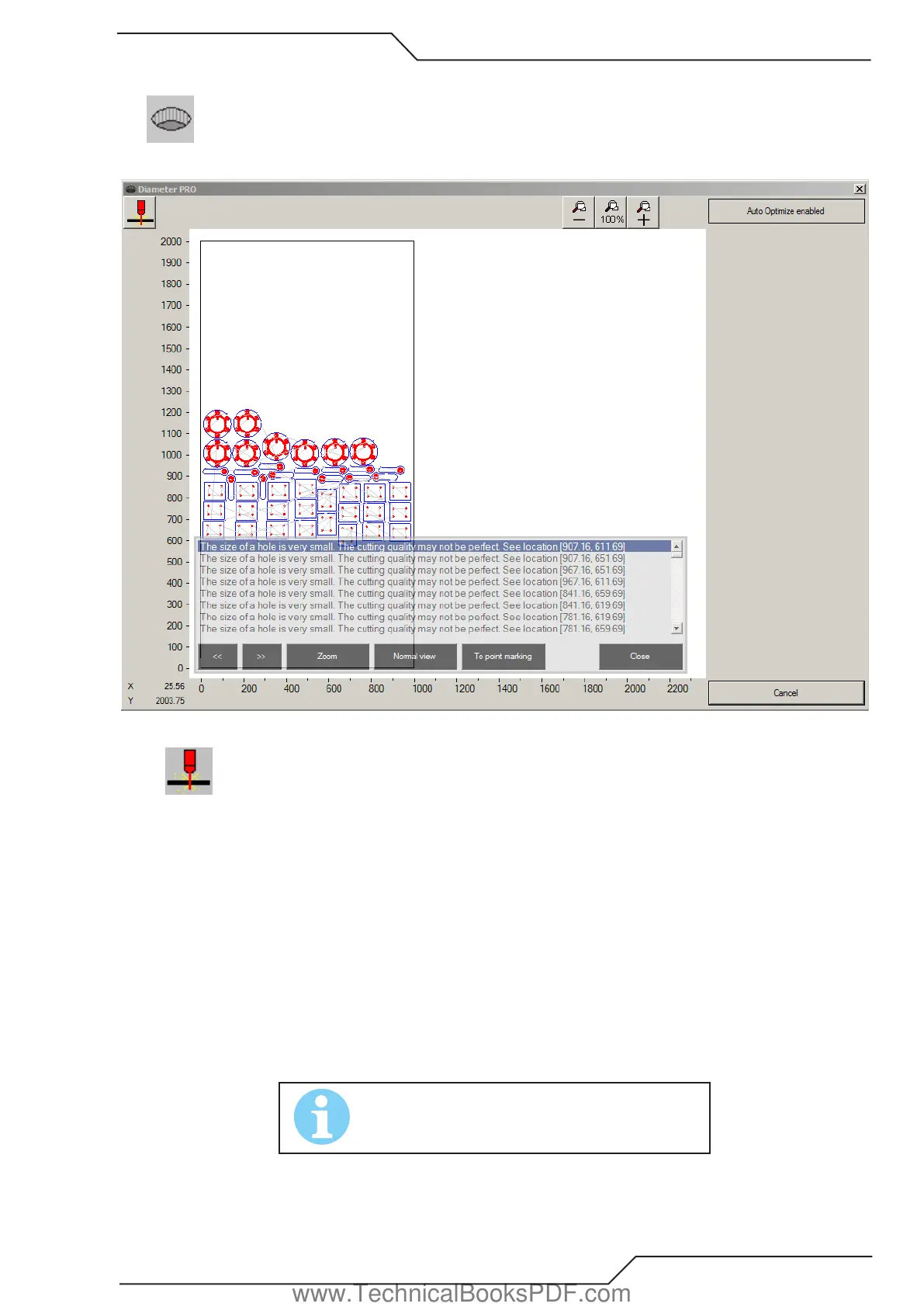
DiameterPro automatically adjusts hole properties (speed, leadin, leadout etc.) for supported processes.
After clicking the DiameterPro button a window like above will open.
• Sends cutting program to Promotion Cut be cut
• - Zooms out
• 100% Resets zoom
• + Zooms in
• Auto Optimize Enabled forces user to go through the DiameterPro window always before cutting a new part
• Cancel cancel and close DiameterPro window
If you have smaller than 1:1 (plate thickness : hole diameter) holes you will see a pop up window giving info about under sized holes:
• << and >> buttons scroll through the under sized holes
• Zoom Zoom into the selected hole
• Normal View Resets zoom and shows the whole cutting area
• To Point Marking Replaces the hole with a point marking point
• Close Closes the window and applies smallest hole data to the holes.
NOTE!
DiameterPro requires ProMotion® DiameterPro and a
supported plasma power supply to work.
www.TechnicalBooksPDF.com



 To Next Page