EasyManua.ls Logo

Thermal Dynamics SIGNATURE PAK 1250XRTM - User Manual

Thermal Dynamics SIGNATURE PAK 1250XRTM
68 pages
Print Icon
To Next Page IconTo Next Page
Loading...
April 4, 2001 Manual No. 0-2377
PLASMA ARC
CUTTING SYSTEM
SIGNATURE
®
PAK
®
1250XR
TM
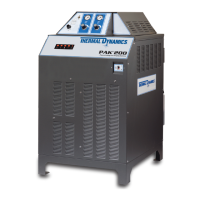
• PAK 1250 XR POWER SUPPLY
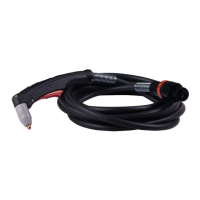
PCH/M-52 TORCH WITH WITH LEADS
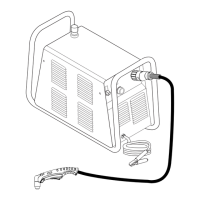
WORK CABLE WITH CLAMP
TORCH SPARE PARTS KIT
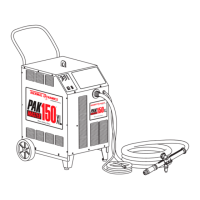
• RUNNING GEAR WITH HANDLE
• AIR LINE FILTER AND REGULATOR

Questions and Answers

  • G
    Gina WardAug 18, 2025
    Why does my Thermal Dynamics SIGNATURE PAK 1250XRTM Welding System shut down during cutting?
    • D
      daviswayneAug 18, 2025
      If your Thermal Dynamics Welding System shuts down during cutting and the TEMP indicator isn't lit, the issue could stem from several causes. The transformer may be overheated, in which case you should allow the unit to cool down. Another potential cause is gas supply pressure being too low, so check and correct it. Also, verify the primary power source, as a loss of primary power could be the reason. Finally, check the fuses and replace any that are blown.
  • D
    Danny MccartyAug 20, 2025
    What to do if my Thermal Dynamics SIGNATURE PAK 1250XRTM Welding System has no cutting arc?
    • J
      jlopezAug 20, 2025
      If there is no cutting arc with your Thermal Dynamics Welding System, ensure the work cable is securely connected. Also, one leg of power may be out.
  • J
    Julie FowlerAug 23, 2025
    How to troubleshoot power supply malfunctions in Thermal Dynamics Welding System?
    • C
      Christopher MurilloAug 23, 2025
      If you are experiencing power supply malfunctions with your Thermal Dynamics Welding System, you can try the following: replace the fuse or breaker at the disconnect, or reset the breaker. You can also try replacing the fuse, checking the connection, or checking the switch and T4, replacing if necessary. Also, inspect the PC board, replacing if necessary.
  • D
    dclarkAug 26, 2025
    Why is there excessive tip deterioration in my Thermal Dynamics SIGNATURE PAK 1250XRTM Welding System?
    • J
      Juan WardAug 26, 2025
      Excessive tip deterioration in your Thermal Dynamics Welding System can occur due to several reasons. You may have incorrect gas pressures, so check and correct them. The torch might be misused, so ensure you're using it within its specified ratings. Contaminated gas can also cause this, so install a filter. If the HF relay remains on during the cut, replace the control logic PC board. Also, verify pre-flow and post-flow gas flow; check and correct if there's no pre-flow gas flow or replace the PC board if there is no post-flow gas flow.
  • V
    Victoria LopezAug 27, 2025
    What to do if there is no gas flow when pressing the torch switch on my Thermal Dynamics Welding System?
    • S
      Shawn PerezAug 28, 2025
      If there is no gas flow when the torch switch is pressed on your Thermal Dynamics Welding System, first check the wires to the plug, switch, and receptacle to ensure they are connected. Then, check the switch for continuity when pressed. If these steps don't resolve the issue, the PC board may need to be checked and replaced if necessary.
  • C
    christopher99Aug 30, 2025
    Why is there gas flow in the SET position on my Thermal Dynamics SIGNATURE PAK 1250XRTM Welding System?
    • J
      James GarciaAug 30, 2025
      If there is gas flow in the SET position on your Thermal Dynamics Welding System, ensure the gas supply is turned on or replace the cylinder if it's empty. You may also need to check and replace the solenoid or switch if necessary.
  • M
    michaelbeckSep 2, 2025
    How to extend torch parts life on my Thermal Dynamics Welding System?
    • R
      Ronald MurilloSep 2, 2025
      To address short torch parts life in your Thermal Dynamics Welding System, inspect the diode. Also, check the contactors and switch, replacing them if necessary.
  • M
    Michelle AdkinsSep 4, 2025
    What to do if the GAS indicator is not lit in SET position on my Thermal Dynamics Welding System?
    • S
      Sarah WolfSep 4, 2025
      If the GAS indicator is not lit in the SET position on your Thermal Dynamics Welding System, the gas pressure might be too low. Reset it to 40 psi (2.8 bar) for plasma or 75 psi (5.2 bar) for secondary. You may also need to check and replace the PC board if necessary.
  • I
    Ian LewisSep 6, 2025
    Why is the red DC indicator not lit, but gas flows in my Thermal Dynamics SIGNATURE PAK 1250XRTM?
    • S
      Steve WallaceSep 6, 2025
      If the red DC indicator is not lit, but gas flows in your Thermal Dynamics Welding System, ensure the RUN/SET switch is in the RUN position. Also, check the control logic PC board connection and correct if necessary.
  • C
    Chris Hodge PhDSep 9, 2025
    What to do if I cannot set the desired gas pressure on my Thermal Dynamics SIGNATURE PAK 1250XRTM Welding System?
    • K
      Katrina WardSep 9, 2025
      If you cannot set the desired gas pressure on your Thermal Dynamics Welding System, you may need to repair or replace the unit. Also, check the input pressure.

Summary

Section 1: System Description

1.1 General Description

Overview of the Plasma Arc Cutting/Gouging System.

1.2 Power Supply Specifications

Details on voltage, current, phase, and dimensions.

1.3 Torch Specifications

Torch configurations, lengths, current rating, and gas requirements.

1.5 Theory of Operation

Explains the principles of plasma gas flow and arc operation.

Section 2: Unit Assembly

2.1 Unpacking the System

Instructions for removing system components from packaging.

2.2 Equipment Assembly

Steps for assembling the running gear and handle.

2.3 Installation

Procedures for locating the unit and connecting gas and air lines.

2.4 Lifting the Power Supply

Safety precautions and methods for lifting the power supply unit.

Section 3: Operation

3.1 Operating Controls

Identification and function of controls on the PAK 1250 XR power supply.

3.2 Pre-Operation Set-up

Steps to prepare the system for operation, including torch and gas setup.

3.3 Cutting Operation

Detailed instructions for performing plasma arc cutting with a hand torch.

3.4 Gouging Operation

Instructions for performing plasma arc gouging operations.

3.6 Common Operating Problems

Lists common cutting problems and their probable causes.

3.7 Cutting Speeds

Charts showing optimal cutting speeds for various materials and gases.

3.8 Sequence of Operation

Step-by-step flow of system actions from startup to shutdown.

Section 4: Maintenance

4.1 Torch Maintenance

Procedures for inspecting and replacing torch consumable parts.

4.2 Torch Leads Replacement

Instructions for replacing torch leads for hand and machine torches.

4.3 Power Supply Maintenance

Maintenance tasks for the power supply, including fan lubrication and cleaning.

4.4 Troubleshooting Guide

Table of common problems, causes, and remedies for system malfunctions.

4.5 Test Procedures

Diagnostic tests for specific problems, including contactor and diode checks.

Section 5: Parts Lists

5.1 System Components & Accessories

Lists system components and optional accessories with catalog numbers.

5.2 Front Panel Components

Identifies components located on the front panel of the unit.

5.3 Rear Panel Components

Identifies components located on the rear panel of the unit.

5.4 Base Components

Lists components located in the base of the power supply unit.

5.7 Torch Components

Detailed list and diagrams of torch components.

5.8 Torch Accessories

Lists various accessories available for the torch.

5.9 Troubleshooting Diagram

A schematic diagram illustrating system operation and troubleshooting points.

5.11 Signature Pak 1250 XR System Schematic (Sheet 1)

First part of the system schematic diagram.

Signature Pak 1250 XR System Schematic (Sheet 2)

Second part of the system schematic diagram.

Thermal Dynamics SIGNATURE PAK 1250XRTM Specifications

General IconGeneral
ModelSIGNATURE PAK 1250XRTM
Input Frequency50 / 60 Hz
Gas Pressure90 - 120 psi (6.2 - 8.3 bar)
ProcessPlasma Cutting
TypePlasma Cutting System
Open Circuit Voltage (OCV)300V
Cutting Capacity (Mild Steel)1.5 inches (38mm)
Gas SupplyClean, dry, oil-free air or nitrogen
Gas TypeAir or Nitrogen
Cooling MethodAir Cooled

Related product manuals