Servicing
Reaction Chamber Cleaning or Removal
7-20 Model 42i Low Source Instruction Manual Thermo Electron Corporation
2. Disconnect the 1/8-inch line at the mixing tee on the rear of the
reaction chamber. This line is connected to the left 1/8-inch elbow at
the bottom of the front of the reaction chamber.
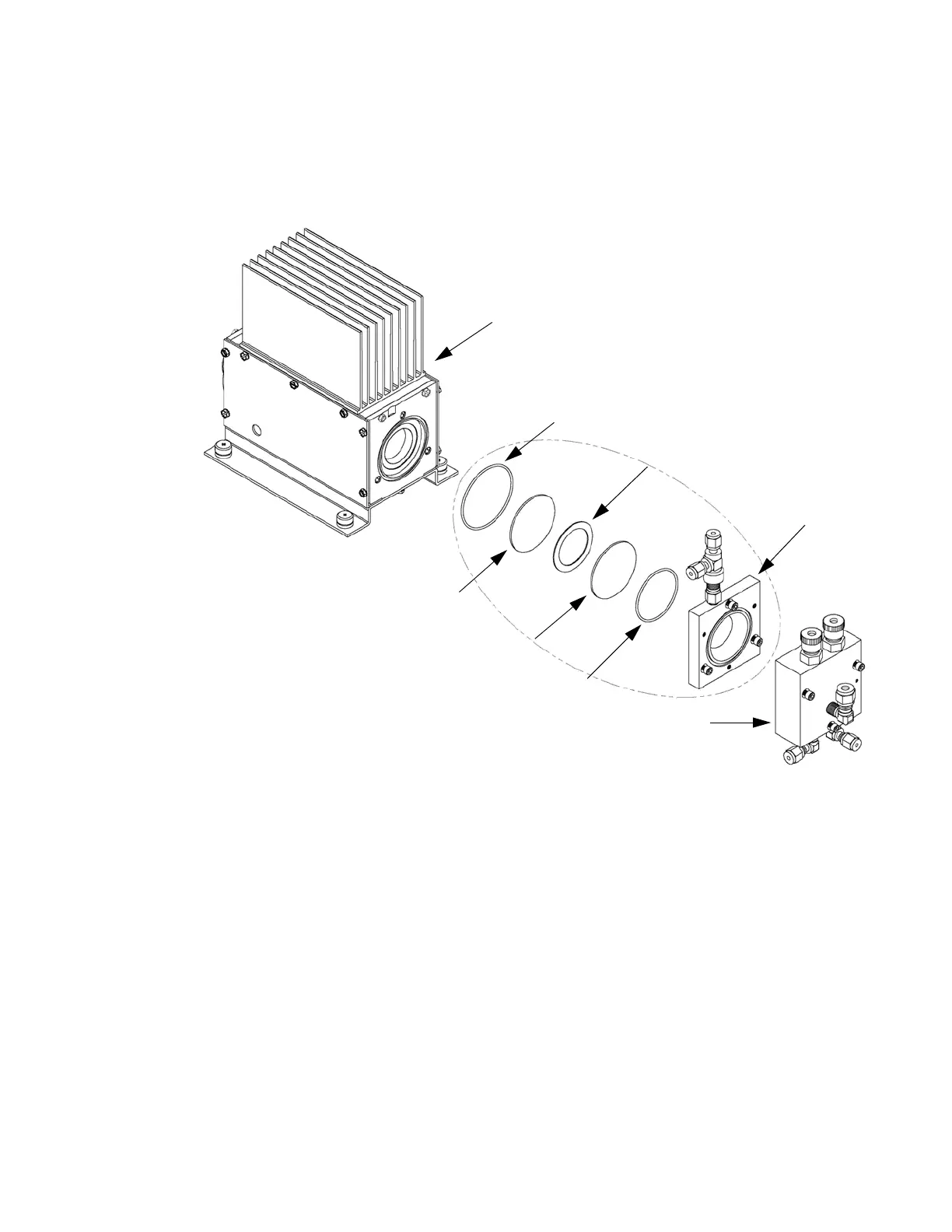
Figure 7-11. Cleaning or Removing the Reaction Chamber
3. Disconnect 1/4-inch fitting from the exhaust elbow on the front of the
reaction chamber.
4. Disconnect 1/8-inch fitting from 1/8-inch elbow at the bottom of the
front of the reaction chamber.
5. Remove the three socket head screws fastening front of reaction
chamber to rear. This exposes the inner surfaces of both sections of the
PMT Cooler
O-Ring (2-034)
Red Filter
Viton Spacer
Quartz Window
O-Ring (2-127)
Reaction Chamber Rear
Reaction Chamber Front










 To Next Page