www.thunderlaser.com DONGGUAN THUNDER LASER EQUIPMENT CO.,LTD
tech@thunderlaser.com Shatian Town, Shatian Dadao, Mintian
Tel : (86)769 826653 Dongguan City, Guangdong Province, China
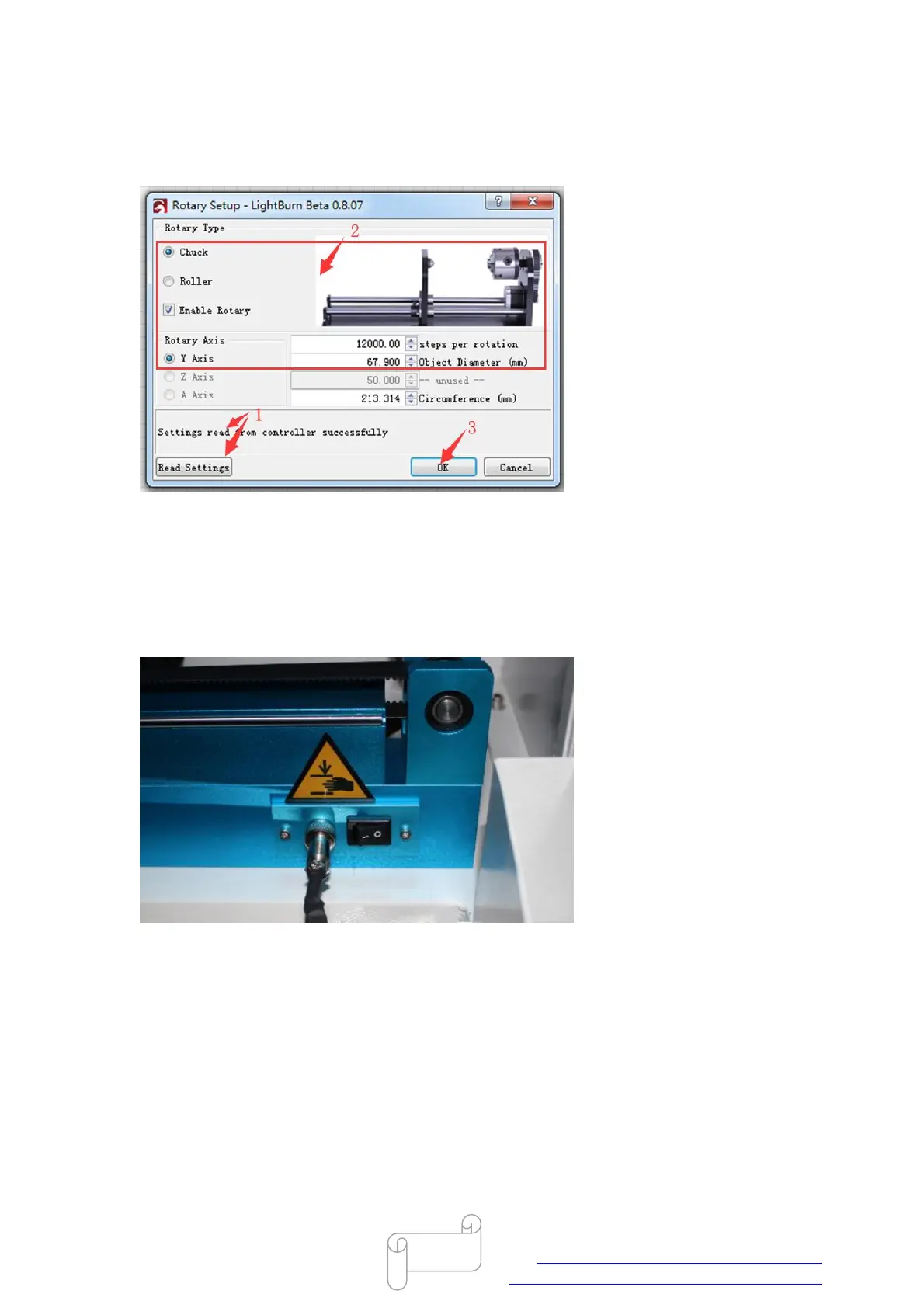
In Lightburn, Read settings(successfully)>>tick “Chunk”,”Enable Rotary” and “Y Axis”>>set “steps
per rotation” and “Object Diameter”>>OK, like below.
PS: The setting need to be saved into controller, so please connect your pc and laser machine.
2. 5-pin connector on the machine,like below.
For this type connector,rotary axis is controlled by Y axis after turn on the rotary switch.
In RDworks, there must be no read and write button on the setting of “Enable rotate engrave”.
Tick “Enable rotate engrave”>>set “Circle pulse” and “Diameter”



 To Next Page