www.thunderlaser.com DONGGUAN THUNDER LASER EQUIPMENT CO.,LTD
tech@thunderlaser.com Shatian Town, Shatian Dadao, Mintian
Tel : (86)769 826653 Dongguan City, Guangdong Province, China
3.8 How to import PDF files into RDWorks
1. RDWorks cannot read PDF and open it directly.
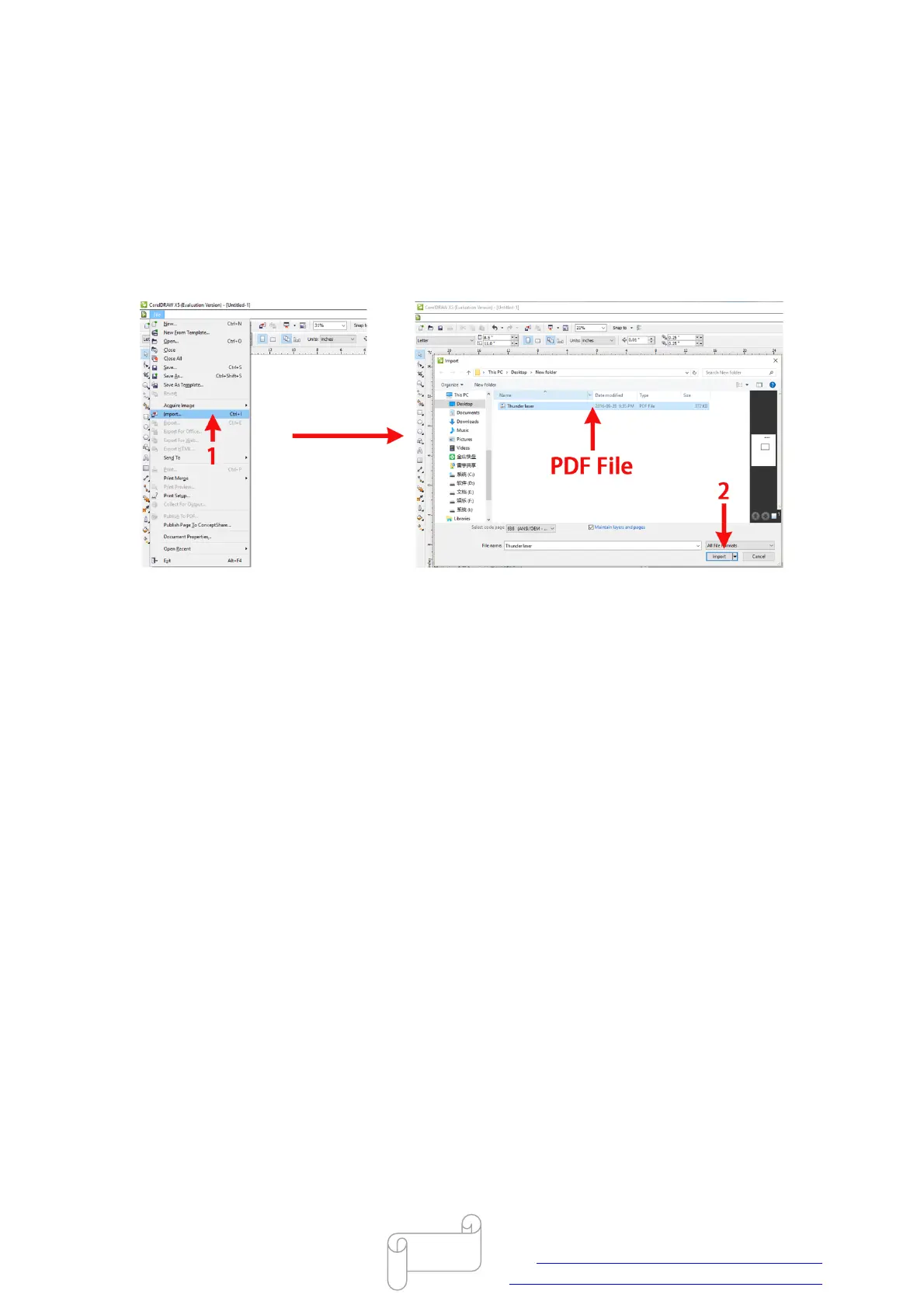
2. Use CorelDraw to open/import PDF file firstly. Then save the graphic as DXF file.
Like below:
3. Then RDWorks can read the DXF file, Just import the DXF file into RDWorks directly.
4. The other way is open/import PDF file with CorelDraw,use the plugin button “Laser Running
“ to import the graphic into RDWorks
End



 To Next Page