www.thunderlaser.com DONGGUAN THUNDER LASER EQUIPMENT CO.,LTD
tech@thunderlaser.com Shatian Town, Shatian Dadao, Mintian
Tel : (86)769 826653 Dongguan City, Guangdong Province, China
2.10 Why the “Origin” button of LCD panel not working?
Here are the reasons:
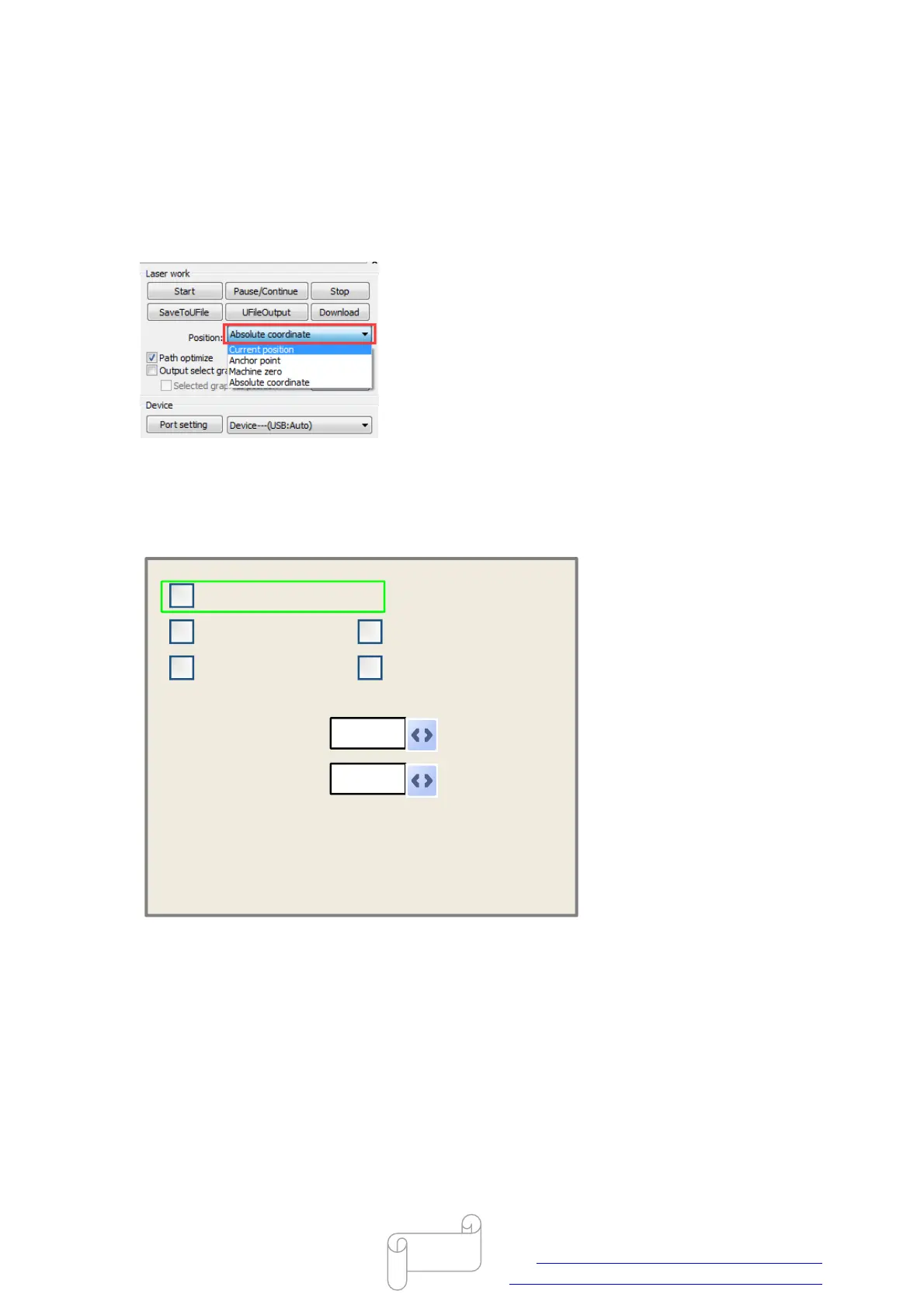
The starting point is set to absolute coordinate in software.
Locate on the bottom left corner, the option of “Position” please select to Current position.
Origin setting is not proper on LCD panel
Open origin setting windows: Z/U button>>origin set+.
Make sure the “Multiple Origins Enable” is not selected, like below.
Modified press Enter
Press Z/U move item
1
Origin enable1 Origin enable3
Origin enable2 Origin enable4
Set origin:
Next origin:
0
Muti origin enable
End.



 To Next Page