www.thunderlaser.com DONGGUAN THUNDER LASER EQUIPMENT CO.,LTD
tech@thunderlaser.com Shatian Town, Shatian Dadao, Mintian
Tel : (86)769 826653 Dongguan City, Guangdong Province, China
2.6 Y-axis not moving at all
Here are the reasons:
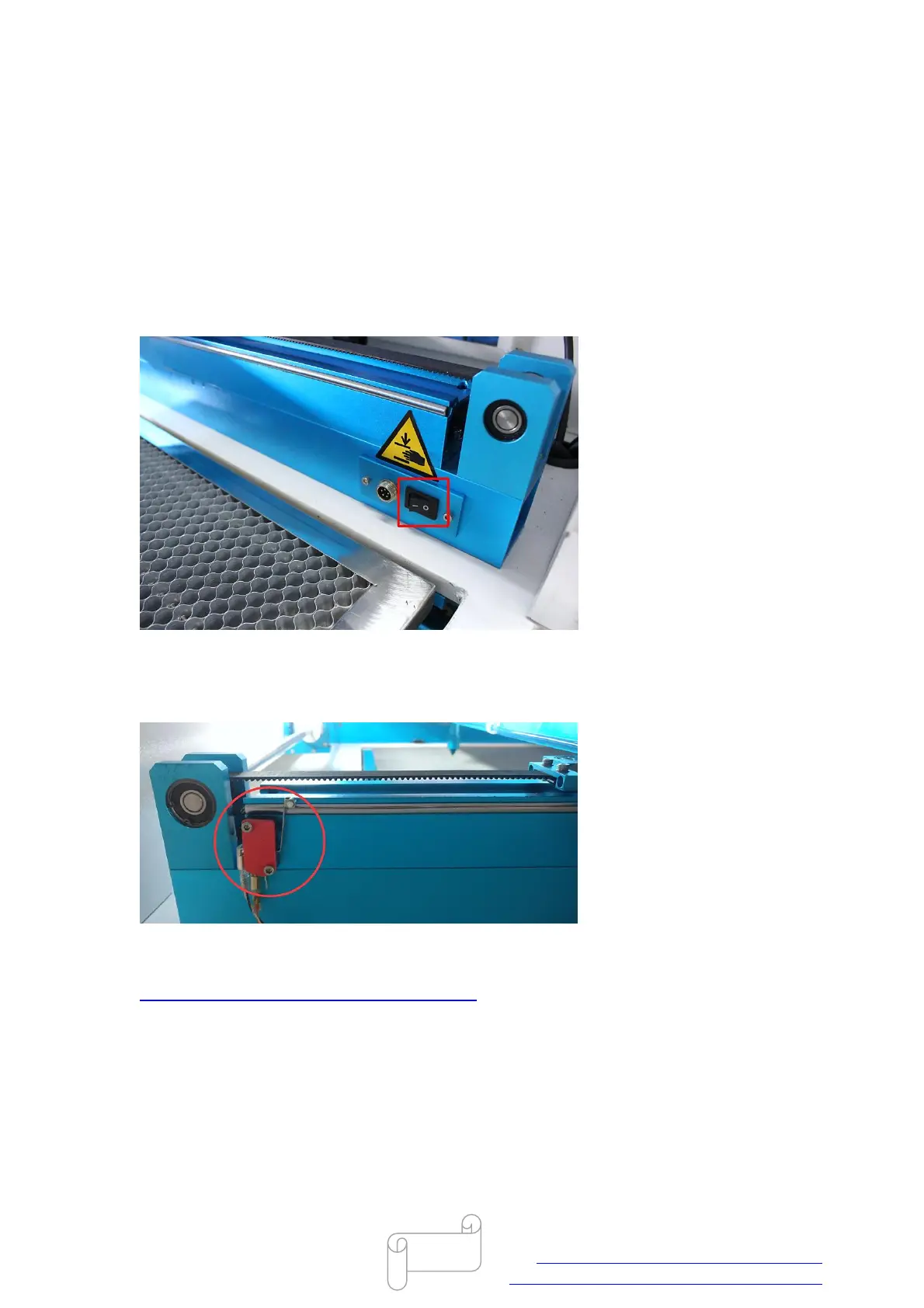
Rotary switch is turned on
Note: The rotary-axis and y-axis can be switched, if the rotary switch is turned on, y-axis will not
moving at all, and the rotary-axis will need to connect the rotary device.
If it is “-”, please turn off to “O” and press the reset button on LCD panel, like below.
Y-axis limit switch problem
Please open upper left hand door panel, check if the wiring and roller lever of switch are well or
not, like below.
If they both seem to be well, please test is y-axis limit switch working properly according to the
video below.
https://www.youtube.com/watch?v=oOy1HFAufu8
The interface of y-axis motor have bad connection
If the y-axis limit switch is working properly, please open the laser tube cover, check if the
interfaces of y-axis motor are connected well, like below.



 To Next Page