www.thunderlaser.com DONGGUAN THUNDER LASER EQUIPMENT CO.,LTD
tech@thunderlaser.com Shatian Town, Shatian Dadao, Mintian
Tel : (86)769 826653 Dongguan City, Guangdong Province, China
Please power off the machine, re-connect the interface then try again.
Motor or driver of y-axis is broken
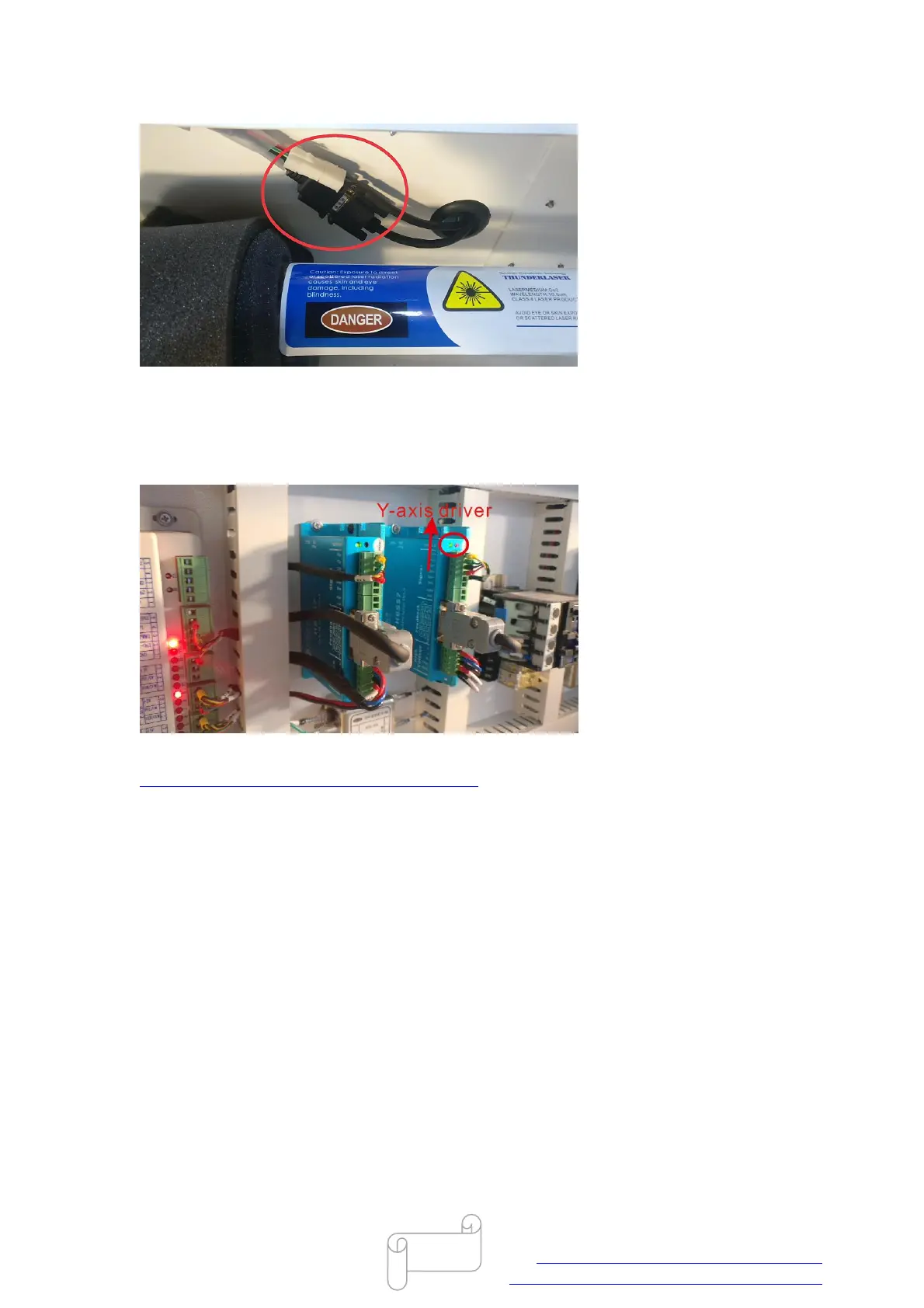
Please open lower right hand door panel, check the Y-axis driver (red LED should be up and
flashing), like below:
Please power off the machine, then swap two drivers according to the video below.
https://www.youtube.com/watch?v=LC6lW1YFLvM
After that, power on the machine, check if the machine is resetting normally.
If y-axis still not moving at all, so the y-axis motor is broken;
If the problem shifts to x-axis, the same driver is flashing red light, so this driver is broken.
End



 To Next Page