A
B
C
D
IEF_01
IEF_03
B A
C
D
TKS Operator's manual
19
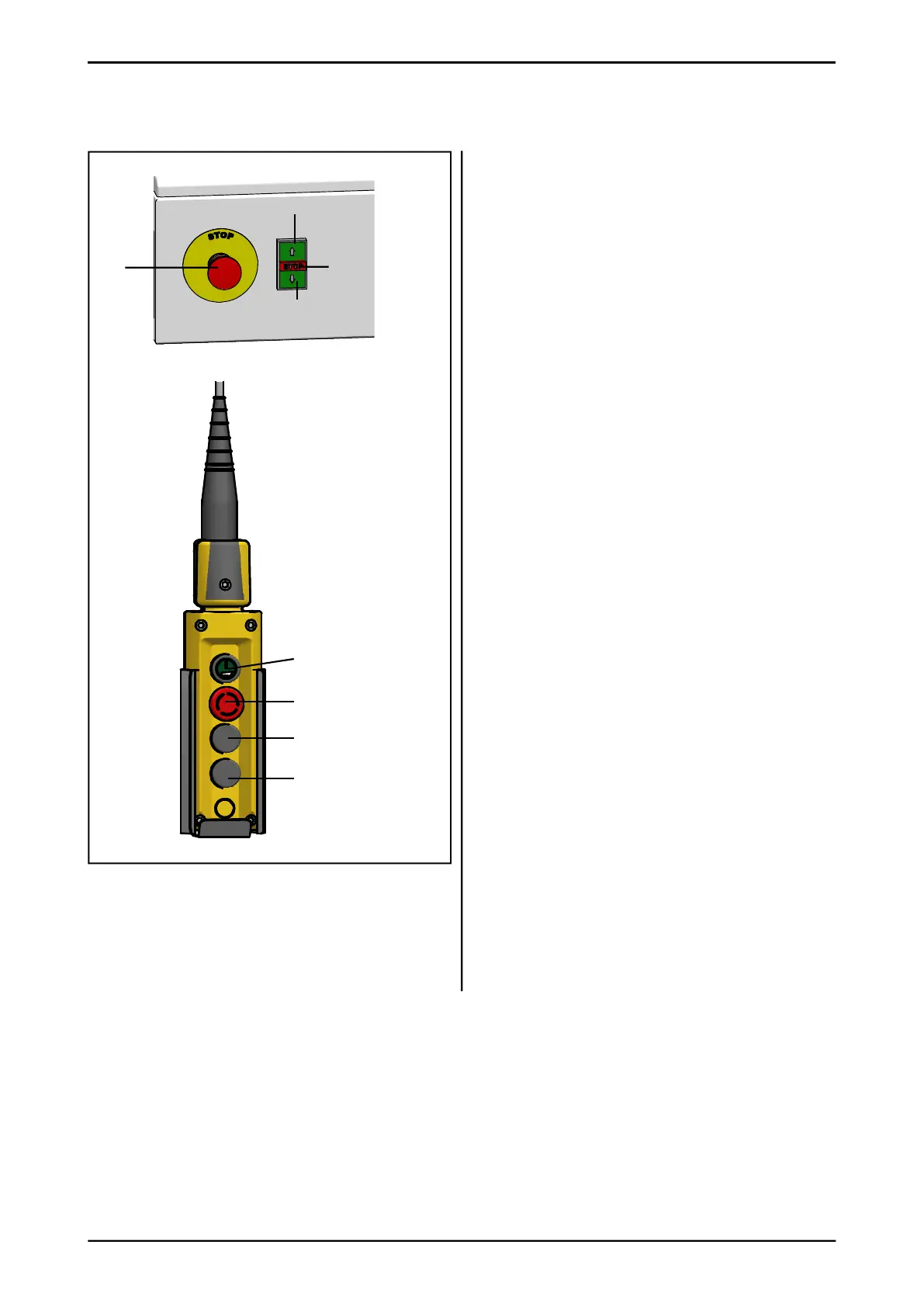
2.12 Manual button on cabinet or
panel control
Used to dispense feed when the control box is
in use.
When using this, take care to avoid getting
trapped between the machine and
the feed tray or the fi ttings.
A – button for enabling and stop
B – emergency stop switch
C – button for driving machine backwards and
start dispensing feed to the left side
D – button for driving machine forwards and
start dispensing feed to the right side
Note! Operation must always be enabled
before use. Press button A and hold down for
two seconds.
• Drive the machine forwards with button D
and backwards with button C. The machine
only moves when the button is held down.
• Start dispensing feed to the left. Hold button
A down and press button C at the same time.
Release button A.
• Start dispensing feed to the right. Hold
button A down and press button D at the
same time. Release button A.
• Drum, conveyor belt and side dispenser start
up in sequence. Dispense feed by driving
forwards and backwards with buttons
D and C.
• Stop dispensing feed. Press button A.
• Drum, conveyor belt and side dispenser stop
in sequence.
• On a machine without side dispensers, the
feed dispensing process starts in a similar
manner. Hold button A down and press
buttons C or D at the same time. Release
button A.
• Stop dispensing feed. Press button A.
Fig. 35



 To Next Page