TKS Operator's manual
46
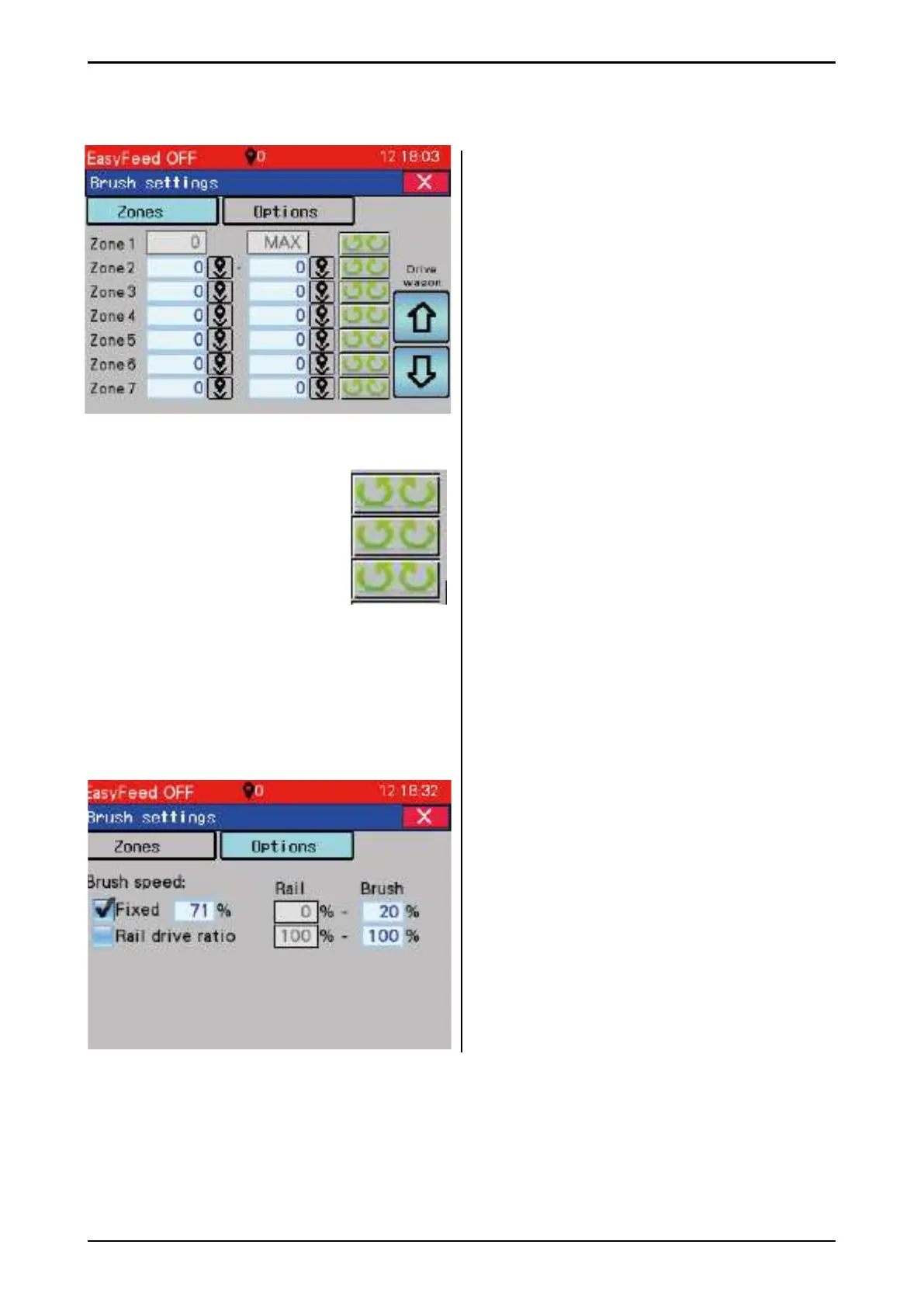
3.5.5.5 Brush settings
Selection of zones, position and brush mode.
Each zone has a start and stop position.
The start position must always be lower than
the stop position.
1 zone is always from 0-max - the entire barn
length
If position zones overlap - higher zone numbers
have higher priority.
Mode
Press mode to change between:
1 - Left brush brushes to the left, and right
brush to the right
2 - Both brushes brush on the left
3 - Both brushes brush on the right
Example:
You wish to brush both ways, except only on
the left from position 500-600 and only on the
right from position 1500 to 1600.
Here you can choose whether the brush speed
is fi xed or it varies depending on the ceiling rail
speed.
If the selection is locked speed - enter the brush
speed in % of max.
If the selection is "Rail drive ratio" enter brush
speed as 0% of rail, and at 100% of rail speed.
Then the brush speed is calculated
proportionally to the rail speed.
1
2
3
Fig. 73
Fig. 74



 To Next Page