TKS Operator's manual
45
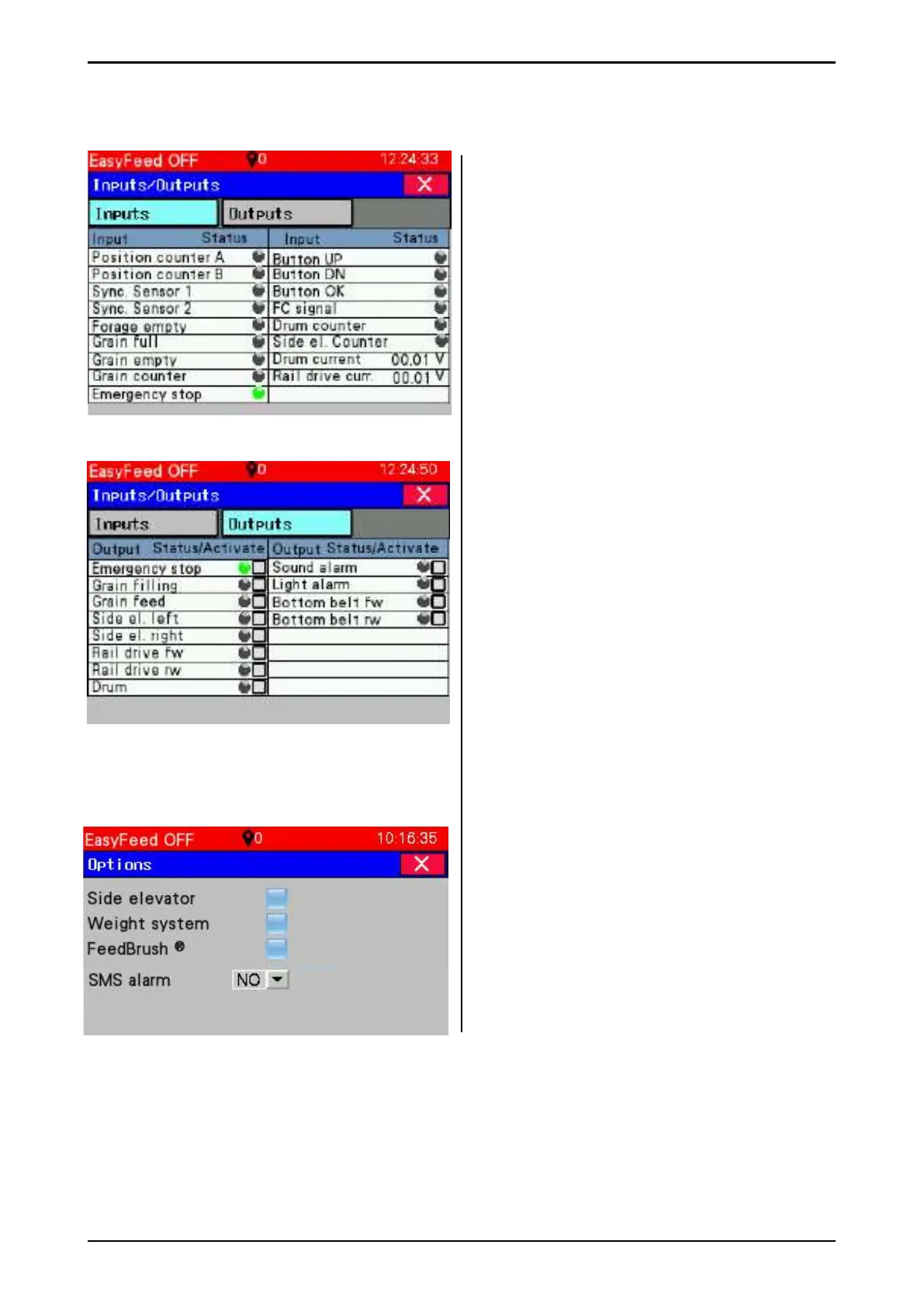
3.5.5.3 Inputs and outputs
The window displays inputs and outputs to the
PLC in dedicated tabs.
Tab Inputs
Behind every digital output a light indicates
whether it is enabled or not.
• Green light - Signal
• Black signal - No signal
Tab Outputs
Behind every digital output a light indicates
whether it is enabled or not. Enable the output
by pressing the square (Turn on).
3.5.5.4 Options
Tick if the machine is to have:
• Side dispenser
• Weighing system
• FeedBrush
• SMS alarm - Set output for SMS alarm
(100.01) which is either NO or NC
Fig. 70
Fig. 71
Fig. 72



 To Next Page