TKS Operator's manual
37
3.5.2 Forage settings
Select the type of fi lling source for forage.
Press and hold the key for two seconds.
• Manual – The chamber is loaded manually
from the rear, from the side or with a crane
• Top – The chamber is loaded from the top
either from a conveyor belt or a machine
• Magazine – The chamber is loaded from the
rear via a connected magazine.
E.g. R2 Magazine.
• Multi – MultiFilling is enabled, and the
Chamber can be fi lled from these additional
fi lling sources.
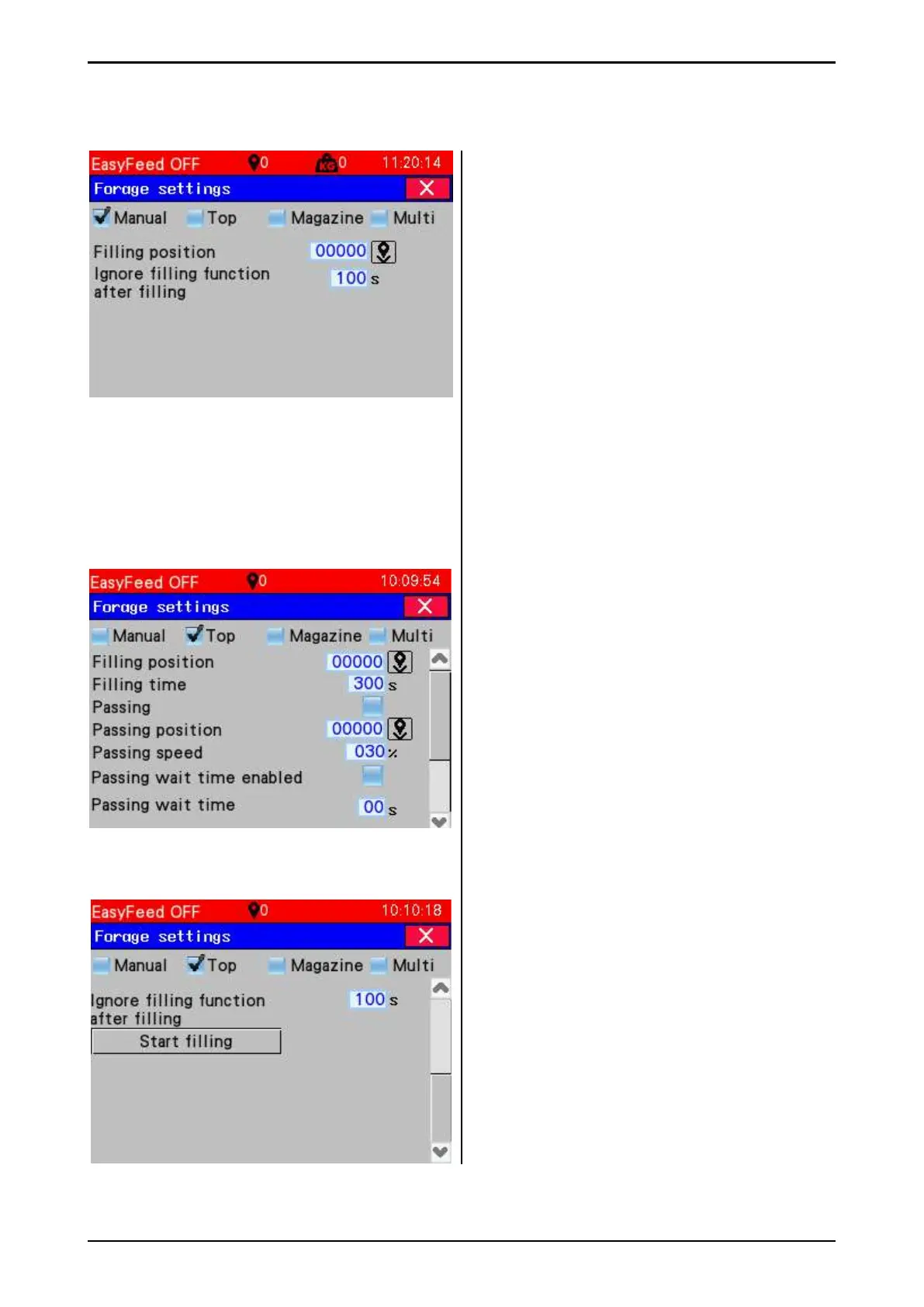
3.5.2.1 Manual fi lling
• Set machine position for fi lling. Position the
machine and press the Set machine position
key.
• Ignore fi lling function after fi lling –
A deferment time for new loading can be set.
This especially applies when dispensing
frozen round bales. The machine thinks it is
empty if the bale is suddenly thrown back
into the chamber.
3.5.2.2 Filling from the top
• Set machine position for fi lling. Position the
machine and press the Set machine position
key
• Enter Filling time. The time must be longer
than the time used by the fi lling source.
Otherwise, the feed may fall onto the fl oor.
• Activate Alternation. In alternation mode,
feed is distributed across the entire length
of the chamber by the machine running for-
wards and backwards. This mode can only
be used when the machine is fi lled from a
narrow conveyor.
• Enter Alternate position.
The machine alternates between this
position and the fi lling position.
• Enter Alternation speed
• Alternation waiting time activated - when
activated, the machine will wait at the fi lling
position and alternate position during
alternation.
• Alternation waiting time -
Selected waiting time in seconds.
• Ignore fi lling function after fi lling –
see manual fi lling.
Fig. 59
Fig. 60a
Fig. 60b



 To Next Page