TKS Operator's manual
40
3.5.3 Grain settings
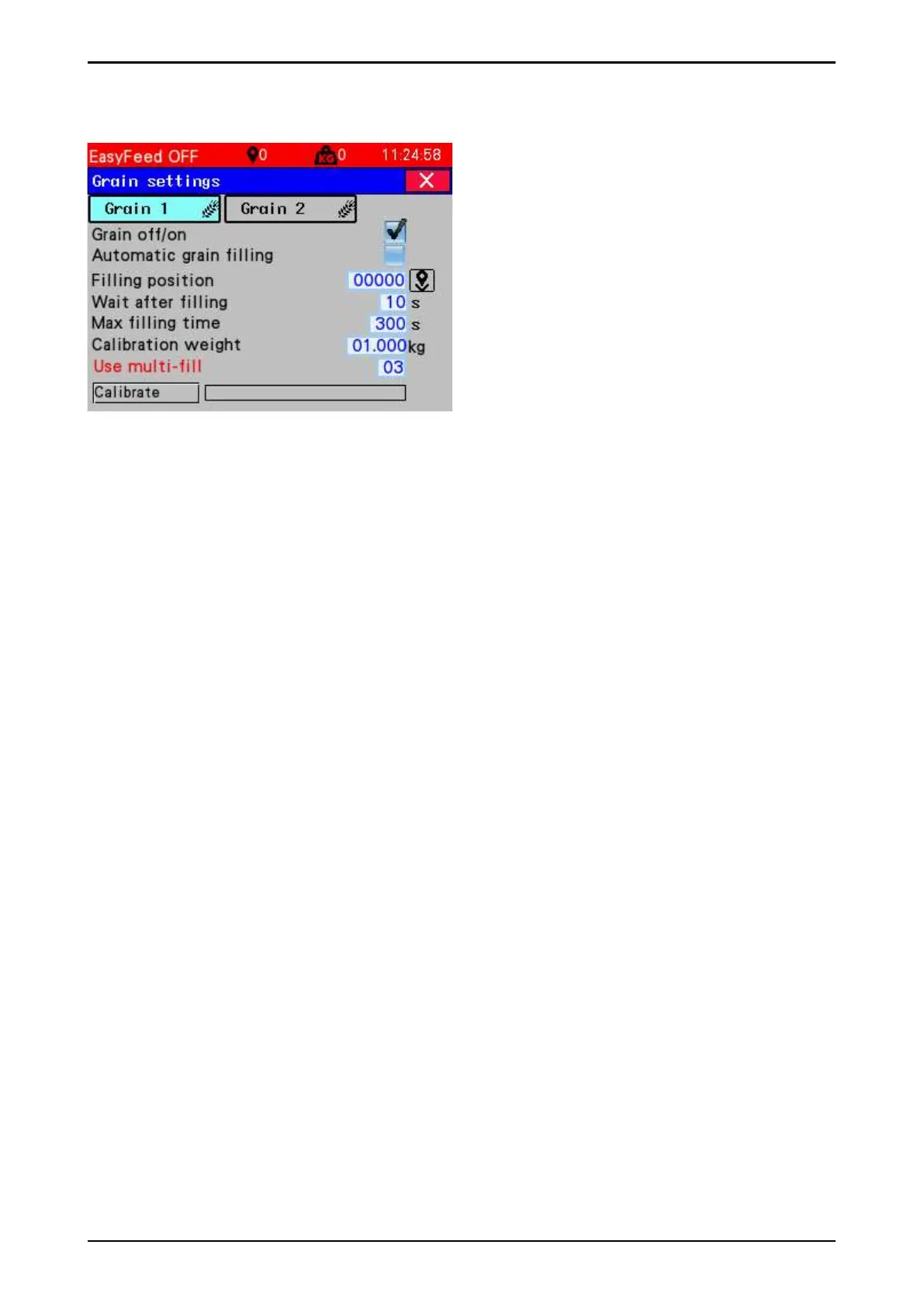
Here are settings for grain 1 and
2 fi lling and feeding.
All parameters are equal to v1.7x except
"Use multifi ll" function.
Fig. 64
• Select setting for grain tank 1
• Grain off / on must be activated if the machine could feed grain.
• Automatic grain fi lling. Fills the grain feed tank when it is empty. When grain feed fi lling is
disabled, manual fi lling can be performed. The machine issues a warning when the
grain feed tank is empty.
• Fill before feeding - fi lls the grain feed tank to the top before feeding starts. This avoids the
machine having to return to the fi lling position in the middle of feeding because the grain feed
tank runs empty. Used when the grain feed tank is small (narrow machine) or where grain feed
of low concentration is used
• Filling position - Place the machine beneath the downpipe and press the
Set machine position – key
• Wait after fi lling – The machine waits until grain has drained out before driving off .
• Max fi lling time is set approximately equal to or slightly above normal fi lling time. This restricts
any overfi lling if a fault should arise during fi lling. If the time is set too low, the grain feed tank
will not fi ll completely.
• If the tank is not full after. Max fi lling time, a warning that the grain feed tank is
empty will be issued. Grain feed fi lling stops until the warning is reset.
Calibration
• Place a bucket under the outlet from the grain feed auger. Swing the grain feed tank aside if
necessary
• Press the Calibrate key
• Weigh the contents of the bucket and enter in the Calibration weight fi eld
• Important! Grain feed has diff erent net weight. Always perform a new calibration when
changing grain type or delivery.
• Perform regular calibrations to ensure that the correct amount of grain feed is
distributed.
Program settings for grain feed tank 2 if the machine has a second tank.
Note! Grain 2 can only be fi lled automatically
"Use Multifi ll" - Enter the fi lling source number that is connected to the multifi ll control box and
controls the grain fi lling motor.
If "Use Multifi ll" parameter is 0, then the multifi ll for grain is not enabled and grain refi lling works
in the same way as on the previous version of EasyFeed.



 To Next Page