TKS Operator's manual
42
Fig. 65b
Fig. 66
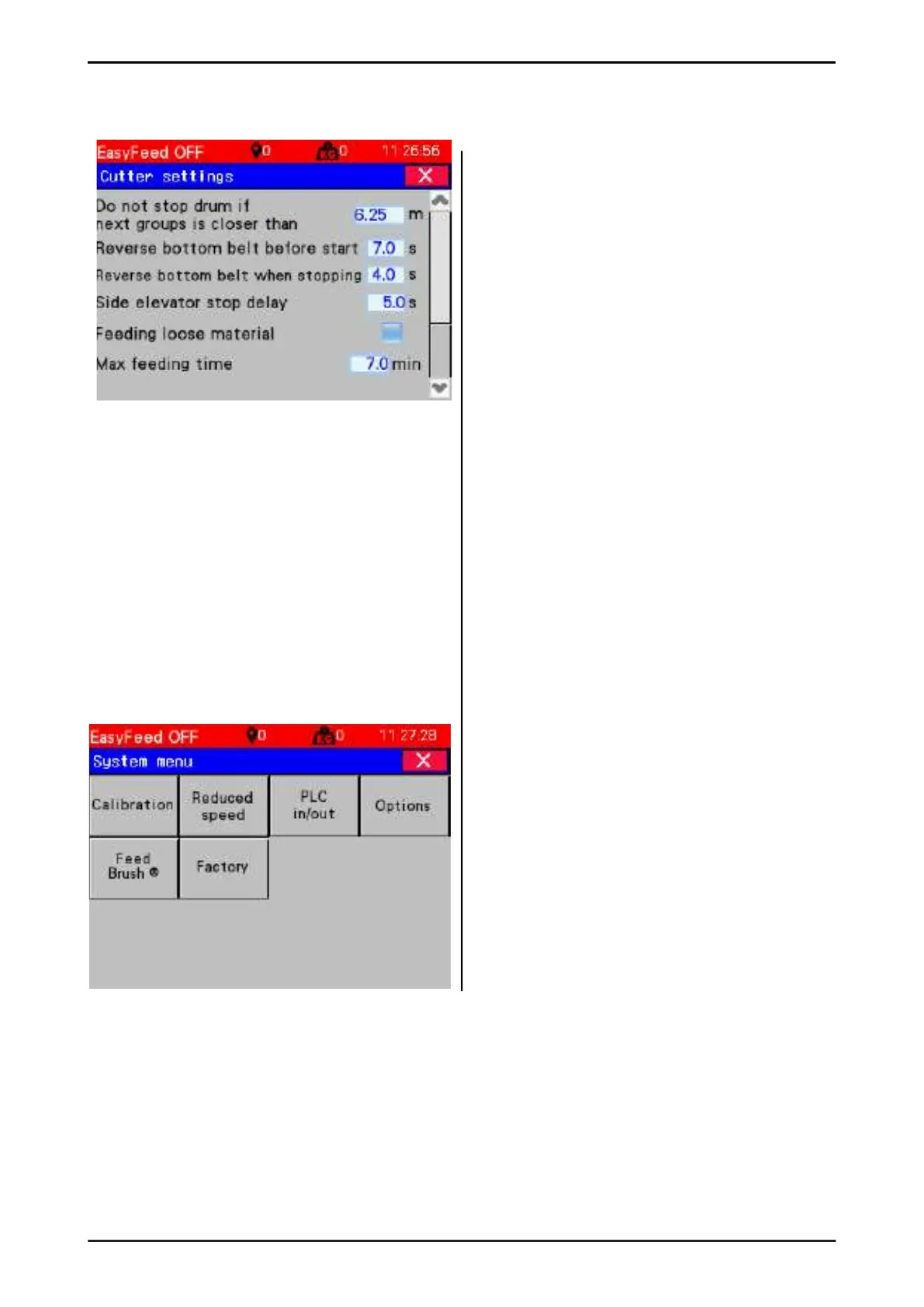
Cutter settings Side 2
• Do not stop drum if next groups are
closer than – If multiple groups are fed in
succession, the drum and side dispenser
do not need to stop between each group.
The value indicates the permitted number of
metres to the next group where the drum is
to resume rotating.
• Reverse bottom belt before start – the
time the bottom belt needs to run in reverse
before the drum starts.
• Reverse bottom belt when stopping – the
time the bottom belt needs to run in reverse
after feeding has fi nished.
• Side elevator stop delay – when feeding
stops, the feeder continues for as long as
this time indicates.
• Feeding loose material – bottom belt runs
in fi xed speed step, and does not follow
pressure on drum.
• Max feeding time – Maximum time it is
allowed to run on a feeding.
3.5.5 System menu
Open the menu for programming the feed
dispensing machine. Press the Menu key at the
bottom left of the Menu bar.
• Calibration – Defi ne the drive path along the
rail.
• Reduced speed – Location of reduced
speed zones at bends.
• PLC in / out – Displays PLC inputs and
outputs.
• Options – Selection of installed additional
equipment.
• Feed Brush – Feed Brush settings.
• Factory – Resetting the factory settings.



 To Next Page