TKS Operator's manual
36
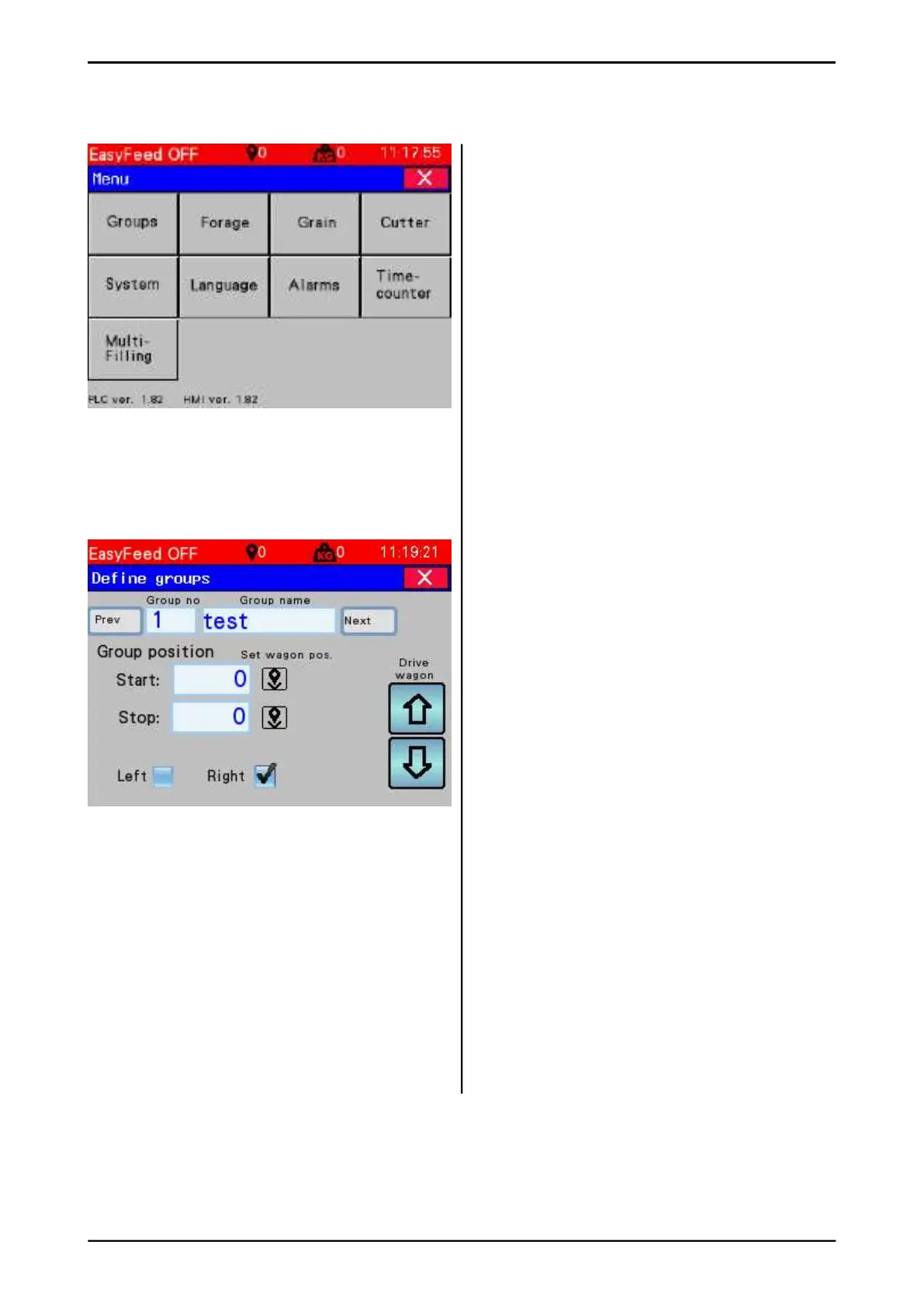
3.5 Menu
Open the menu for programming the feed
dispensing machine. Press the Menu key at the
bottom left of the Menu bar.
• Groups – Defi ne the groups in the barn
• Forage – Set-up the fi lling source for forage
• Grain – Set-up the fi lling source for
grain feed
• Cutter – Settings for the feed dispensing
machine
• System – System settings. Resetting the
set-up
• Language – Select screen language
• Alarms – Error messages and warnings lo
• Timecounter – Displays operating time for
the machine
• Multifi lling
3.5.1 Defi ne groups
This window is used to program the groups in
the barn
• Select group no.
• Enter the name of the group
• Drive the machine to the position where the
group (the enclosure) starts with the arrow
keys.
• Press Set machine position - set Start key
• Drive the machine to the position where the
group ends.
• Press Set machine position – the End key
• Select dispensing side for the side
dispenser.
Left – Right
• Press Next to defi ne a new group
• Note! Manual grain feeding applies only to
grain 1
• The machine speed is adjusted in the box
or with the hotkeys. +/ - 10% for each press.
• Note! Higher machine speed means less
feed per metre driven.
• Grain quantity is adjusted in the box.
Here too, higher machine speed means less
grain per metre driven. When grain is fed
out once, the value is set back to the preset
value and it is ready for the next feeding.
Fig. 57
Fig. 58



 To Next Page