TKS Operator's manual
22
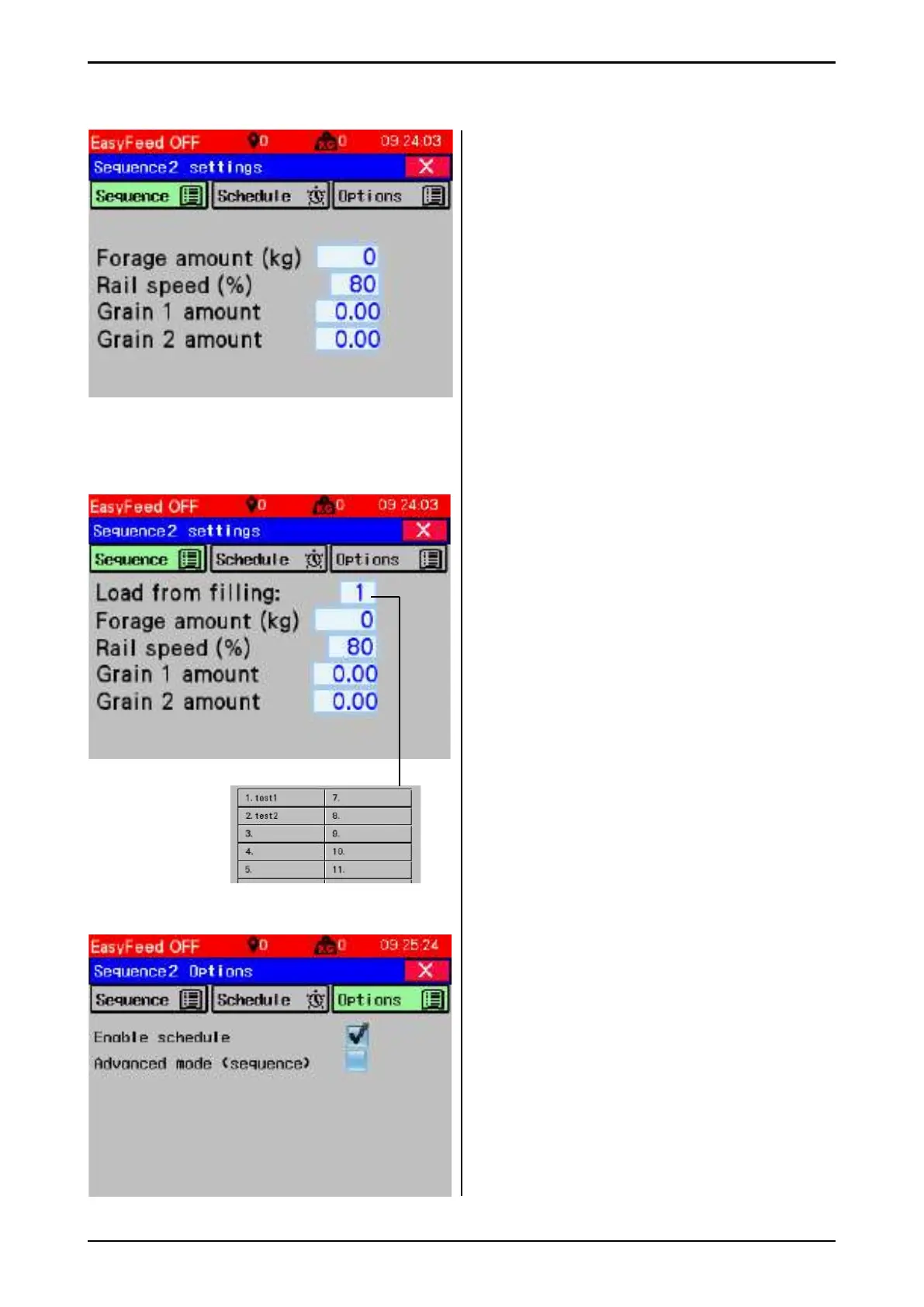
Fig. 39b
3.3.2 Sequence with weight, with grain
without Multifi ll.
• Feed quantity (kg) – forage quantity in kg
per group feed.
• Rail speed (%) – speed (as a percentage of
max) of ceiling operation while the machine
dispenses in group.
• Grain 1 quantity – Quantity in kg per group
feed.
• Grain 2 quantity – Quantity in kg per group
feed.
Note!
• When "Multifi ll" is enabled, the machine
should be loaded before each group feed.
• Loaded quantity = Unloaded quantity.
• To load for multiple groups, use advanced
sequence.
3.3.3 Sequence with weight, with grain with
"Multifi ll".
• Load from fi lling – select the fi lling source
number to load forage from. The fi lling
source number (1) is changed by pressing in
the fi eld.
• Feed quantity (kg) – forage quantity in kg
per group feed
• Rail speed (%) – speed (as a percentage of
max) of ceiling operation while the machine
dispenses in group.
• Grain 1 quantity – Quantity in kg per group
feed.
• Grain 2 quantity – Quantity in kg per group
feed.
When "Multifi ll" is enabled, the machine
should be loaded before each group feed.
Loaded quantity = Unloaded quantity.
To load for multiple groups, use
advanced sequence.
3.3.4 Sequence Options
Enable schedule - Select here whether the
sequence or the group should run according to
the schedule, when the time is set and enabled
and the machine is set to Auto mode
Advanced mode (sequence) - A group is
redefi ned to sequence and sequence setup
will be displayed when the sequence button is
pressed.
Fig. 39c
Fig. 40



 To Next Page