TKS Operator's manual
20
3 Operation
3.1 Home screen
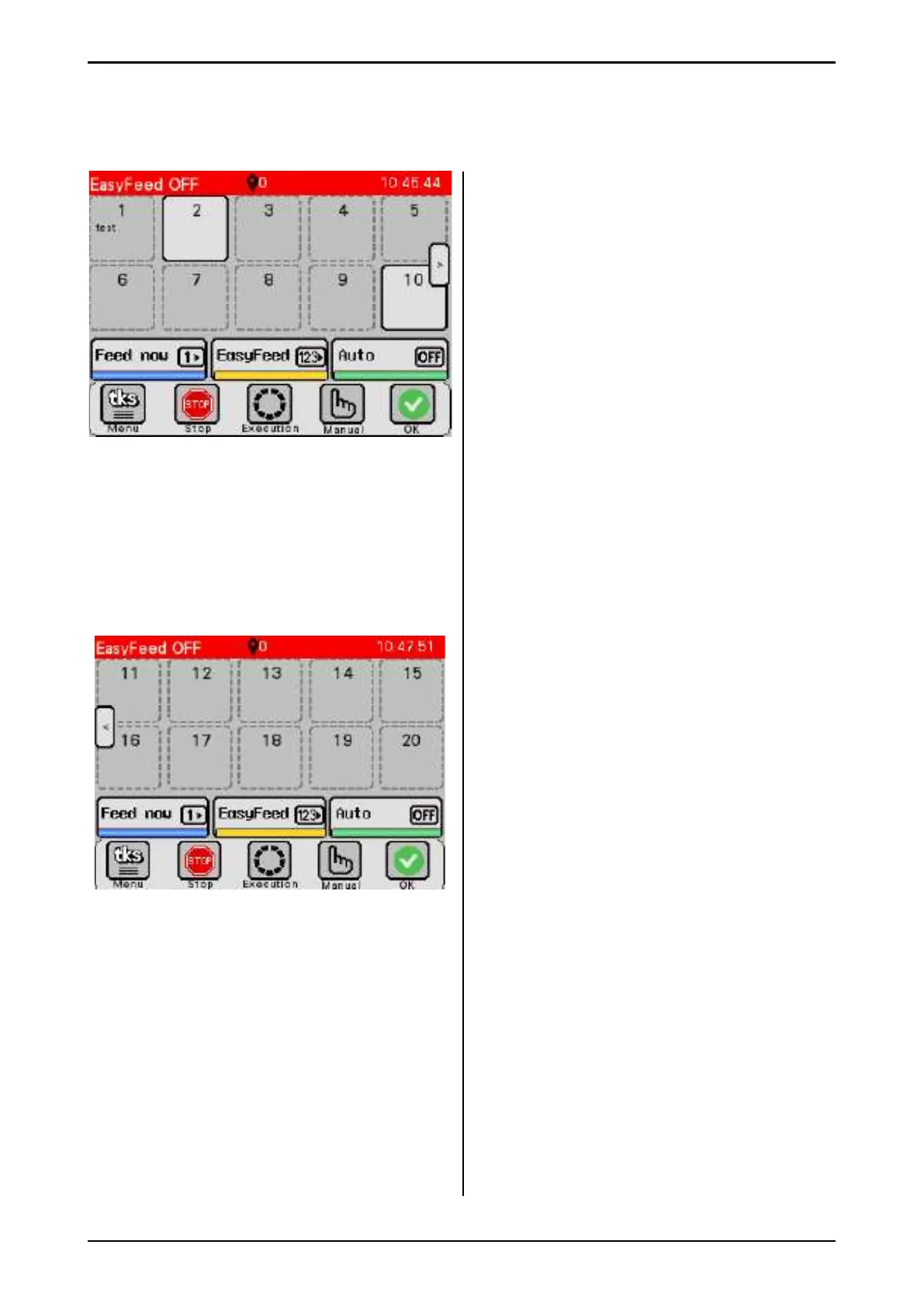
The main screen appears when EasyFeed is at
rest.
A - Information bar
• Displayed on all screens
• The text indicates what EasyFeed is
currently doing
• Position sign and the machine’s current
position
• Weight symbol and weight of the contents of
the machine in kg
• Clock
• The clock is displayed in green when Auto
ON is enabled
B - Programmable groups 1-20
• Full line – the group is enabled
• Dashed line – the group is not in use,
disabled
• Displays group name
• Displays the next time for Auto dispensing
Pressing on either group opens
Group settings. Se side 22
• When groups 11–20 are programmed, an
arrow key to switch display between groups
1–10 and 11–20 appears
C - Feeding keys
• Feed now (blue) This is used to feed 1 group
with adjustable quantities.
• EasyFeed (yellow) This is used to feed
multiple groups with programmed settings
Se side 38
• Auto (green) This is used to automatically
turn timed feed dispensing on and off .
• Hold the keys down for 3 seconds.
D - Keys for menu and manual operation
• Menu key opens the menu for machine
settings.
• Stop key – stops everything. See side 39
• Activating
• Manual key - Opens window to operate
manual feed dispensing. Se side 53
• Status indicator key – Opens window for
alarms. See side 54
- OK (green) - all clear
- Warning (yellow) - alarm has been tripped,
but the machine can still run
- Stop (red) - the machine is stopped
Fig. 36
A
B
C
D
Fig. 37



 To Next Page