TKS Operator's manual
43
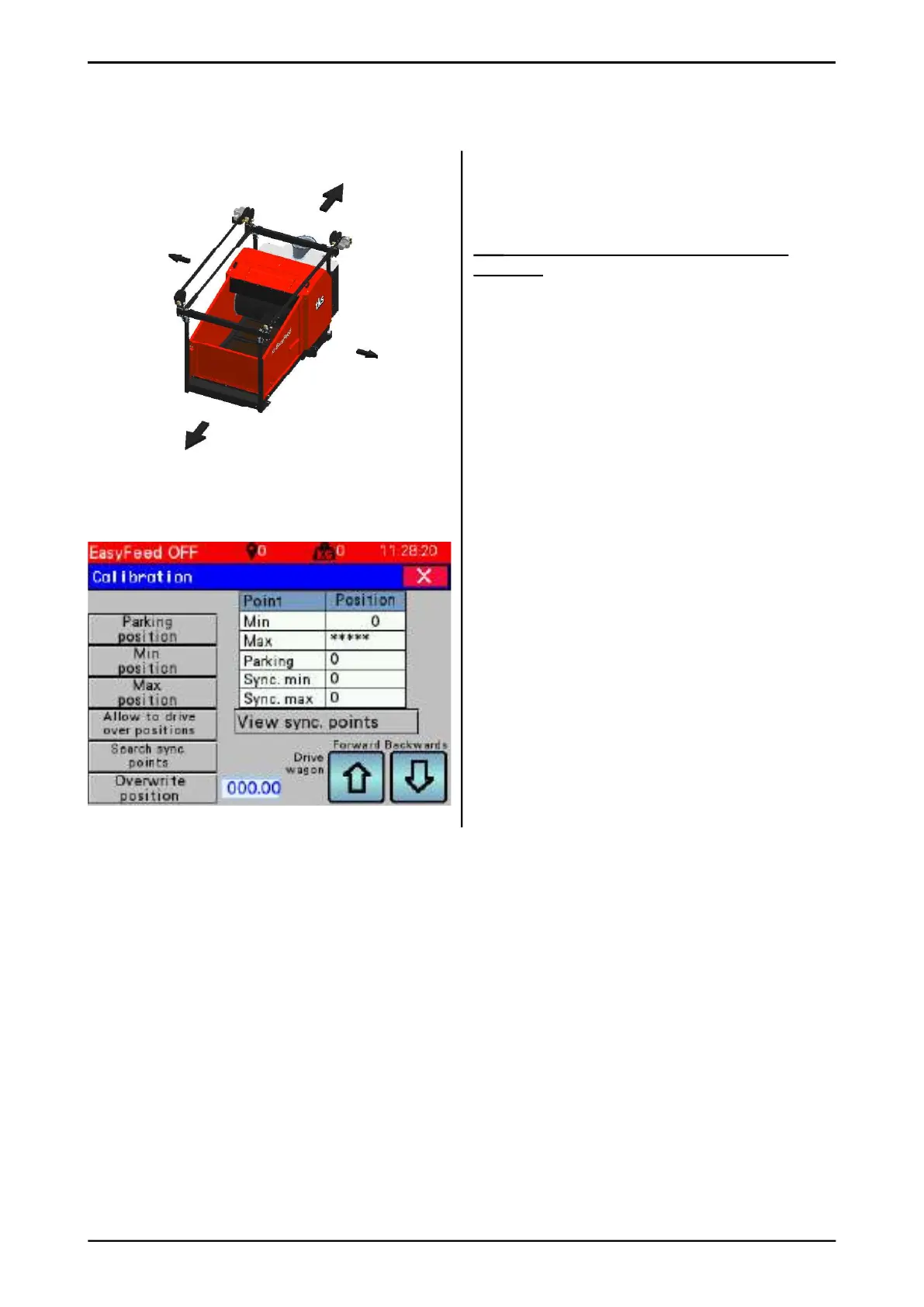
3.5.5.1 Calibration
This is where the machine’s positions along the
rail are defi ned. The machine is driven back-
wards and forwards using either the arrow keys
on the screen or using the operating panel.
NB! Exercise caution when operating the
machine.
Enter positions – hold key down for three
seconds.
• Min position - enter the machine’s end posi-
tion
when the machine is driven backwards. It will
always be 0
• Max position - enter the machine’s end
position
when the machine is driven forwards.
• Parking - set parking position.
• Allow skip positions - this function allows
ceiling rail unit to operate beyond the min
and max positions. This should not be used
under normal conditions.
• Search synchronisation points - this
function deletes all synchronisation points
and the machine is ready to search and save
new
synchronisation points.
• Overwrite position - allows the machine to
be
moved from one position to another without it
being driven.
• Display synchronisation points - displays
a window with all synchronisation points.Fig. 67
FORWARD
BACKWARD
LEFT
RIGHT



 To Next Page