TKS Operator's manual
54
Fig. 91
Fig. 92
3.11 Filling
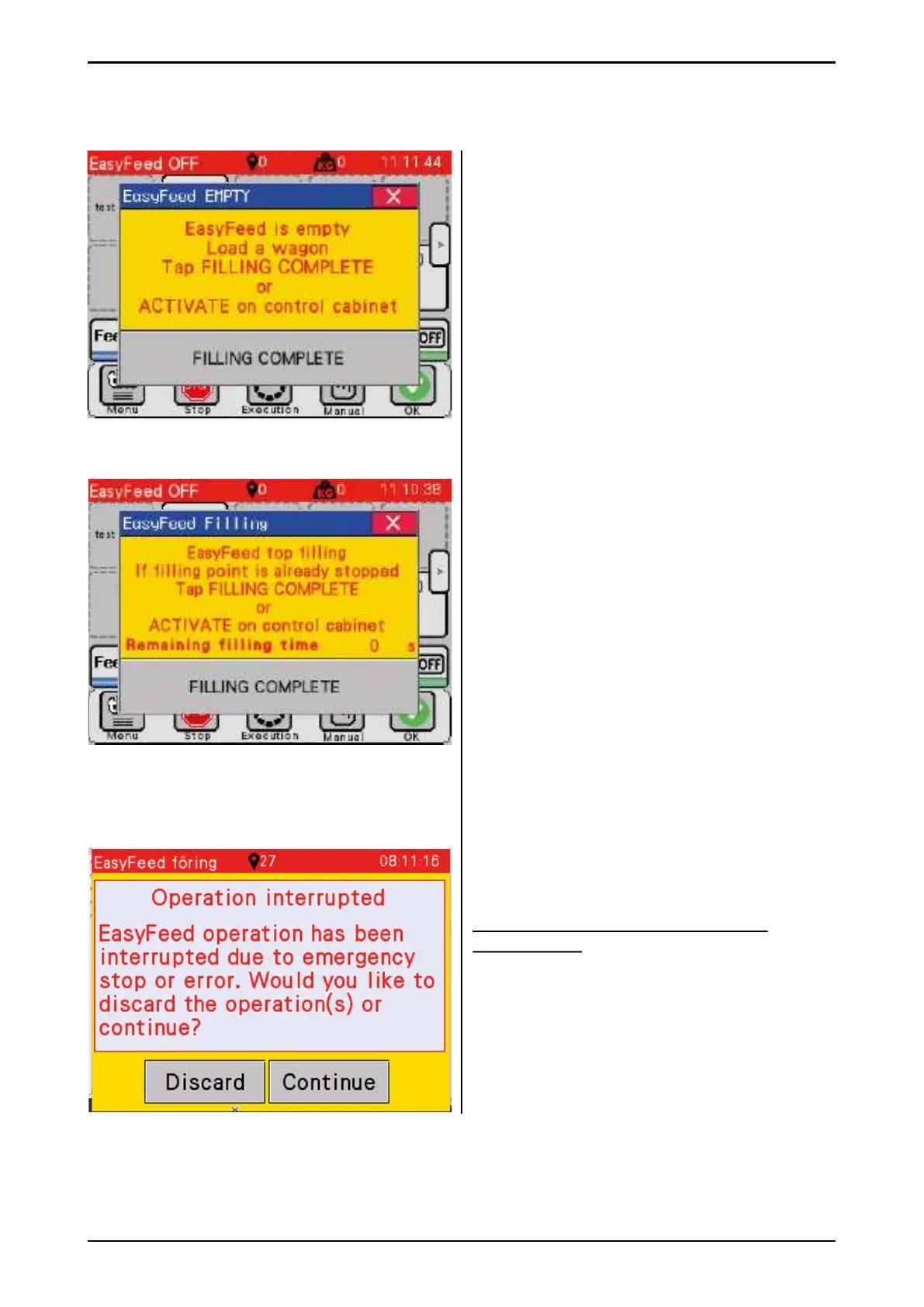
Manual
This window is displayed when the machine
runs out of feed in manual fi lling mode. The
machine is returned to the parking position.
• Load the machine with feed
• Press Filling completed
alternatively, Enable button (A) on the
control box/panel can be pressed.
See Fig. 35
Top fi lling
When the machine is in top fi lling mode, this
image is displayed when the fi lling source
starts. The programmed fi lling time will
automatically begin counting down before the
machine continues to dispense feed.
The countdown can continue and complete on
its own.
Alternatively, the countdown can be cancelled.
• Press Filling completed
• Alternatively, Enable button (A) on the
control box/panel can be pressed.
See Fig. 35
Operation interrupted
If this screenshot appears, it is possible to
continue without resetting the machine.
Attention! This can be done but is not
recommended
The machine continues to deliver what it was
doing, but the machine may fail.
• Press Discard – the machine is reset in the
usual way.
• Press Continue – the machine tries to
continue.
Fig. 93



 To Next Page