TKS Operator's manual
51
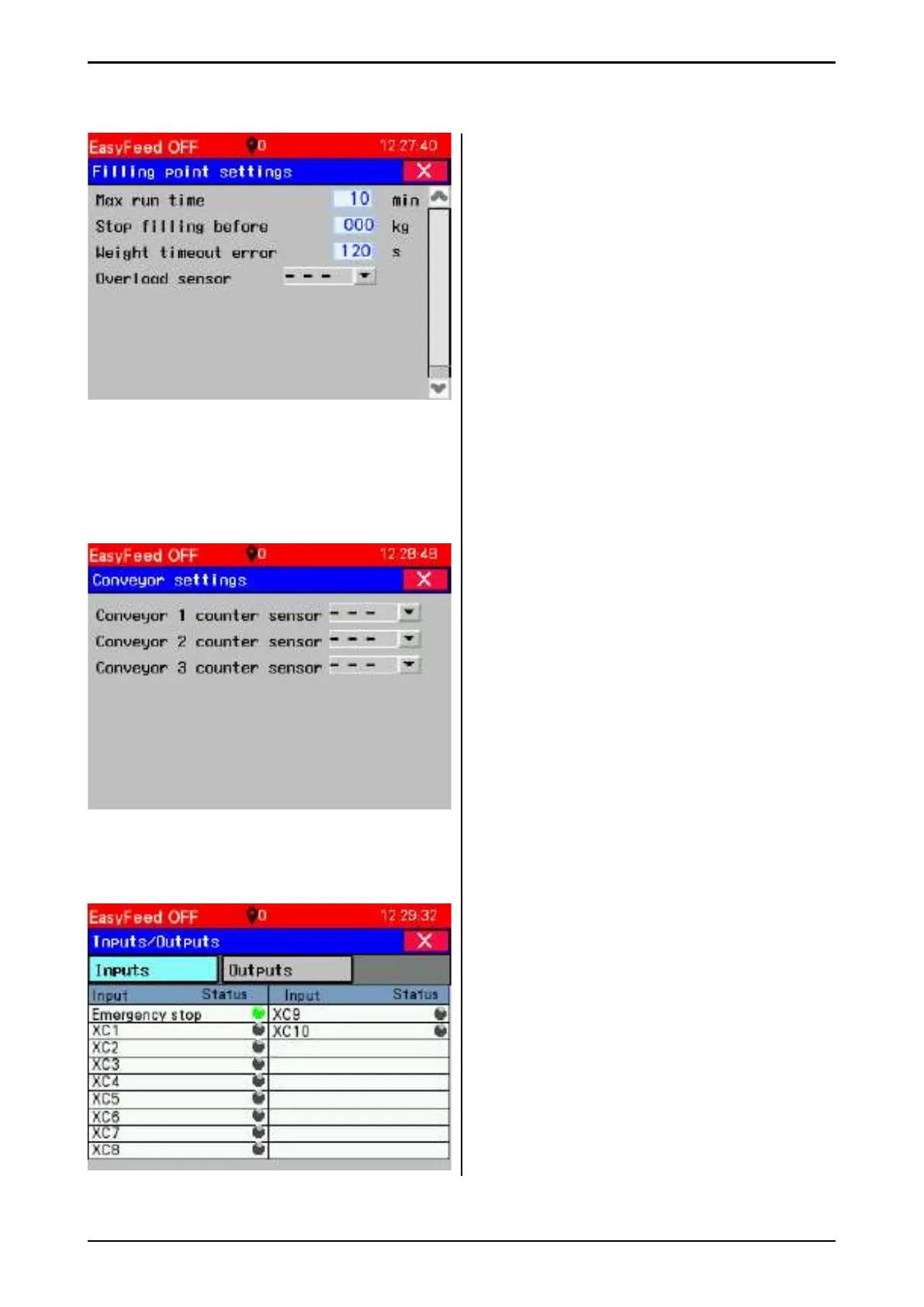
• Max run time – Maximum time to run the
fi lling source, without fi lling it. If this time is
passed, the fi lling will end and alarm will be
indicated
• Stop fi lling before – Entered here is the
estimated time the conveyor must run to be
emptied. Normally this is used when feed
from the fi lling source is delivered on the
conveyor and machine weight is used for
fi lling. Then the estimated feed weight of the
conveyor must be entered here.
• Weight time error – Enter value in seconds.
If there is no change in weight over this time,
the fi lling source is stopped and alarm is
indicated.er koblet til «multifi ll» styreskap, da
velges hvilken hurtig kobling på skap som er
brukt (XC1-XC10)
3.9.2 Conveyor settings
These are weight sensors for the conveyors.
If the sensor does not detect pulses when the
conveyor is running, the conveyor stops and the
fi lling source indicates a fault.
Choose which quick connector is used on the
"Multifi ll" box for each counter input.
3.9.3 PLC inputs / outputs
• Grey – not active
• Green – active
XC1 – XC10 – inputs connected to quick
connector for overfi ll sensors, and conveyor
counter.
Fig. 85
Fig. 86
Fig. 87



 To Next Page