TKS Operator's manual
50
Weight settings
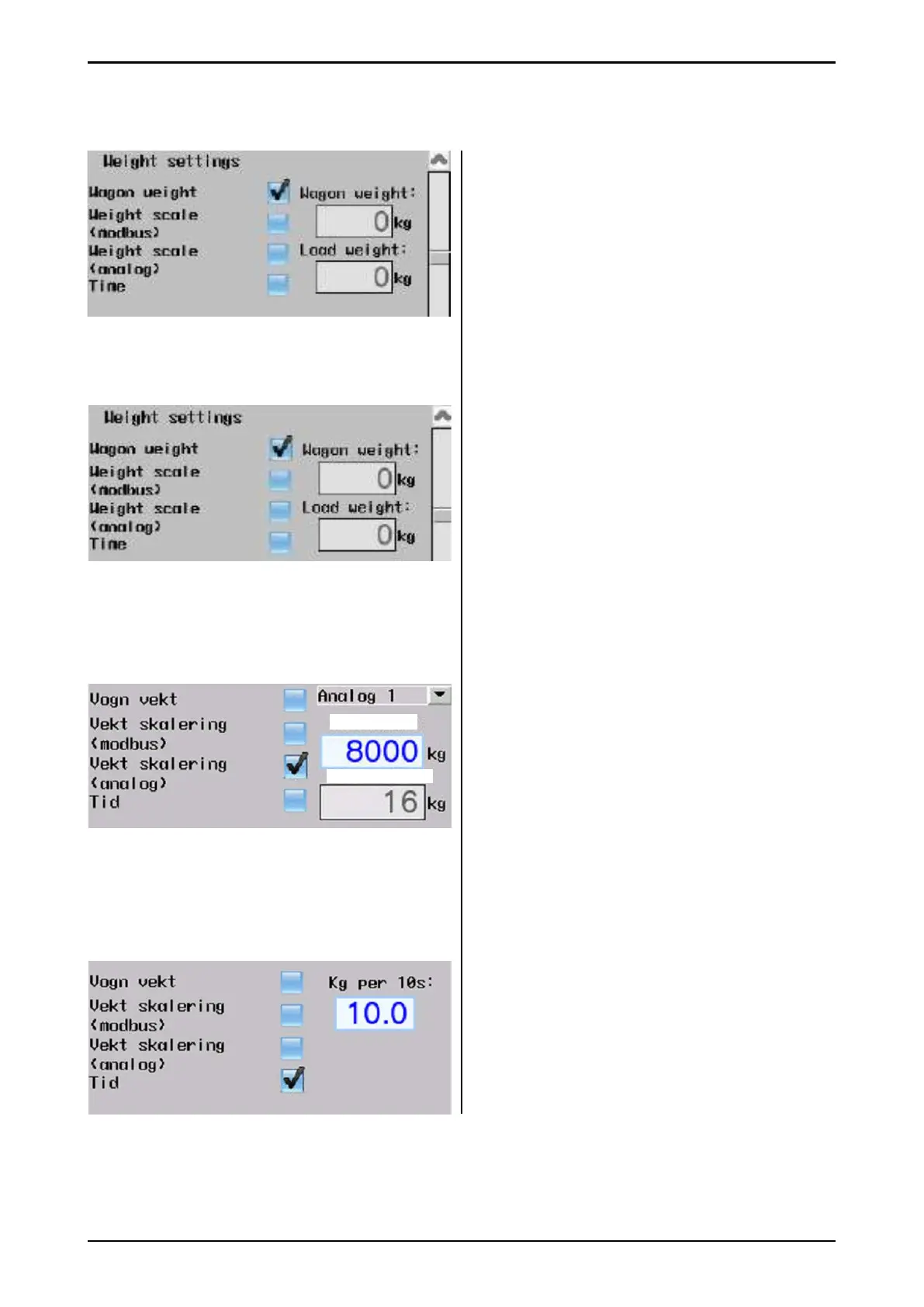
Weight settings can be varied depending on the
selected weight method.
Filling i based on machine weight
Is shown here:
• Machine weight – gross weight.
• Loading weight – net weight.
Weight scale (modbus)
Weight is read from an external weight
system that is mounted on the fi lling source
itself. Weight is read over RS485, modbus RTU
protocol
• Enter modbus slave address on weight
transmitter.
• If the adress is correct, then the correct
value is displayed here.
Weight scale (analog)
• Select analog input – analog 1 or analog 2.
• Max weight – weight value with 10V signal
• Weight value – scaled weight. If the analog
signal is connected correctly and the max
weight is also correct, then the value should
display the correct fi lling source weight.
(analog signal may have a slight deviation)
Time
Enter the number of kg per 10 seconds the
fi lling source gives.
Example: kg per 10s – 10kg.
If the machine wants to load 100kg from the fi ll-
ing source, then the fi lling source should run for
100 seconds.
Fig. 81
Fig. 82
Fig. 83
Fig. 84
Max weight
Max weight
Weight value



 To Next Page