Regular Payload Series-Hardware Installation Manual TM5 Series Hardware Version:3.1 Document Version:1.01 40
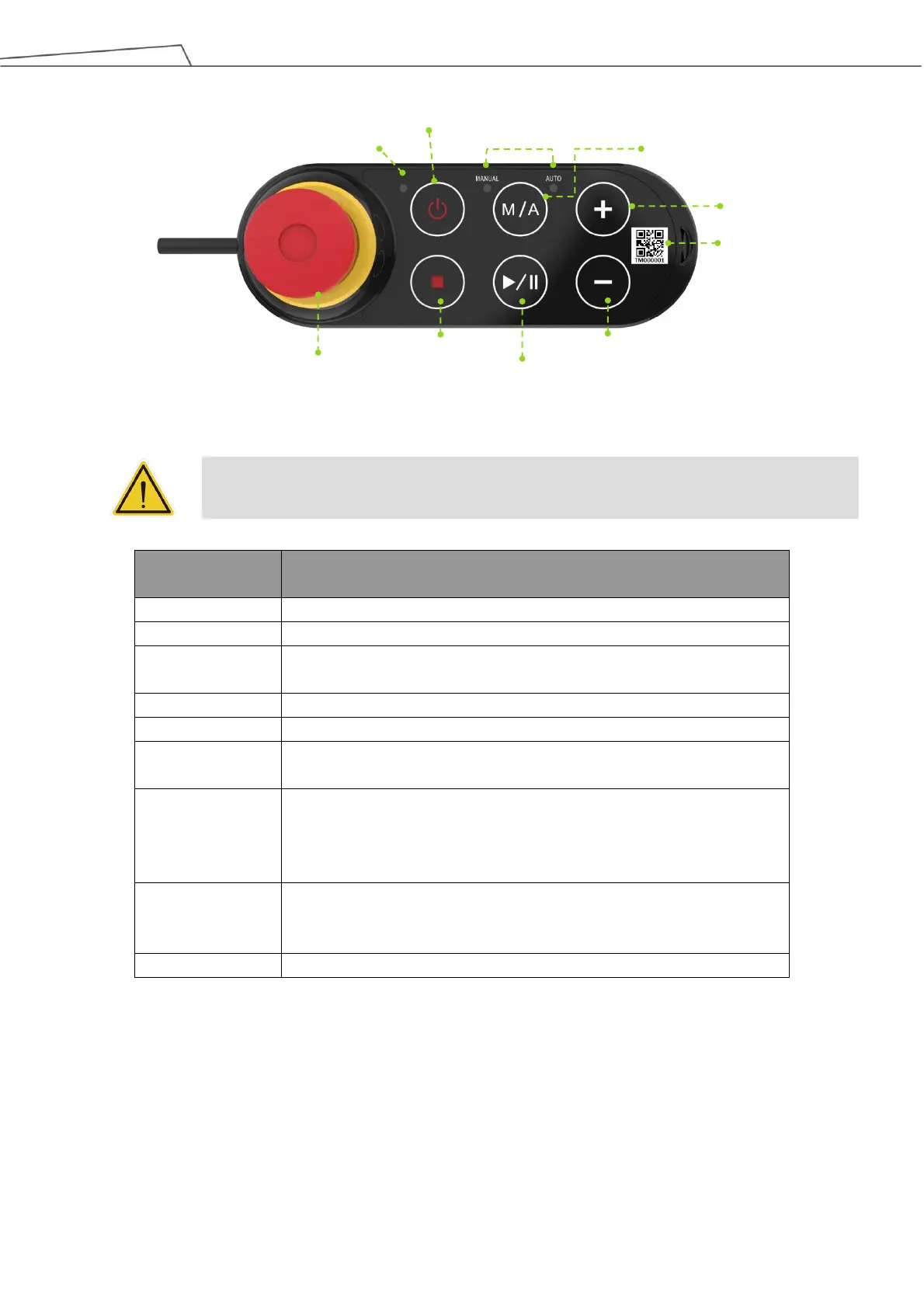
Figure 28: Robot Stick
CAUTION:
When operating the robot stick, do not use other objects than fingers to press the robot stick.
Default emergency button for the robot
Power initiation (single press)/ Shutdown (long press)
Toggle Manual/Auto Mode (single press). See Safety Manual for details.
Play/Pause Project (single press)
Press this button to stop any project.
Adjust project speed (single press) under Manual Trial Run Mode.
See Safety Manual for details.
This indicator shows the robot's power status.
Not on: Switched off
Flashing: Booting
Constant: Startup completed
One is Manual Mode, the other one is Auto Mode. They show the
robot's current operating mode. Once boot up is complete only one will
always be on.
The content of the SSID is also the robot's name in TCP/IP network.
Table 5: Robot Stick Basic Functions



 To Next Page