Regular Payload Series-Hardware Installation Manual TM5 Series Hardware Version:3.1 Document Version:1.01 72
6.4.4 Connect the Robot and the Control Box
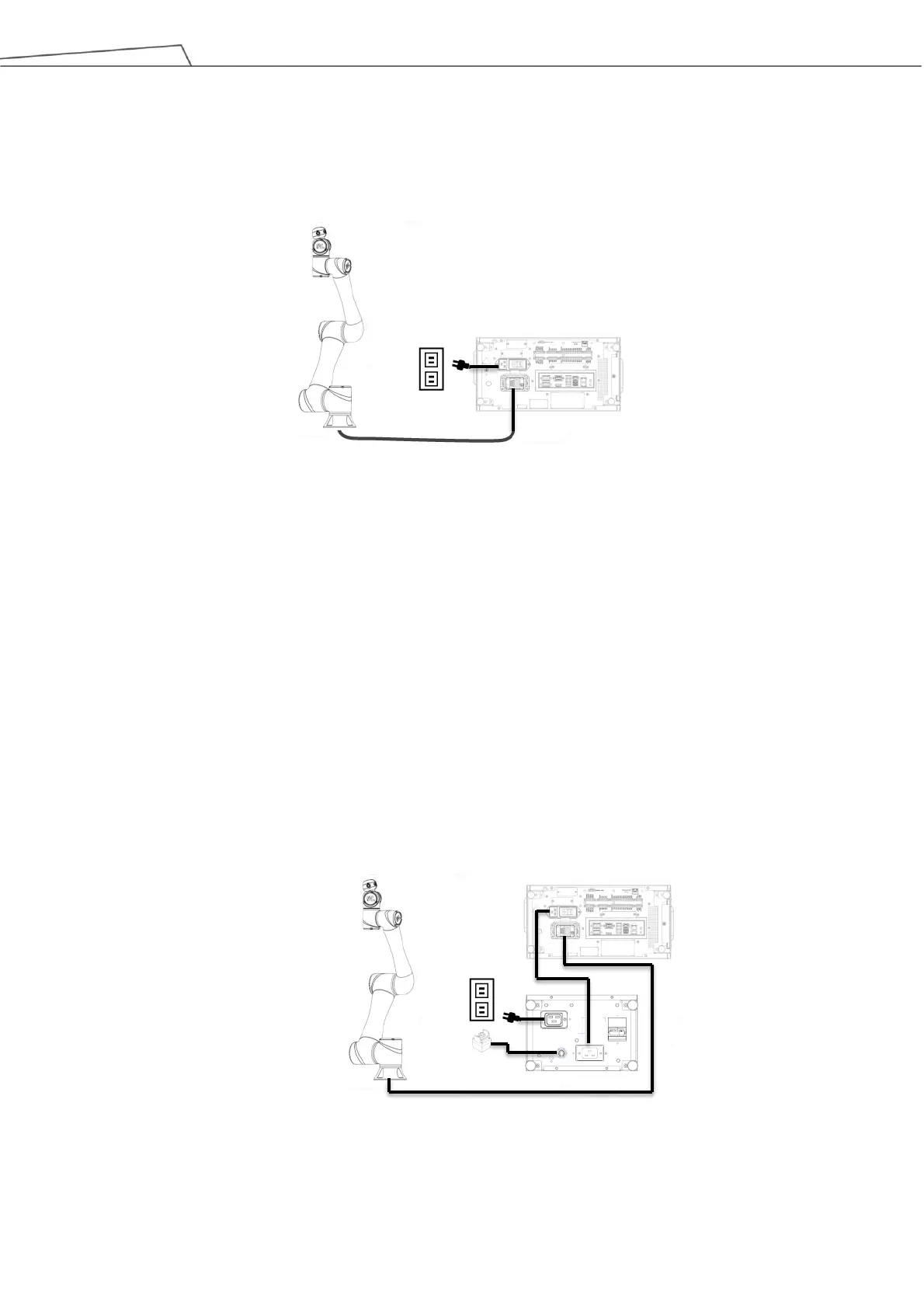
1. Connect the cable from the robot to the robot interface of the control box.
2. Connect the power cable between the wall socket and the power interface of the control box.
Figure 67: Connecting the Robot and the Control Box
For the SEMI series users only, connect the SEMI Emergency OFF switch to the EMO interface of the
control box.
6.4.4.1 Connect the Robot, the Control Box, and the SEMI Emergency OFF Box
For users of TM5-700 SEMI or TM5-900 SEMI exclusively:
1. Connect the cable from the robot to the robot interface of the control box
2. Connect the power extension cord between the control box and the SEMI Emergency OFF box.
3. Connect the SEMI Emergency OFF Switch to the EMO interface of the SEMI Emergency OFF Box.
4. Connect the power cable between the wall socket and the power interface of the SEMI Emergency
OFF Box.
Figure 68: Connecting the Robot, the Control Box, and the SEMI Emergency OFF Box



 To Next Page