20
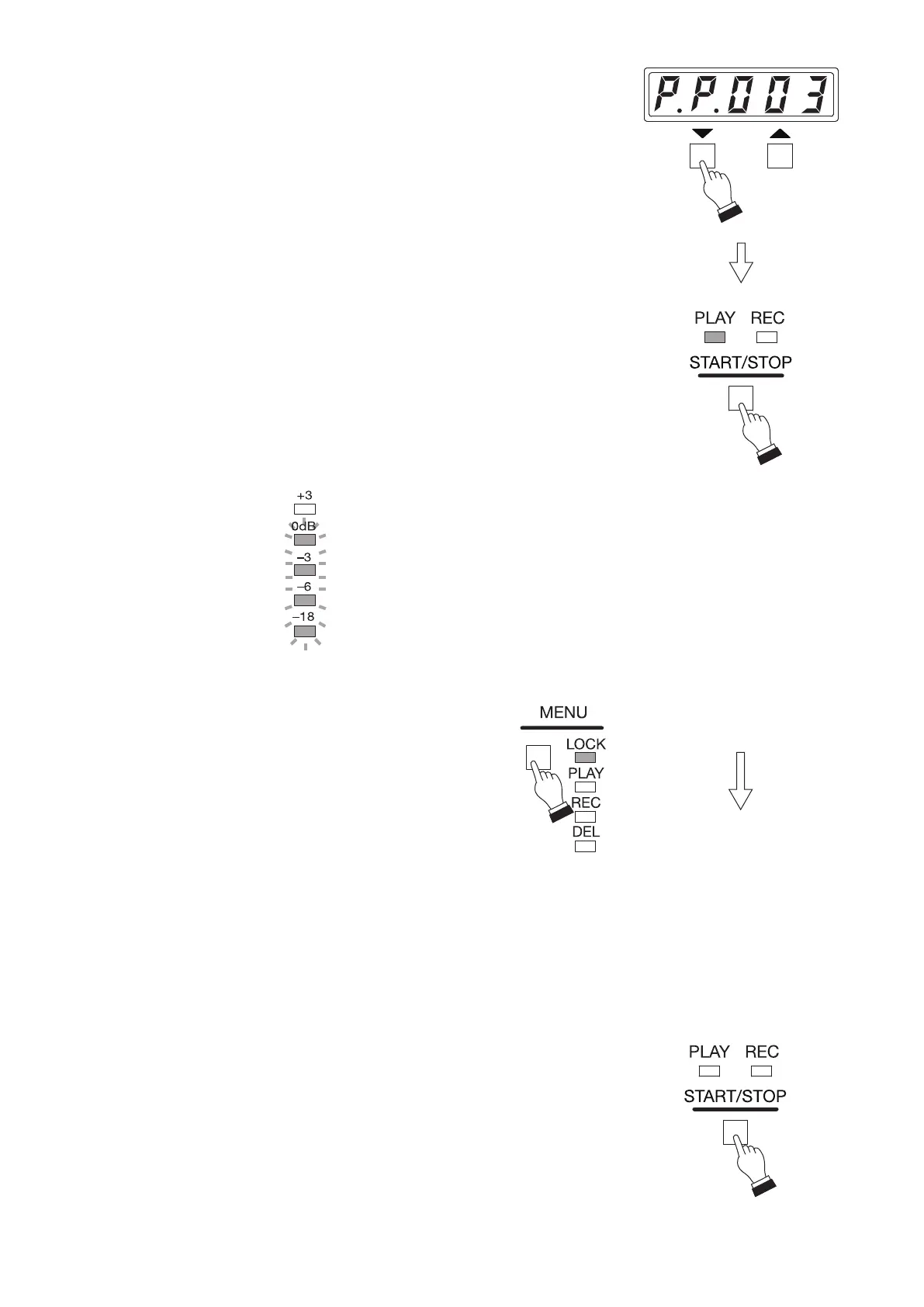
Step 2. Press either the Up or Down key to select Program number to be
played.
Tips
• You can monitor the content to be played using headphones before
play. (See p. 27, "Conrming the Recorded Contents on Memory
Card.")
• Pressing and holding the Up or Down key allows you to quickly select
the target program.
Step 3. Press the Start/Stop key.
Playback starts according to the program control data.
Tip
As the delay time is factory-preset to 2 seconds, playback starts 2
seconds after the Start/Stop key is pressed.
The Play indicator lights during playback, and the signal level is
displayed in the level meter.
[To disable each key operation]
Press the Menu key to select Lock mode.
The Lock mode indicator lights.
Key operation except the Menu key is disabled,
preventing accidental wrong operation.*
To cancel Lock mode, press the Menu key again.
* Note that when the Quick stop function is set to
"Enabled," Stop operation by the Start/Stop key
during playback is enabled. (See p. 88, "QUICK
STOP FUNCTION.")
Tip
The unit is automatically placed in Lock mode after 5
minutes from playback start.
Step 4. To stop playback partway, press the Start/Stop key again.
The Play indicator goes off.
Tip
After you nish all necessary operations, it is recommended that you
place the unit in Lock mode to prevent accidental operation. (See p. 27,
"Disabling Each Key Operation on the Front Panel (Lock Mode).")
ON
Flashing
ON



 To Next Page