72
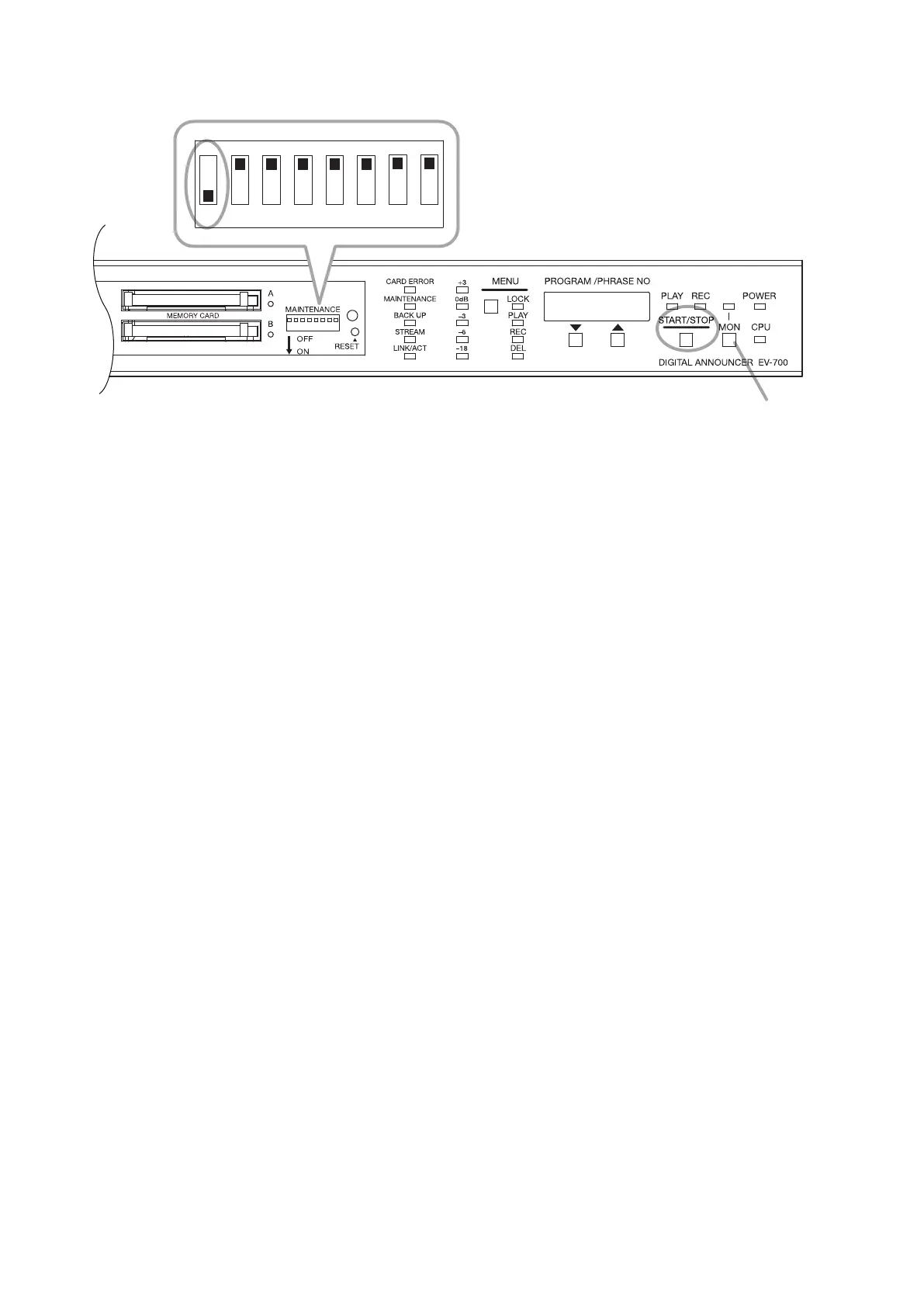
18.1. Performing All-program Playback (Use Switch 1.)
Step 1. Set Switch 1 to the ON position.
The "PG.VoL" indication appears on the Status indicator display.
Tip
In this event, if the Monitor key is pressed, monitor playback of all programs will start and the playback
is output only to the headphones.
Monitor playback stops if the Monitor key is pressed again during All-program playback.
Step 2. Press the Start/Stop key.
All-program playback starts.
When playback of all programs has nished, all-program playback is repeatedly played from the initial
program.
Step 3. To stop playback, press the Start/Stop key.
Playback stops.
Step 4. After All-program playback stops, return Switch 1 to the OFF position.
Tips
• Interval and busy work according to the programmed settings during All-program playback.
• When the program playback system is set to Program playback, program is played once without repeating
playback.
• Program of All phrases playback is not played.
Monitor key
1 2 3 4 5 6 7 8
2, 3
1, 4



 To Next Page