52
14. EMERGENCY PLAYBACK (FRONT KEY OPERATION)
Explained here is a method of making advance preparation for Emergency broadcast through front key
operation. (Such as recording of audio source for Emergency playback and audio source conrmation)
To make Emergency broadcast in the event of an emergency, use the Control input terminals or the EV-700
Setting software. (See p. 61, "EMERGENCY PLAYBACK (USING THE CONTROL INPUT TERMINALS)."
and the EV-700 Setting software instruction manual.)
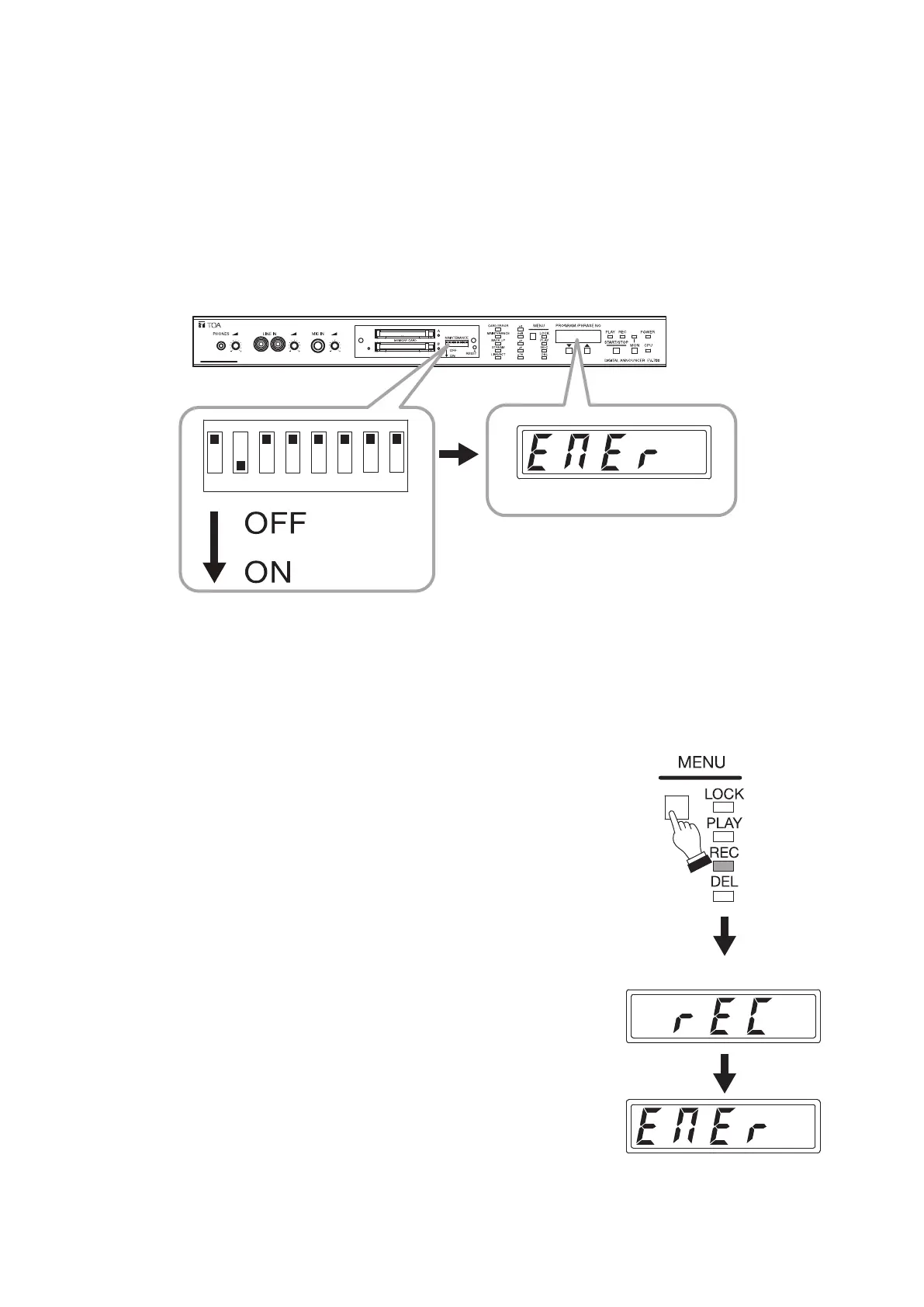
Before performing each front key operation described below, be sure to set only Switch 2 of the DIP switch on
the front panel to the ON position. In this event, the "EMEr" (EMER) indication appears on the Status display.
(See the gure below.)
This switch setting will place the unit in "Maintenance" mode.
1 2 3 4 5 6 7 8
Set Switch 2 to the ON position.
(EMER)
14.1. Recording Audio Sources
Step 1. Connect a microphone or audio source equipment such as a player to the EV-700.
Step 2. Set only Switch 2 to the ON position.
Conrm that the "EMEr" (EMER) indication appears on the Status display.
Step 3. Press the Menu key to select Recording mode.
Press the Menu key some times until the Recording mode indicator
lights.
The "rEC" (REC) indication appears for about 3 seconds on
the Status display, followed by the "EMEr" indication.
ON
Displayed for 3 seconds.
(REC)
(EMER)



 To Next Page