94
29.2. Rear Panel Connections
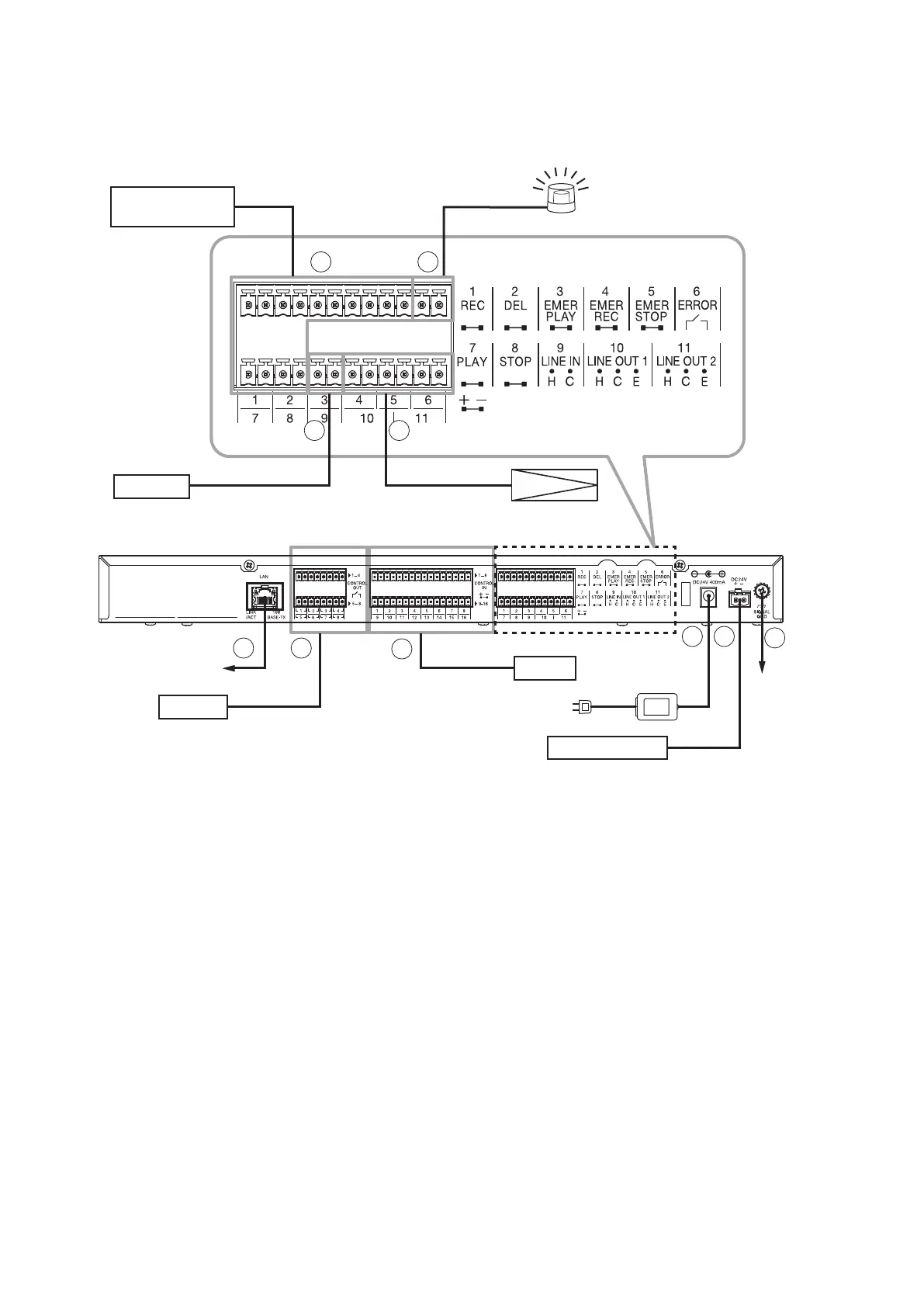
For the operations and functions of each terminal, see p. 12, "Rear" of "NOMENCLATURE AND FUNCTIONS."
[Connection example]
To network
AD-246 AC adapter
(optional)
1
2
3
Amplifier
Control input
Timer
Control output
DC power supply
8 9
10
To ground
terminal
Control input device such as
a revolving light
Amplifier
Audio signal input
External control
device
CD player
Output
Audio signal output
7
6
5
4
Use the supplied removable terminal plugs for connection to (2) through (7) and (9). (See p. 96, "Removable
Terminal Plug Connection.")
The number of each plug's poles is as follows.
(2) 8P, (3) 16P, (4) through (7) 12P, (9) 2P
1. LAN terminal
Connect to a 100BASE-TX-compatible network.
Use an Ethernet RJ45 connector for connection.
2. Contact control output terminal
No-voltage make contact, 30 V DC, 500 mA
Connect to the control input terminal such as amplier's power control input terminal that will work with a
make contact.
Note
When directly controlling the amplier's power source, make connection via a relay having enough contact
capacity.
3. Contact-activated input terminal
No-voltage make contact, open voltage: 30 V DC, short-circuit current: 10 mA, short-circuit duration: 50 ms
or more
Connect to the external control device such as a timer that outputs a make contact.



 To Next Page