57
ON
1 2 3 4 5 6 7 8
14.3. Stopping Emergency Playback
You can stop Emergency playback following the procedures below even if it is made using any method of the
EV-700 Setting software, Control input, or front-key operation.
Tips
• When Emergency playback is under way using the EV-700 Setting software or control input, it is possible to
stop Emergency playback even if the DIP switch for maintenance is not operated.
• Emergency playback stops by opening the Emergency playback control input terminals when Level signal
input activation is set for Emergency playback. (See p. 62.)
• When the Quick stop function is set to "Enabled," you can stop playback by simply pressing the Start/Stop
key even while in Lock mode. (See p. 88, "QUICK STOP FUNCTION.")
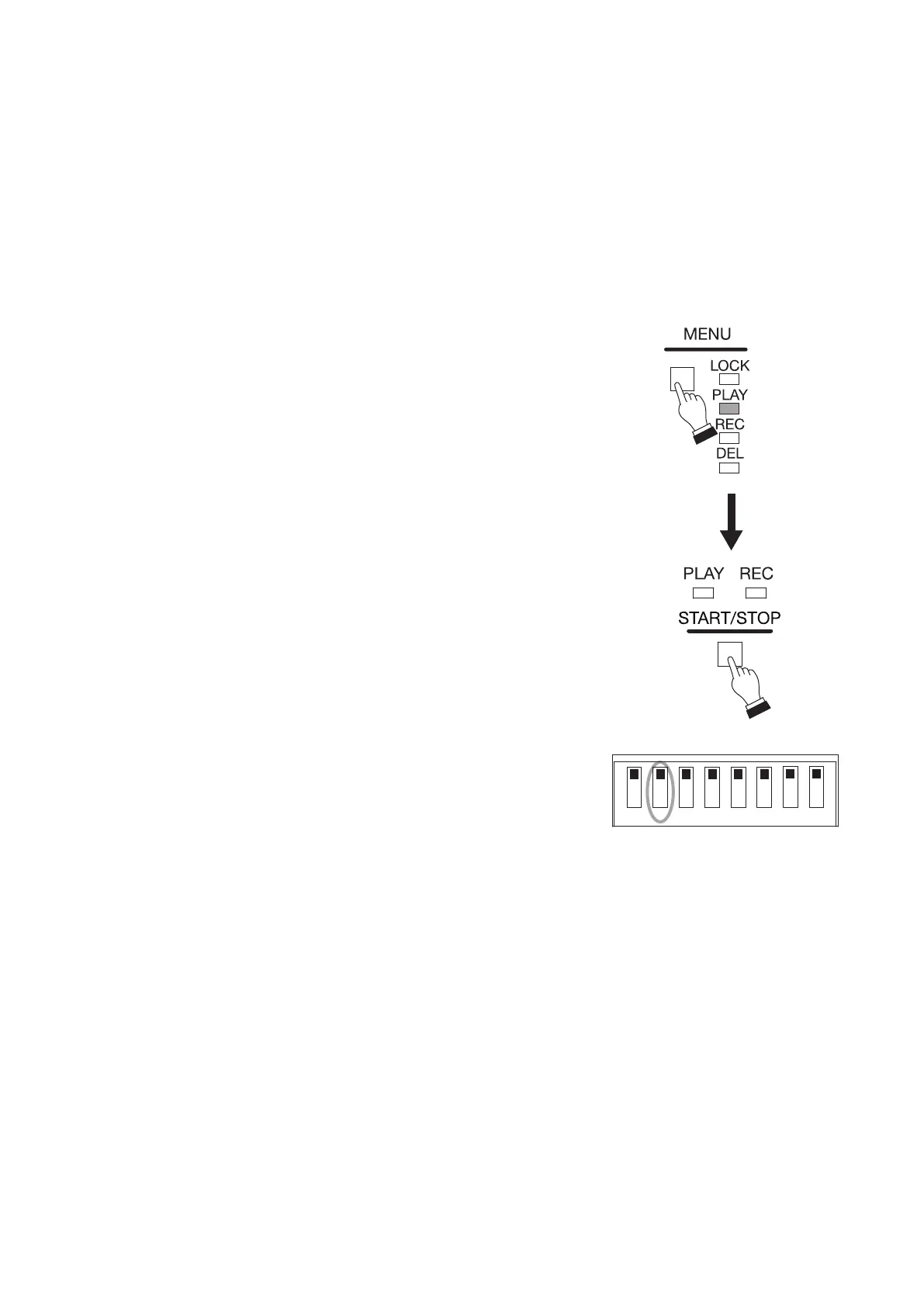
Step 1. Press the Menu key to select Play mode.
Press the Menu key several times until the Play mode indicator lights.
Step 2. Press the Start/Stop key.
Emergency playback stops, and the Play indicator goes off.
Step 3. (Only when Switch 2 is set to the ON position).
When Emergency playback stops, return Switch 2 to the OFF
position.



 To Next Page