88
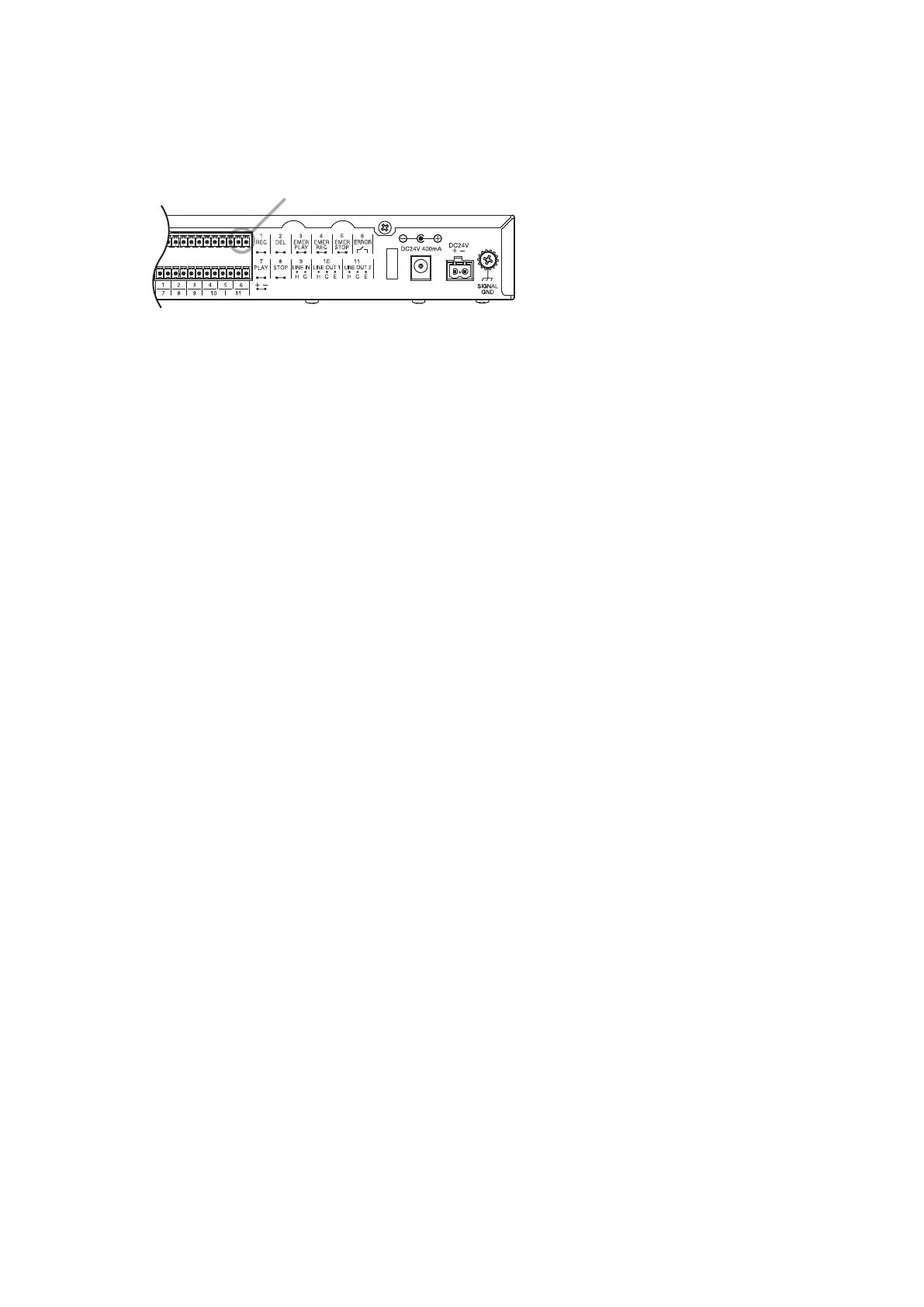
26. ERROR OUTPUT
A Make contact is output at the Error output terminals when the unit is placed in the state below.
Error output terminals
• When an unusable memory card is inserted
• When a card error occurs
• When the unit malfunctions (In this case, an error code will appear on the Status display. See p. 100, "Error
List.")
• When the unit's power is off
27. QUICK STOP FUNCTION
A Quick stop function is a function that stops playback instantly when the Start/Stop key is pressed during
program playback even in the Lock mode.
Use the EV-700 Setting software to perform the Quick stop function setting.
If you wish to stop playback instantly using the Start/Stop key, enable the Quick stop function.
For the setting procedures, see the EV-700 Setting software instruction manual.
Tips
• This function is disabled by default.
• When the Quick stop function is enabled, you can stop playback by pressing the Start/Stop key during
emergency playback or R.E.M. playback even in Lock mode.
• Program playback will not stop when it is started by Level signal input activation.
• To stop recording through the front panel operation while in Lock mode, press the menu key to cancel Lock
mode, then the Start/Stop key whether or not the Quick stop function is set.



 To Next Page