77
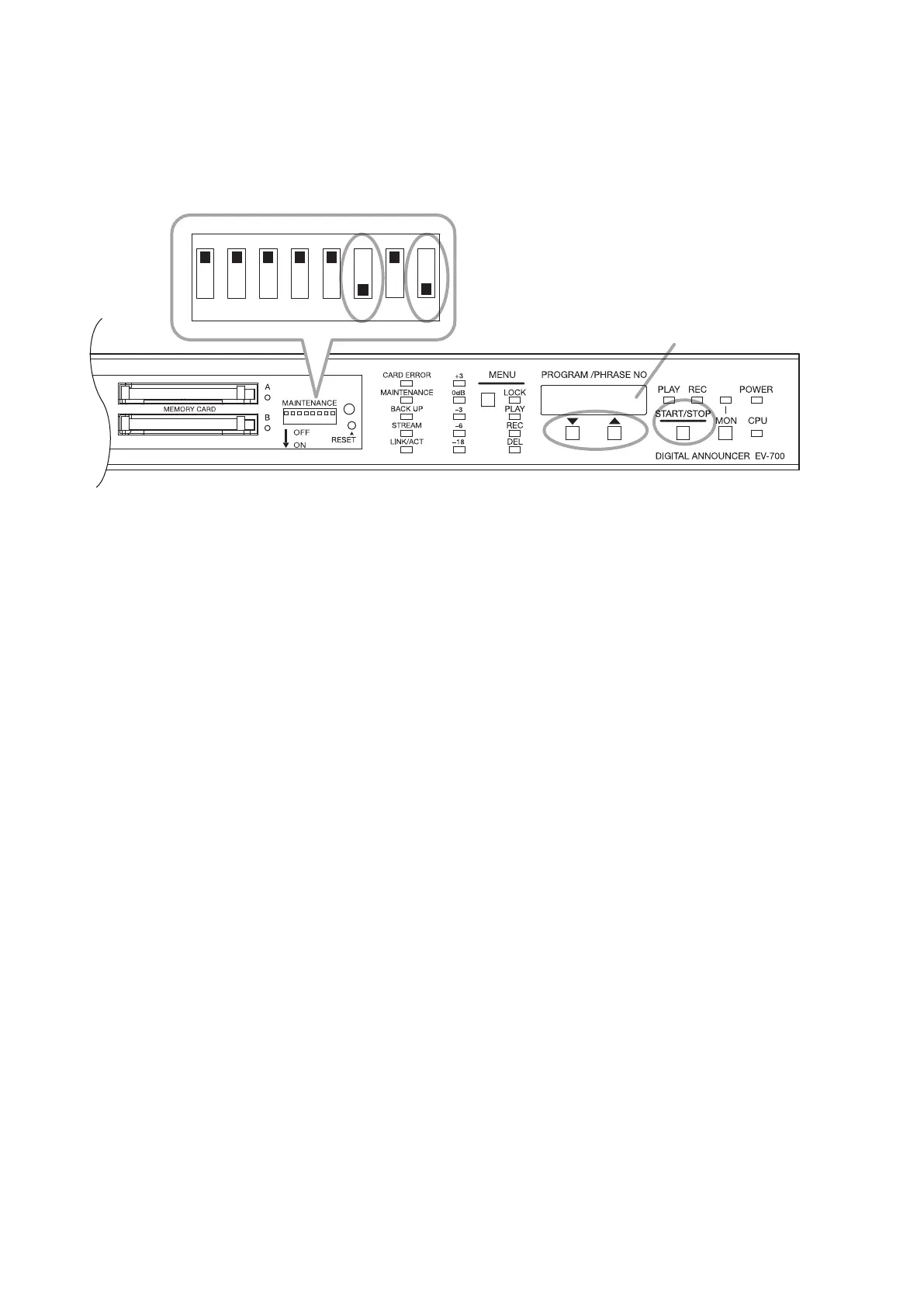
18.8. Initializing the Unit Settings (Use Switches 6 and 8.)
You can initialize the unit's settings, returning them to the factory default.
Step 1. Set Switches 6 and 8 to the ON position.
The target to initialize appears on the Status display.
Displayed indications represent the following contents.
"Unit": Unit settings other than the network setting
"nEt": Only network setting
"ALL": All settings recorded in the unit including the network setting
Step 2. Press either the Up or Down key to select the target to initialize.
Step 3. Press the Start/Stop key.
The "rEAdy." indication appears on the Status display.
Step 4. Press the Start/Stop key.
Initialization begins.
When initialization is complete, the "done" indication appears for about 3 seconds on the Status display,
then the display returns to the indication in Step 1.
Step 5. Return Switches 6 and 8 to the OFF position.
Status display
1 2 3 4 5 6 7 8
1, 5
3, 42



 To Next Page