75
18.5. Returning the Network Setting to the Default Value Temporarily (Use Switch 3.)
1 2 3 4 5 6 7 8
You can return the network setting to the default value only while Switch 3 is set to the ON position.
Even when the network setting is unknown, use this function to return the network setting to the default value,
and you can conrm and edit the setting using the EV-700 Setting software by connecting the PC to the EV-700
via a network.
For details of the default value, see the EV-700 Setting software instruction manual.
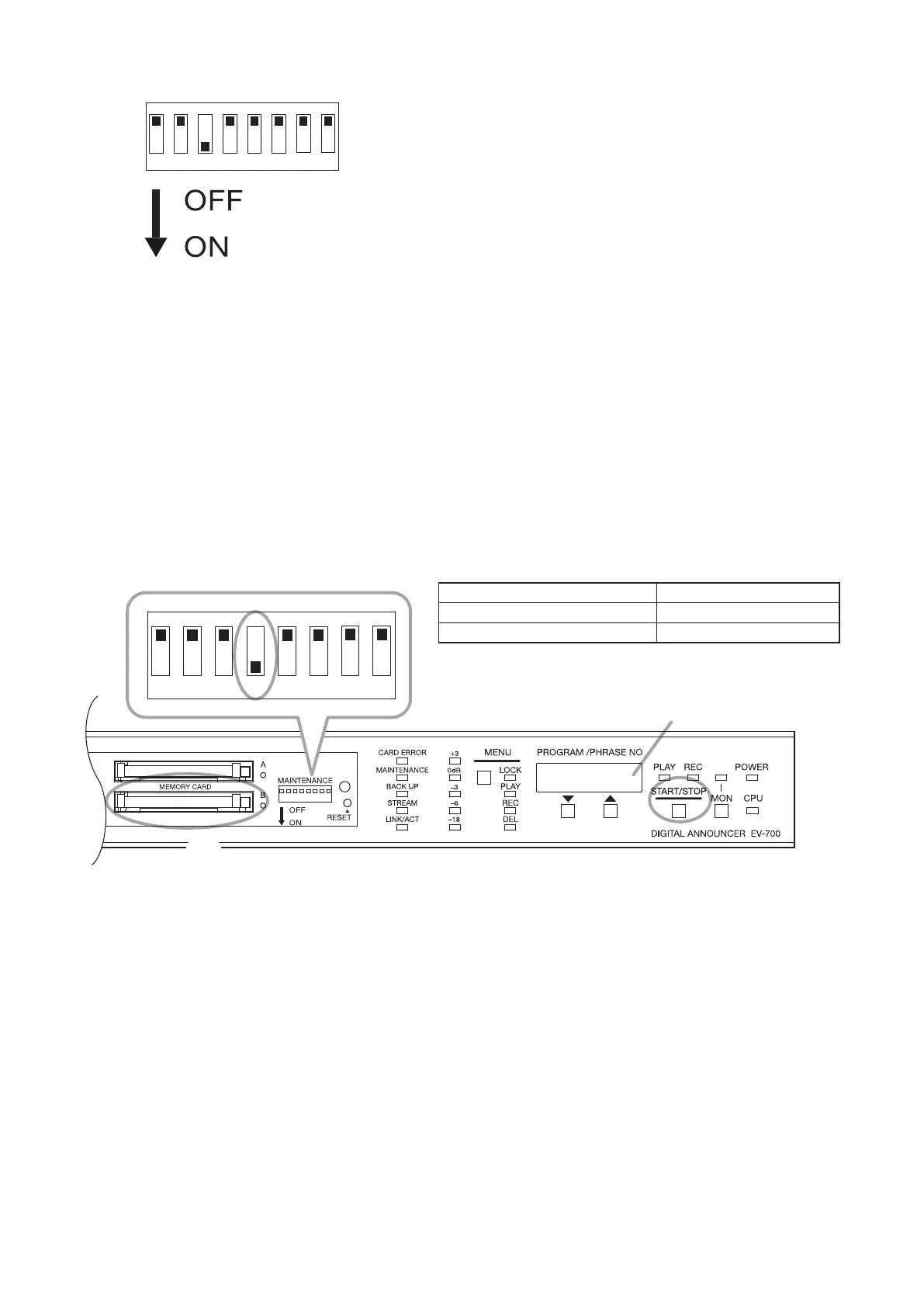
18.6. Copying the Memory Card (Use Switch 4.)
You can copy data on the Memory card A to the Memory card B.
• All les on the Card A can be copied to the Card B.
• Files existing on the Card B but not on the Card A are left on the Card B.
• If the les are stored at the same location with the same le name on both the Cards A and B, the les on the
Card A are overwritten to those on the Card B.
Step 1. Insert a memory card for backup into the Memory card slot B.
Step 2. Set Switch 4 to the ON position.
The "CFCPy" indication appears on the Status display.
Step 3. Press the Start/Stop key.
The les in the Memory card A are copied to the Memory card B.
Copy progress is shown in percentage on the Status display during copy. ("**PCt")
The "CFCPy" indication appears on the Status display when copy is completed.
Tip
Copy operation stops if Switch 4 is set to the OFF position during copy.
Step 4. Return Switch 4 to the OFF position.
Status display
1 2 3 4 5 6 7 8
3
2, 4
1
Note
The table below shows the rough time required for copying
the memory card.
Data on the memory card Copying time
Prerecorded audio les only About 11 minutes
Data size of 1 GB About 37 minutes
If a PC can be used, it is recommended to copy the data on
the memory card using the PC.



 To Next Page