25
11.4. Deleting Phrase
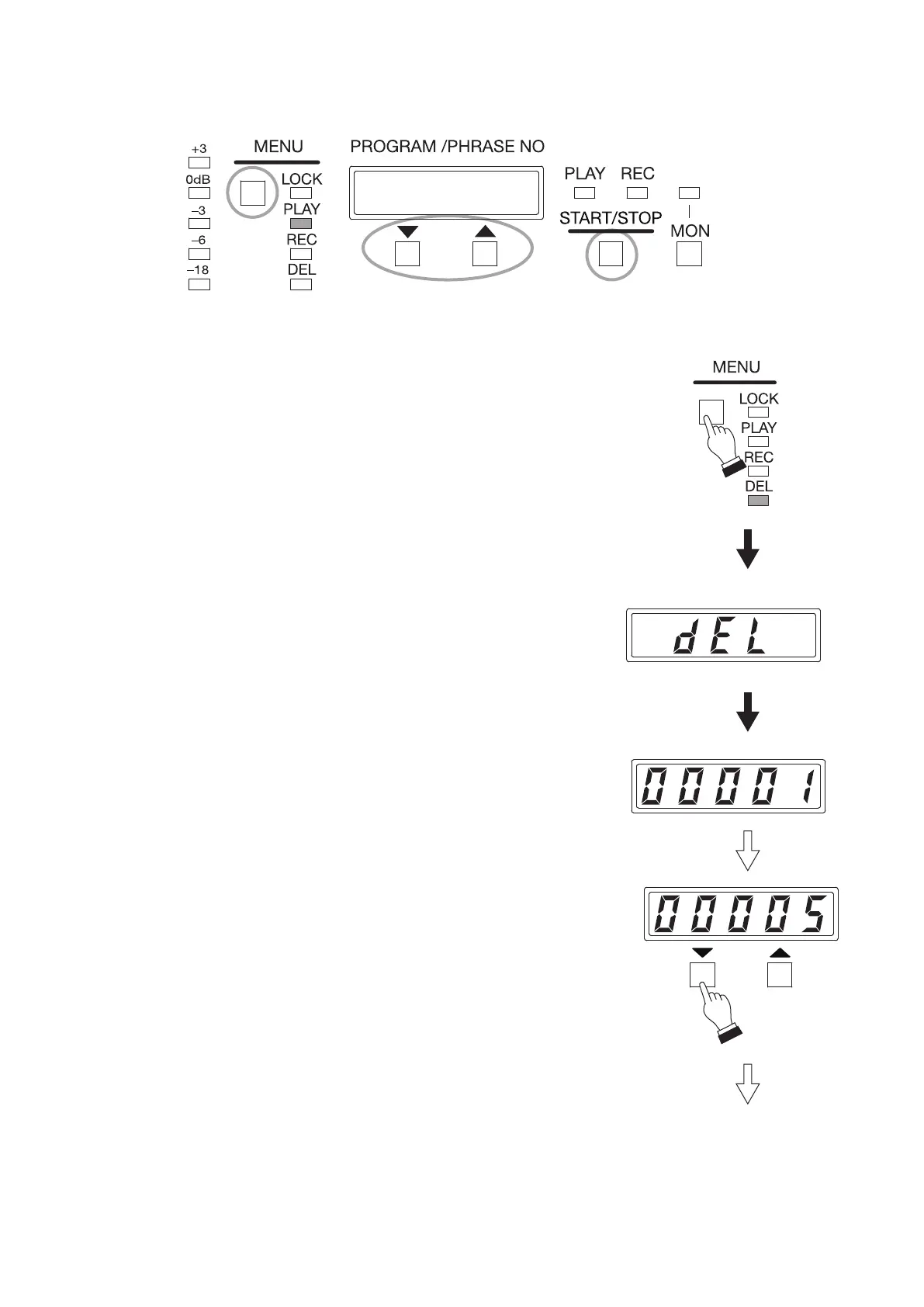
Designate the phrase number, then delete the audio source.
2
1
3, 4
ON
Displayed for 3 seconds.
(DEL)
Phrase number display
Step 1. Press the Menu key to select Delete mode.
Press the Menu key some times until the Delete mode indicator
lights.
The "dEL" (DEL) indication appears for about 3 seconds on the
Status display, then followed by the Phrase number indication
like "00001."
Step 2. Press either the Up or Down key to select the phrase number to
be deleted.
Tip
You can monitor the selected phrase contents using headphones
before deleting.
(See p. 27, "Conrming the Recorded Contents on Memory
Card.")



 To Next Page