26
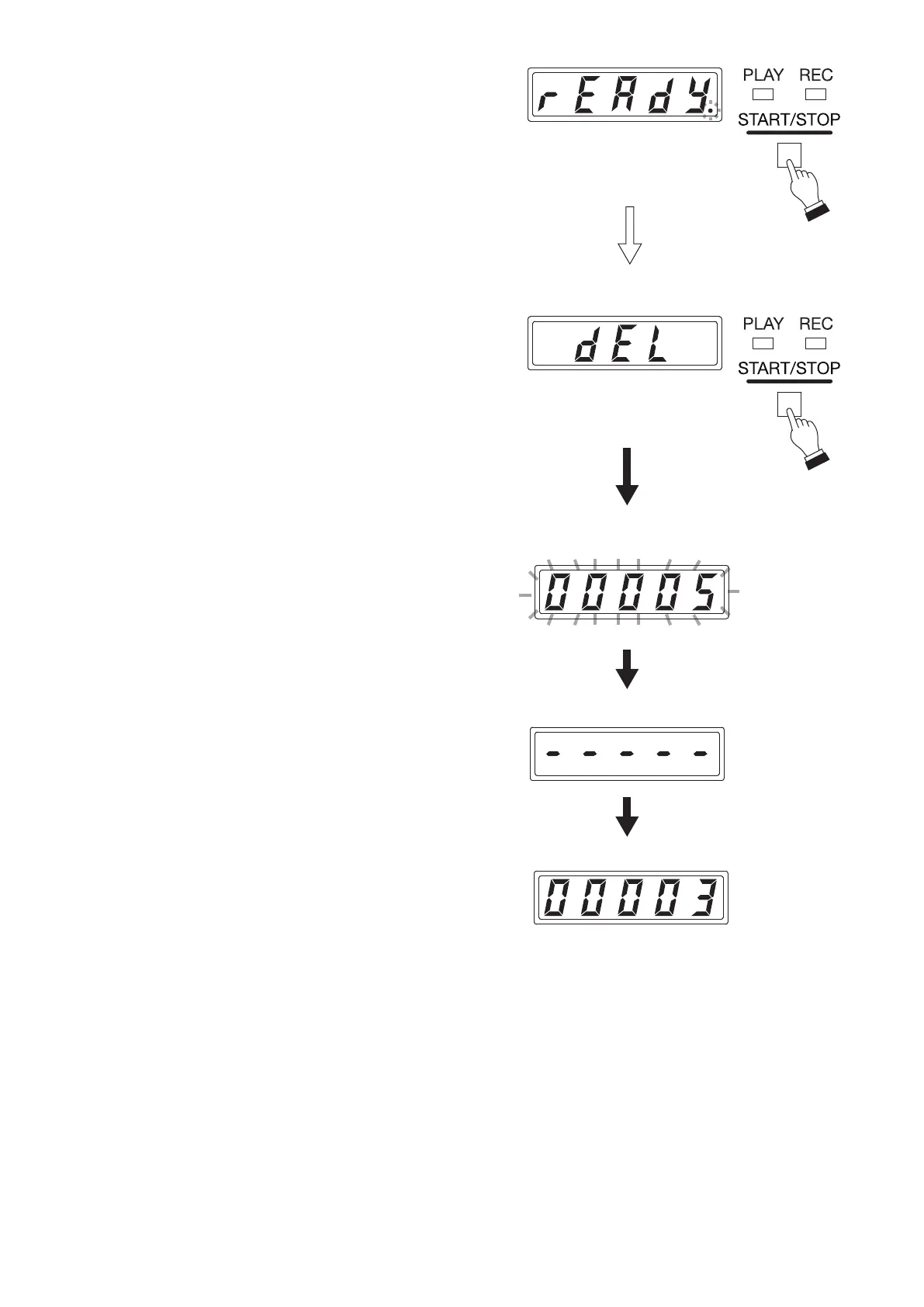
Flashing
(READY)
(DEL)
Flashing
Phrase number display
Deletion completion display
Phrase number display
Step 3. Press the Start/Stop key.
The "rEAdy" (READY) indication appears on the
Status display, then the unit will be placed in Delete
standby mode.
The dot at the lower right corner of the Status display
ashes during Delete standby.
Tip
If you do not make any front panel operation for 5
minutes, display's status will return to the one in Step
2.
Step 4. Press the Start/Stop key again.
The phrase will be deleted.
The "dEL" (DEL) indication appears on the Status
display, followed by the ashing indication of the
phrase number during deletion.
Hyphens appear when the deletion is complete,
then the display's indication changes to other phrase
number indication.
Tip
After you nish all necessary operations, it is
recommended that you place the unit in Lock mode to
prevent accidental operation.
(See p. 27, "Disabling Each Key Operation on the
Front Panel (Lock Mode).")



 To Next Page