32
BASIC OPERATIONS
BASIC OPERATIONS
MEASUREMENT
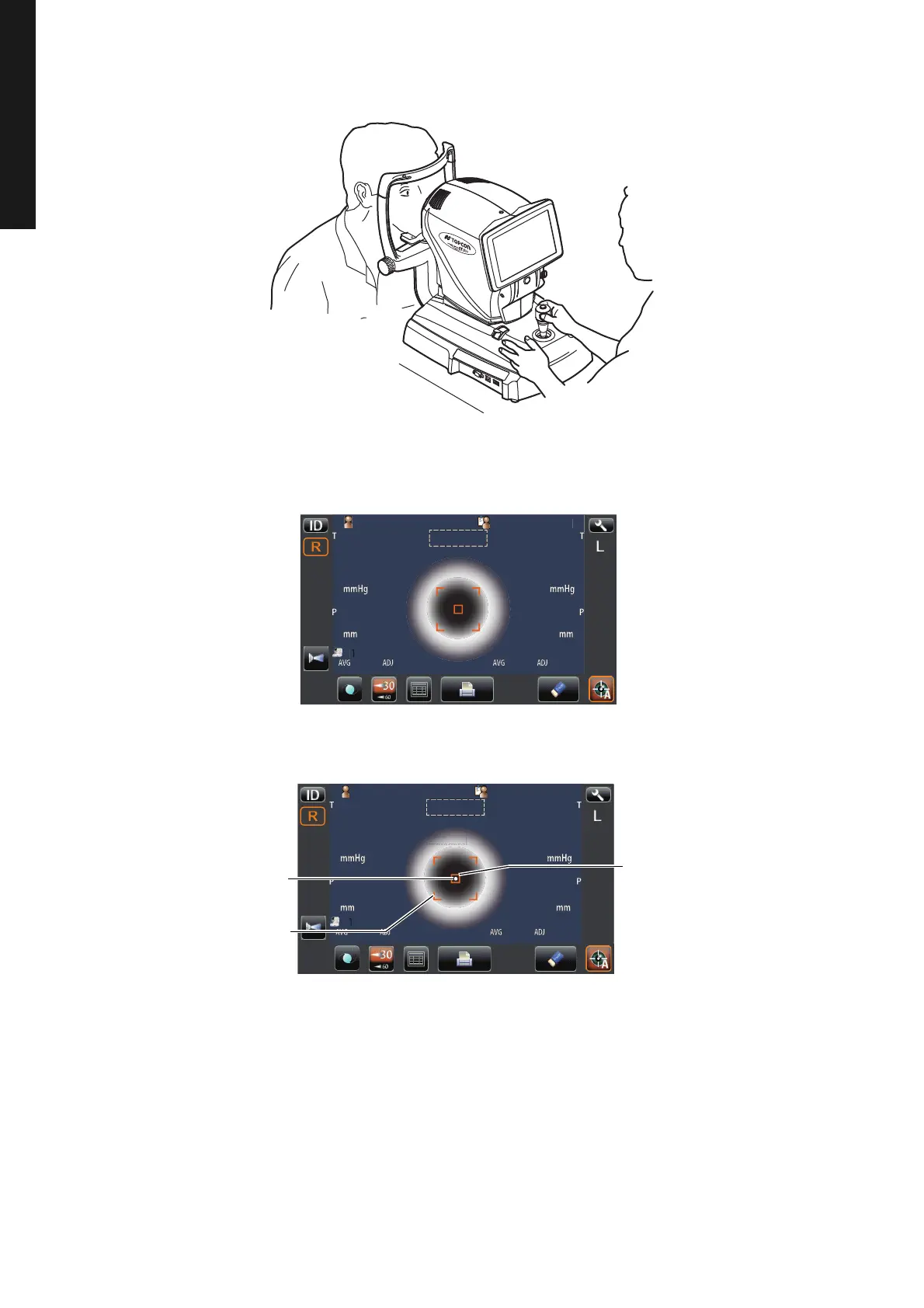
1 Hold the control lever and move the main body to the operator side.
2 Operate the control lever laterally and vertically to obtain the target eye in the center of control
panel screen. Then tell the patient to look at green luminous dot.
3 While moving the main body toward the patient, focus the target eye.
A vague, reflected alignment dot appears on the cornea.
4 Fine-adjust the main body position in all directions so that the alignment dot point comes
within the alignment mark.
0101
Patient IDPatient ID TOPCON_TAROUTOPCON_TAROU
mmmm
T
P
0000
0000
mmHgmmHg
AVGAVG ADJADJ
mmmm
T
P
0000
0000
mmHgmmHg
AVGAVG ADJADJ
AutoShoot
ID
L
R
3030
6060
P
tientI
OPCON
AROU
12.00
01
VD
0000100001000
0000100001000
mm
R1
R2
A1
R1
R2
A1
ID
LR
0/3
0/3
0/3
0/3
R/K
KRT
REF
P
tientI
PatientID
1
OPCON
AROU
TOPCONTAROU
Auto Shoot
Alignment mark
Alignment dot
Outer alignment mark



 To Next Page