33
BASIC OPERATIONS
BASIC OPERATIONS
MEASUREMENT
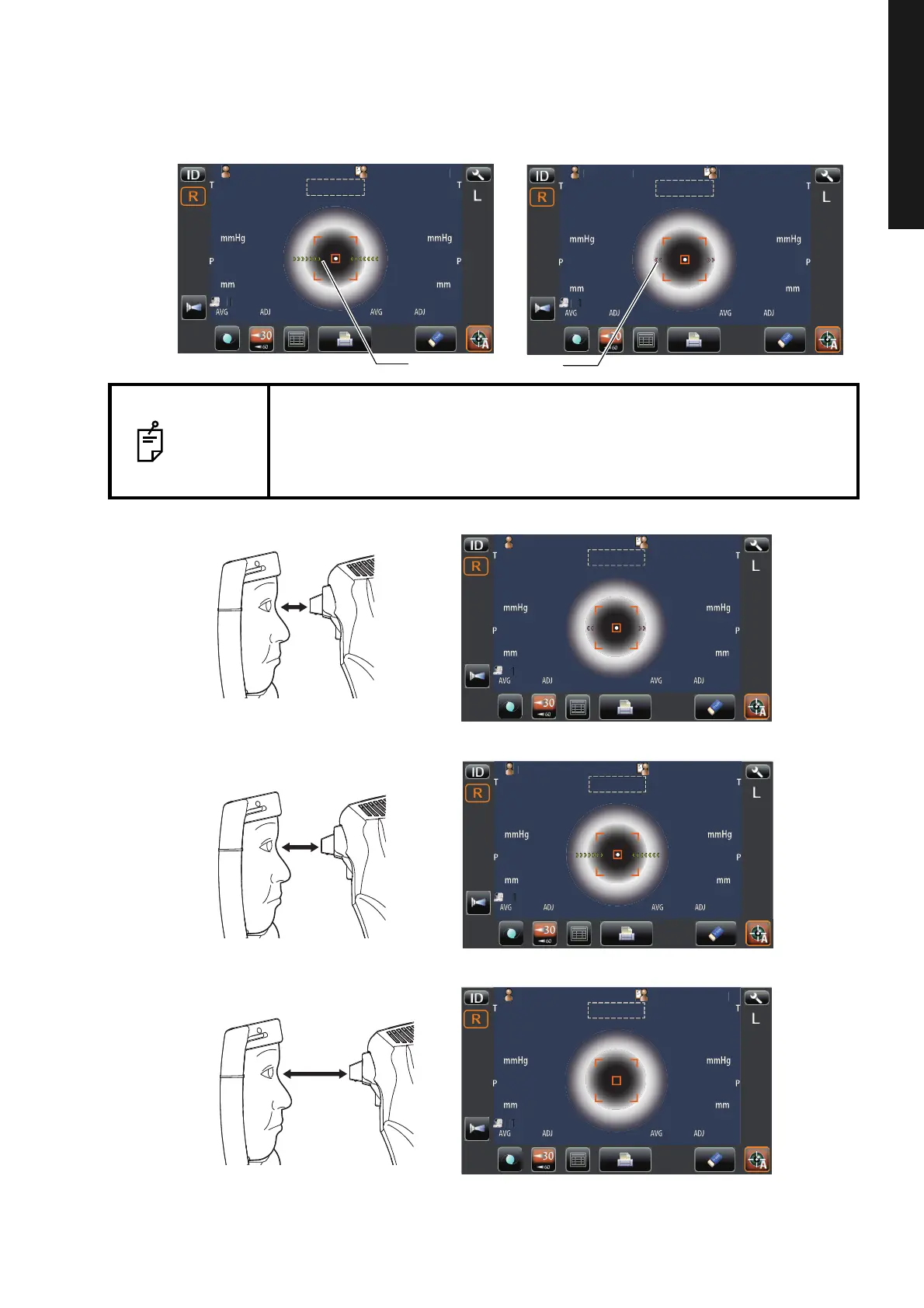
5 Keeping the alignment dot within the alignment mark, slowly move the main body toward the
patient. When the main body approaches the target eye, Z alignment arrows appear to the
control panel screen.
NOTE
• Do not allow the eyelash and eyelid to cover outer alignment mark to
ensure stable measurement.
• If the machine is too near to the patient in comparison with the optimal
alignment position, the alignment arrows are displayed outward or if it is
too far from the patient, the alignment arrows are displayed inward.
P
tientI
OPCON
AROU
12.00
01
VD
0000100001000
0000100001000
mm
R1
R2
A1
AutoShoot
R1
R2
A1
ID
LR
0/3
0/3
0/3
0/3
R/K
KRT
REF
P
tientI
PatientID
1
OPCON
AROU
TOPCONTAROU
Auto Shoot
12.0012.00
010 1
VDVD
00001000010000000100001000 00001000010000000100001 000
mmmm
R
S
C
A
K
R1
R1
R2R2
A1A1
AutoShoot
R
S
C
A
K
R1
R1
R2R2
A1A1
ID
LR
0/30/3 0/30/3
0/30/3 0/30/3
R/KR/K
KRTKRT
REFREF
P
tientI
OPCON
AROU
Too close
Too far
Positioning is incorrect at all.
P
tientI
PatientID
1
OPCON
AROU
TOPCONTAROU
Auto Shoot
0101
Patient IDPatient ID TOPCON_TAROUTOPCON_TAROU
mmmm
T
P
0000
0000
mmHgmmHg
AVGAVG ADJADJ
mmmm
T
P
0000
0000
mmHgmmHg
AVGAVG ADJADJ
AutoShoot
ID
L
R
3030
6060
P
tientI
OPCON
AROU
Outward Z alignment arrows (purple)
Inward Z alignment arrows (Green)
Z alignment arrows are not appeared.



 To Next Page