30
BASIC OPERATIONS
MANUAL MODE MEASUREMENT
SETTING THE MANUAL MODE
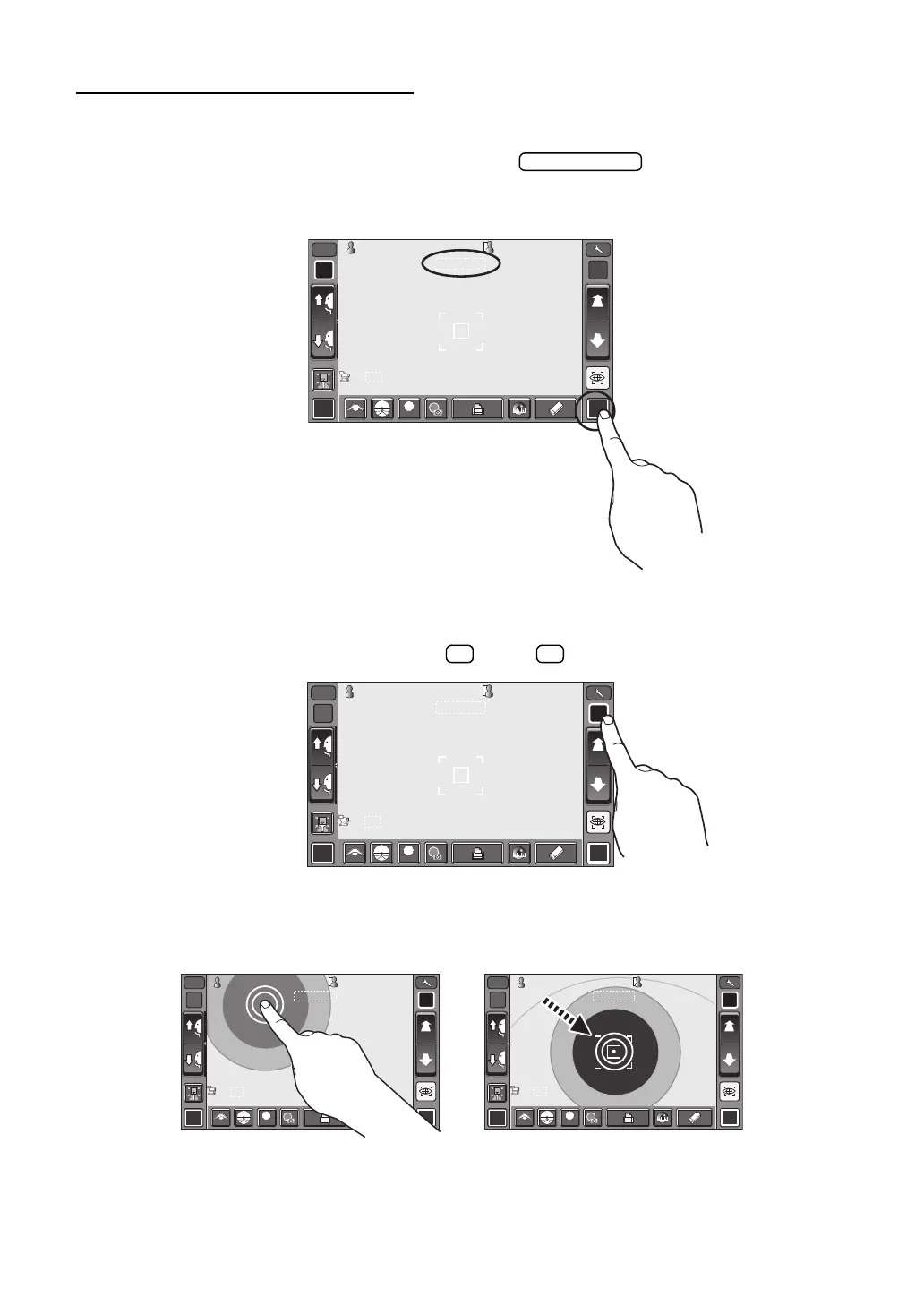
1 Check the MEASUREMENT screen is on. If the button is "M," the mode is
Manual mode.
2 If "A" (Auto mode) is displayed, tap it and change to "M".
ALIGNMENT AND MEASUREMENT
Alignment is operated on the control panel.
1 Select the right/left eye by tapping the button/ button.
2 When the pupil is displayed, tap the display around the pupil. The measuring head moves
to display the pupil image and alignment dot on the center of the screen. Then tell the
patient to look at red-roof house.
R L
R/K
13.7513.75
010 1
VDVD
ID
M
00001000010000000100001000 00001000010000000100001000
mmmm
R
S
C
A
K
R1
R1
R2R2
A1A1
PR1PR1
PR2PR2
0/30/3 MANUALMANUAL 0/30/3
0/30/3 0/30/3
R
S
C
A
K
R1
R1
R2R2
A1A1
PR1PR1
PR2PR2
PA1PA1 PA1PA1
LOWLOW
FOGFOG
R L
R/K
13.75
01
VD
ID
M
0000100001000
0000100001000
mm
R1
R2
A1
PR1
PR2
0/3
MANUAL
0/3
0/3
0/3
R1
R2
A1
PR1
PR2
PA1
PA1
LOW
FOG
R L
R/K
13.75
dio
01
VD
R L
R/K
13.75
01
VD
ID
ID
MM
0000100001000
0000100001000
mm
R1
R2
A1
PR1
PR2
0/3
0/3
0/3
0/3
R1
R2
A1
PR1
PR2
PA1
PA1
0000100001000
0000100001000
mm
R1
R2
A1
PR1
PR2
PA1
0/3
MANUAL
MANUAL
0/3
0/3
0/3
R1
R2
A1
PR1
PR2
LOW
FOG
LOW
FOG














 To Next Page