36
BASIC OPERATIONS
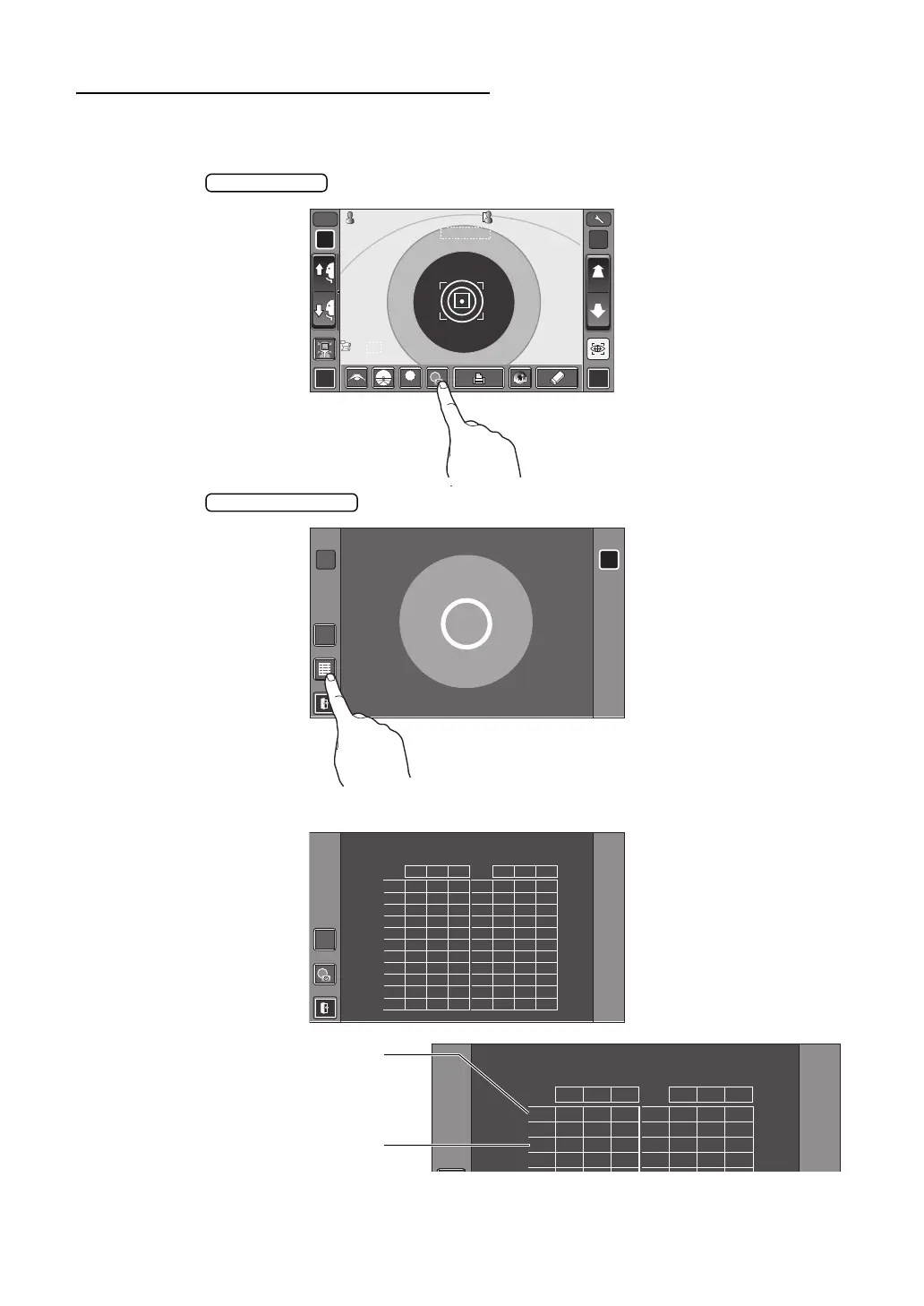
DISPLAYING ALL MEASUREMENT DATA
Normally the latest measurement is displayed, but it is possible to display and confirm all mea-
surement data.
1 Tap the button of the control panel.
2 Tap the button.
3 The Data Display screen is displayed.
R L
R/K
ID
A
LOWLOW
FOGFOG
13.7513.75
-1.-1 . 2525
-1.-1.2525 -0.- 0 . 5050 -0.- 0 . 2525 -0.-0.5050
-0.-0 . 5050
7.807 . 8 0
7.757 . 7 5
18018 0
18018 0
-0.-0 . 2525
-0.-0 . 5050
7.807 . 8 0
7.757 . 7 5
18018 0
18018 0
1801 8 0 1801 8 0
010 1
S C
VDVD
A S C A
PR2PR2
00001000010000000100001000 00001000010000000100001000
mmmm
R
S
C
A
K
R1
R1
R2R2
A1A1
PR1PR1
3/33/3 AUTOAUTO
7.807.80
3/33/3
3/33/3 3/33/3
R
S
C
A
K
R1
R1
R2R2
A1A1
PR1PR1
PR2PR2
PA1PA1 PA1PA1
R L
REF
REF
S
C1
2
( 3 )
4
5
6
7
8
9
10
AVE
CA
RIGHT
S
1
2
3
4
5
6
7
8
9
10
AVE
CA
-1.25 -0.50 180 -0.25 -0.50 180
-1.25 -0.50 180 -0.25 -0.50 180
-1.25 -0.50 180 -0.25 -0.50 180
-1.25 -0.50 180 -0.25 -0.50 180
LEFT
S
C1
2
( 3 )
4
5
CA
RIGHT
S
1
2
3
4
5
CA
-1.25 -0.50 180 -0.25 -0.50 180
-1.25 -0.50 180 -0.25 -0.50 180
-1.25 -0.50 180 -0.25 -0.50 180
LEFT
When measurement is performed
with the Cataract button ON, "C"
comes at the head of figures.
When Cataract mode starts auto-
matically during the measure-
ment, figures will be put in ( ).














 To Next Page