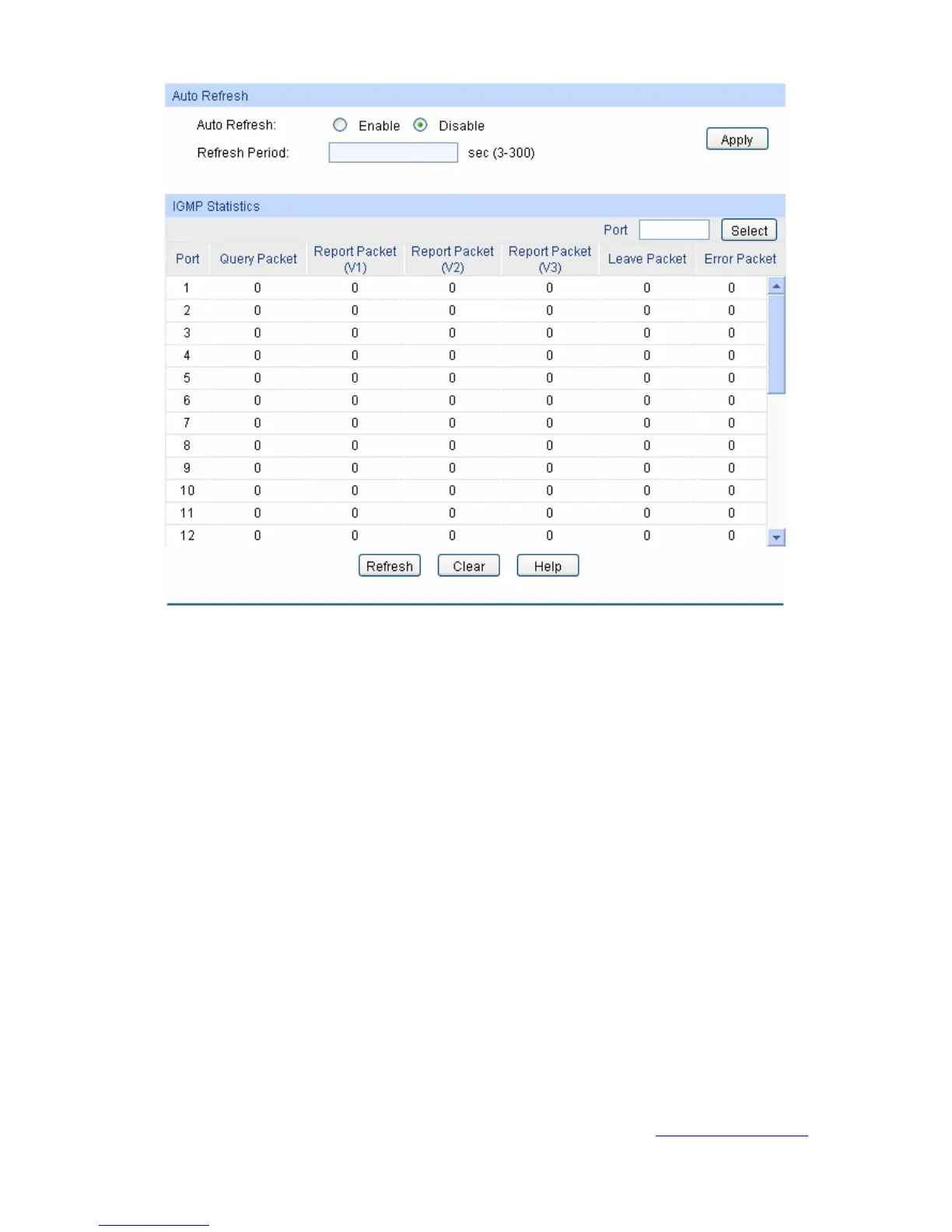
Figure 8-12 Packet Statistics
The following entries are displayed on this screen:
Auto Refresh
Auto Refresh: Select Enable/Disable auto refresh feature.
Refresh Period: Enter the time from 3 to 300 in seconds to specify the auto
refresh period.
IGMP Statistics
Port Select: Click the Select button to quick-select the corresponding port
based on the port number you entered.
Port: Displays the port number of the switch.
Query Packet: Displays the number of query packets the port received.
Report Packet (V1): Displays the number of IGMPv1 report packets the port received.
Report Packet (V2): Displays the number of IGMPv2 report packets the port received.
Report Packet (V3): Displays the number of IGMPv3 report packets the port received.
Leave Packet: Displays the number of leave packets the port received.
Error Packet: Displays the number of error packets the port received.
Return to CONTENTS
11
4


 To Next Page
 Loading...