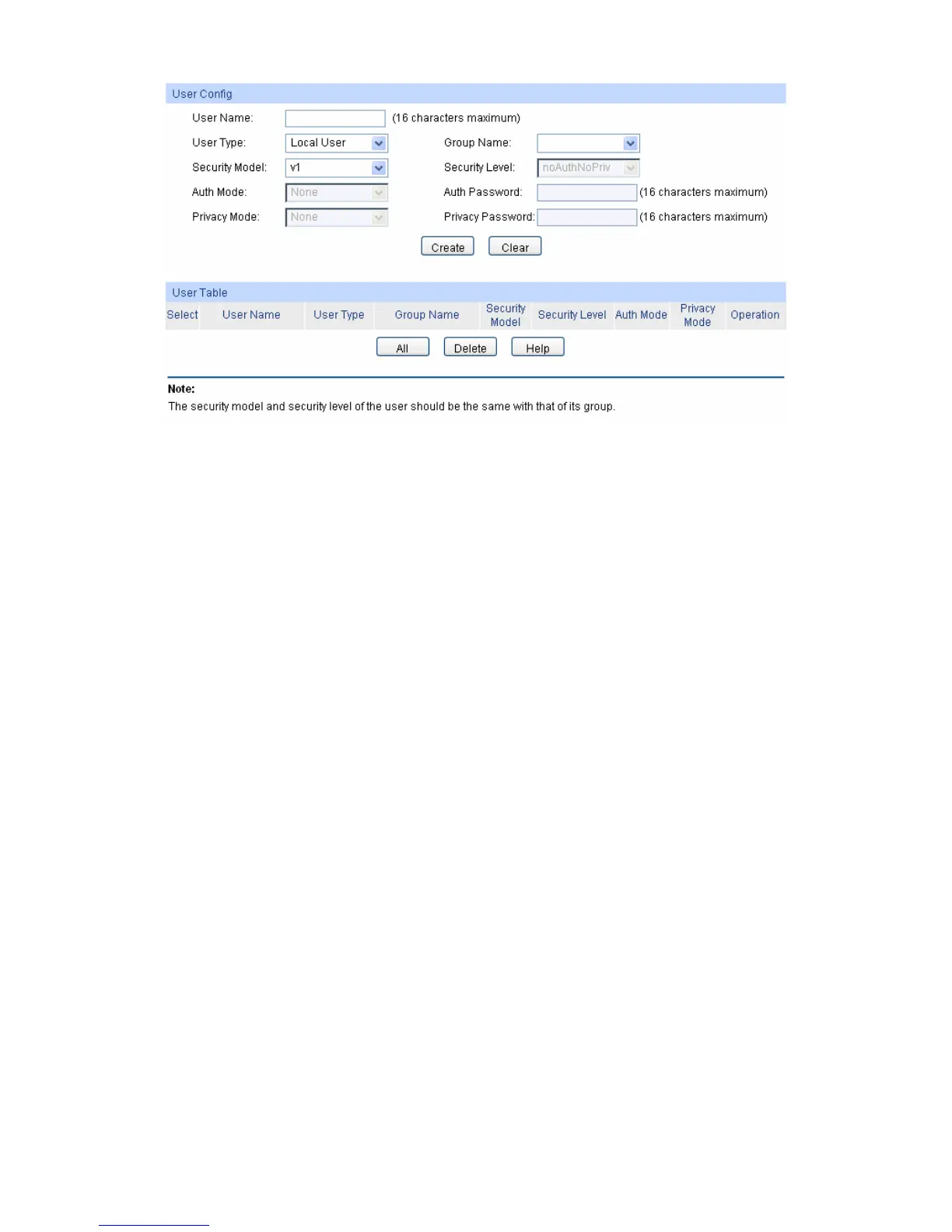
Figure 12-6 SNMP User
The following entries are displayed on this screen:
User Config
User Name: Enter the User Name here.
User Type: Select the type for the User.
Local User: Indicates that the user is connected to a local
SNMP engine.
Remote User: Indicates that the user is connected to a remote
SNMP engine.
Group Name: Select the Group Name of the User. The User is classified to the
corresponding Group according to its Group Name, Security
Model and Security Level.
Security Model: Select the Security Model for the User.
Security Level: Select the Security Level for the SNMP v3 User.
Auth Mode: Select the Authentication Mode for the SNMP v3 User.
None: No authentication method is used.
MD5: The port authentication is performed via HMAC-MD5
algorithm.
SHA: The port authentication is performed via SHA (Secure
Hash Algorithm). This authentication mode has a highe
security than MD5 mode.
Auth Password: Enter the password for authentication.
Privacy Mode: Select the Privacy Mode for the SNMP v3 User.
None: No privacy method is used.
DES: DES encryption method is used.
178


 To Next Page
 Loading...