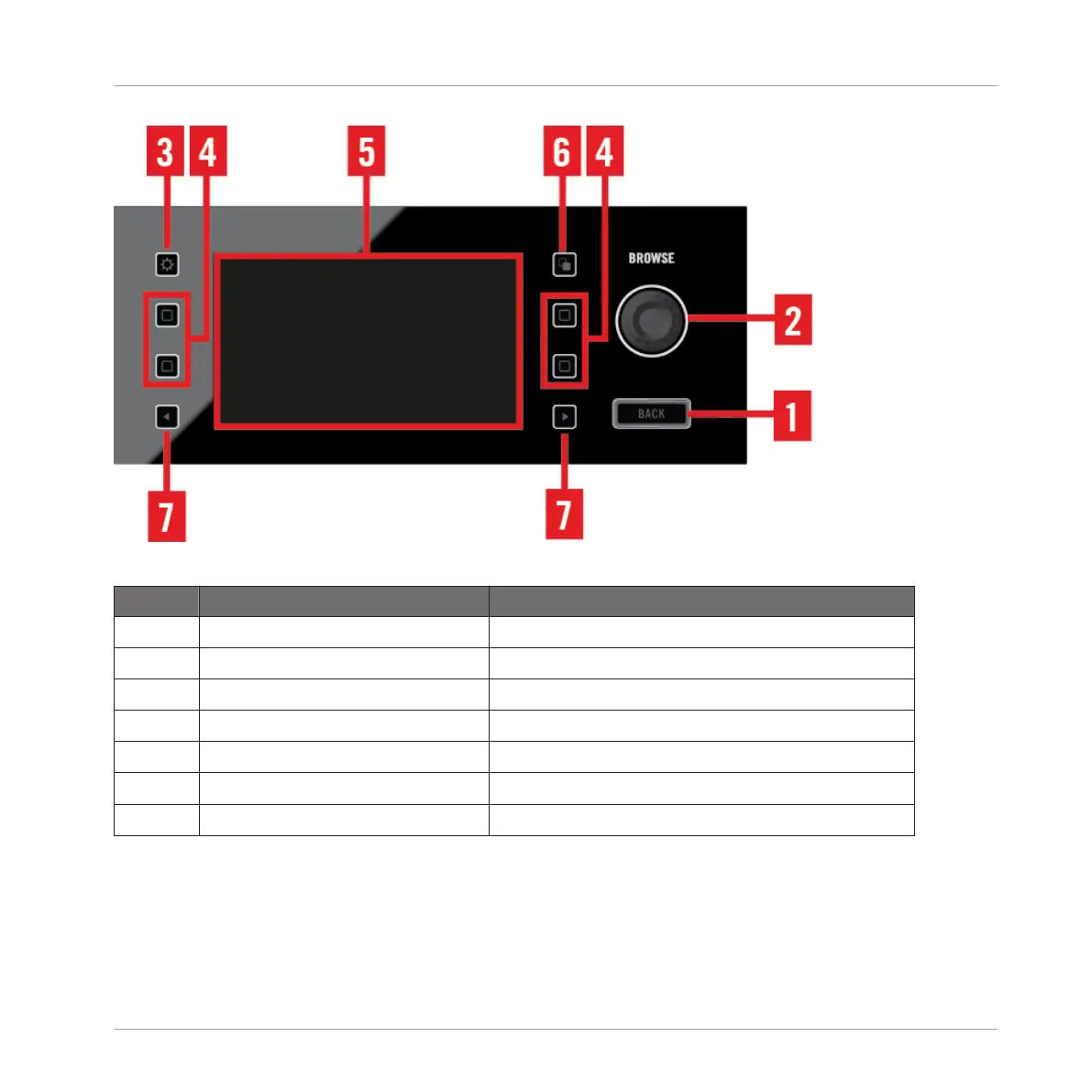
Display Area and Controls
Callout Description Links leading to section with further information
(1) BACK Button ↑4.2.7.1, BACK Button
(2) BROWSE Encoder ↑4.2.7.2, BROWSE Encoder
(3) Settings Button ↑4.2.7.3, Settings Button
(4) Display Buttons ↑4.2.7.4, Display Buttons
(5) Display ↑4.2.7.5, Display
(6) View Button ↑4.2.7.6, View Button
(7) Perform,ance Mode Buttons ↑4.2.7.7, Performance Mode Button
4.2.7.1 BACK Button
When the Browser is opened, pressing the BACK button lets you navigate a level up in the fold-
er structure, up to the Browser's top level. Pressing the BACK button for longer than a second
lets you exit the Browser.
Hardware Reference
The Deck
TRAKTOR KONTROL D2 - Manual - 129



 To Next Page