►
In TRAKTOR's default setup with 2 FX Units, press the left FX button to assign the mixer
channel to FX Unit 1. Press the right FX button to assign the channel to FX Unit 2. The
FX assign buttons light up bright orange when assigned.
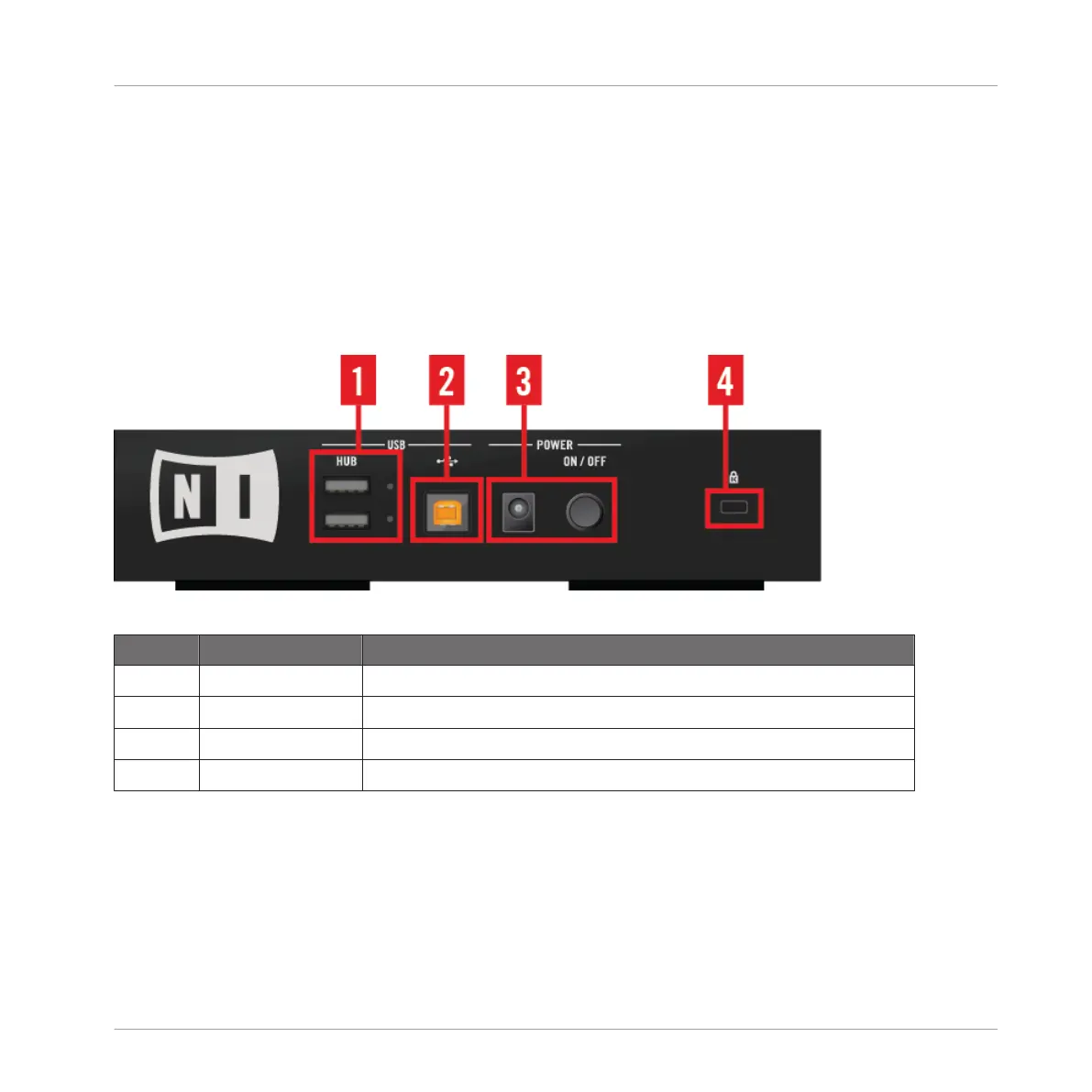
4.4 The Rear Panel
The rear panel holds the connectors you need to get the D2 running and to connect additional
USB equipment such as TRAKTOR controllers.
Connections on D2's Rear Panel
Callout Description Link to section providing further information
(1) USB HUB ↑4.4.4, USB Hub
(2) USB connector ↑4.4.2, USB Connector
(3) POWER section ↑4.4.3, POWER Section
(4) Kensington Lock slot ↑4.4.1, Kensington Lock Slot
For technical details about all the connections see chapter ↑7, Technical Specification.
Hardware Reference
The Rear Panel
TRAKTOR KONTROL D2 - Manual - 148



 To Next Page