The FX Unit of the D2
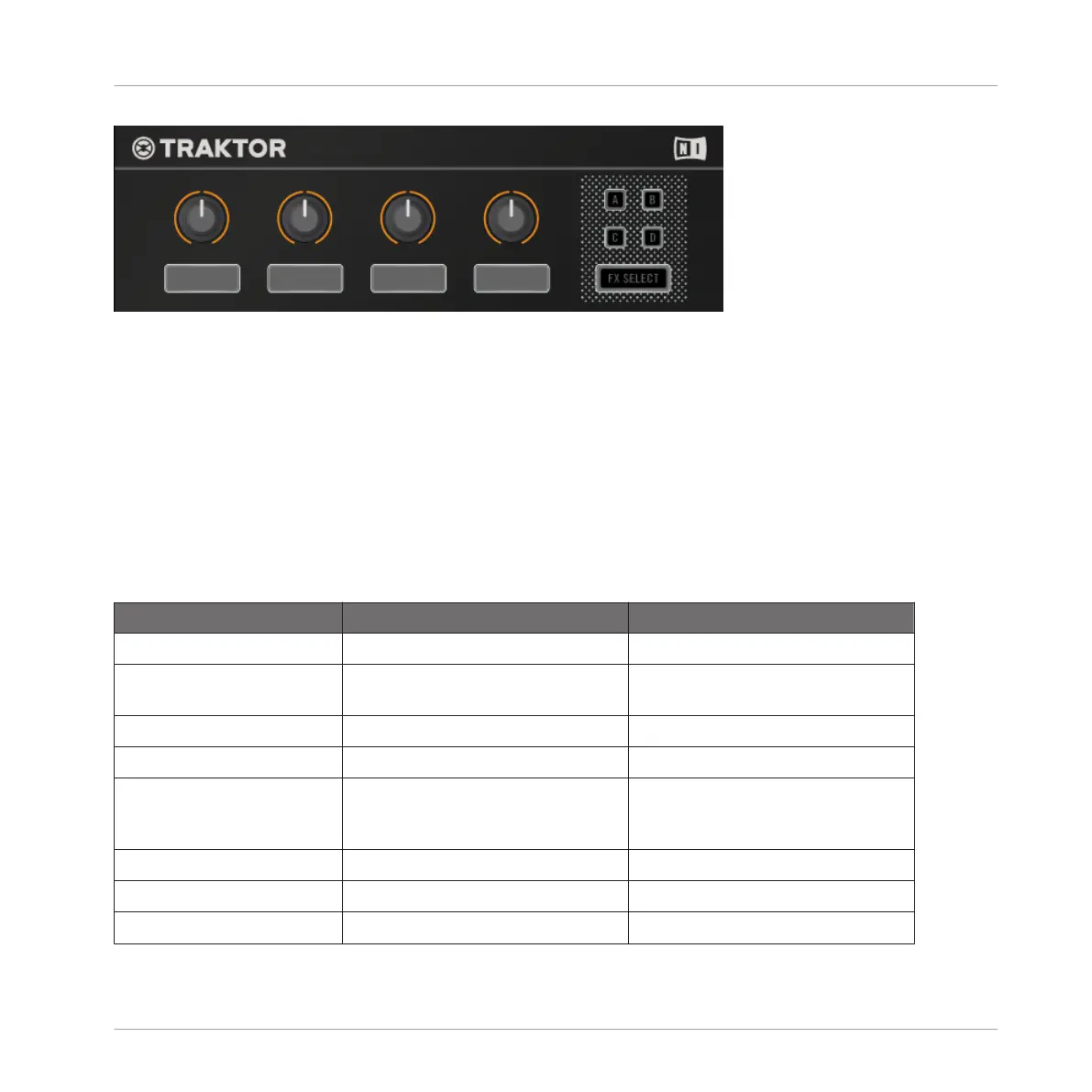
This is an overview of the naming and function of the FX Unit's key control elements. The
knobs in this section are sensitive to touch. Touch any of them to open the FX drop-down
menu that provides an overview of the effect(s) loaded along with control assignments and pa-
rameter values.
• Single Mode: select one effect; the FX knobs let you control up to 4 parameters.
• Group Mode: select up to three effects as an effects chain; the FX knobs let you control
one parameter per effect.
The following table gives a detailed overview of the parameters controlled by FX buttons and
FX knobs and it provides links referring to sections with further information.
Name Function in Single Mode Function in Group mode
FX Button 1: Activate/deactivate the entire FX Unit. -
FX Button 2 Reset all FX parameters to their de-
fault value.
Activate/deactivate FX slot 1.
FX Button 3 Depends on the selected effect. Activate/deactivate FX slot 2.
FX Button 4 Depends on the selected effect. Activate/deactivate FX slot 3.
FX Knob 1 Adjust the ratio between the unpro-
cessed (dry) signal and processed
(wet) signal for the entire FX Unit.
Adjust the ratio between the unpro-
cessed (dry) signal and processed
(wet) signal for the entire FX Unit.
FX Knob 2 Controls FX parameter 1. Control the 1st effect in the FX Unit.
FX Knob 3 Controls FX parameter 2. Control the 2nd effect in the FX Unit.
FX Knob 4 Controls FX parameter 3. Control the 3rd effect in the FX Unit.
Hardware Reference
The FX Unit
TRAKTOR KONTROL D2 - Manual - 146


 To Next Page