3. Click on Close to exit the Preferences window.
Performing Scratching
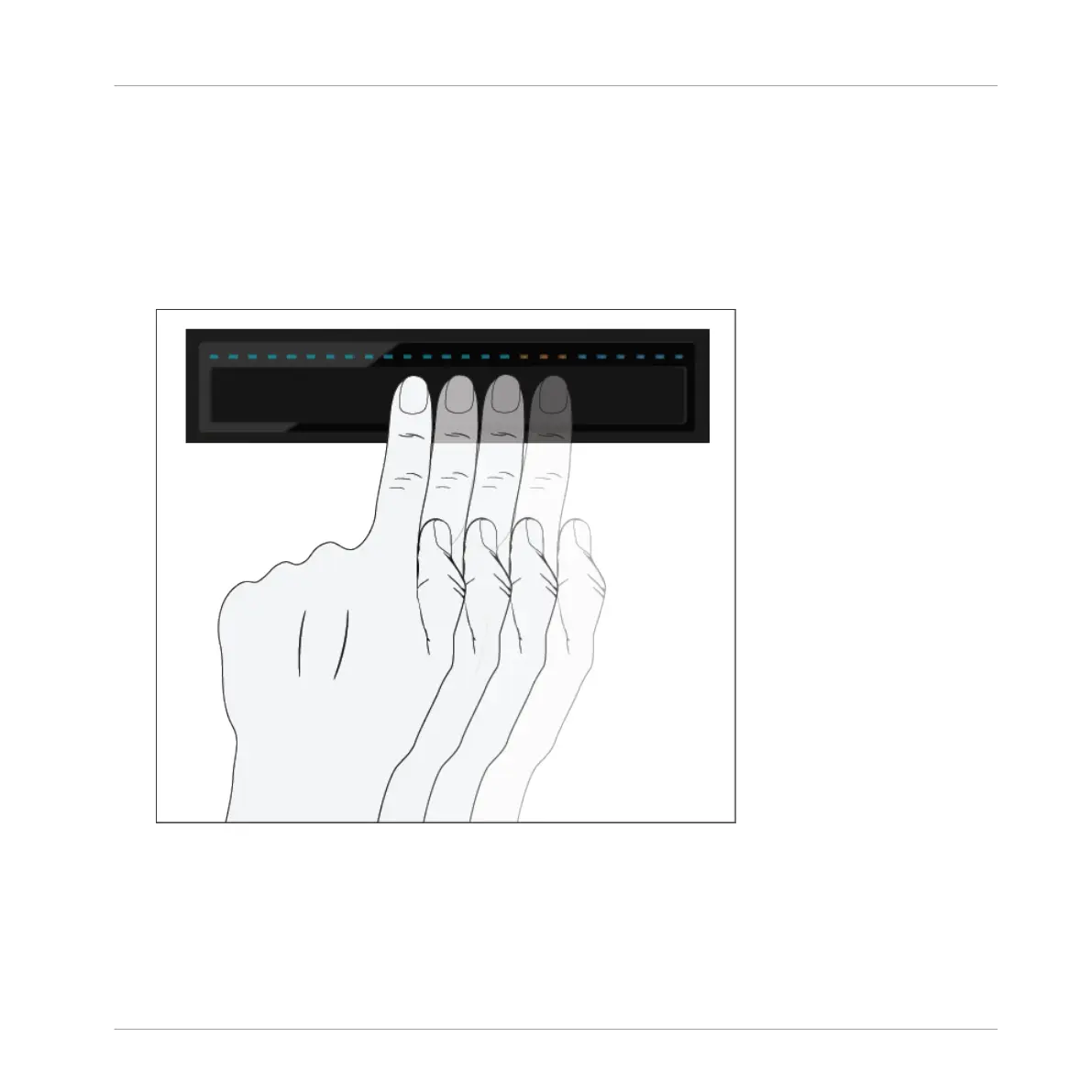
On the Deck:
1. Hold the SHIFT button.
2. On the Touch Strip swipe to the left. This will move the playhead slightly forwards in the
track's waveform, and you will hear the typical scratch effect.
Using Your D2—Getting Advanced
Using Touch Strip
TRAKTOR KONTROL D2 - Manual - 51


 To Next Page