Wireless Travel Router34 Wireless Travel Router34
3. CLIENT MODE
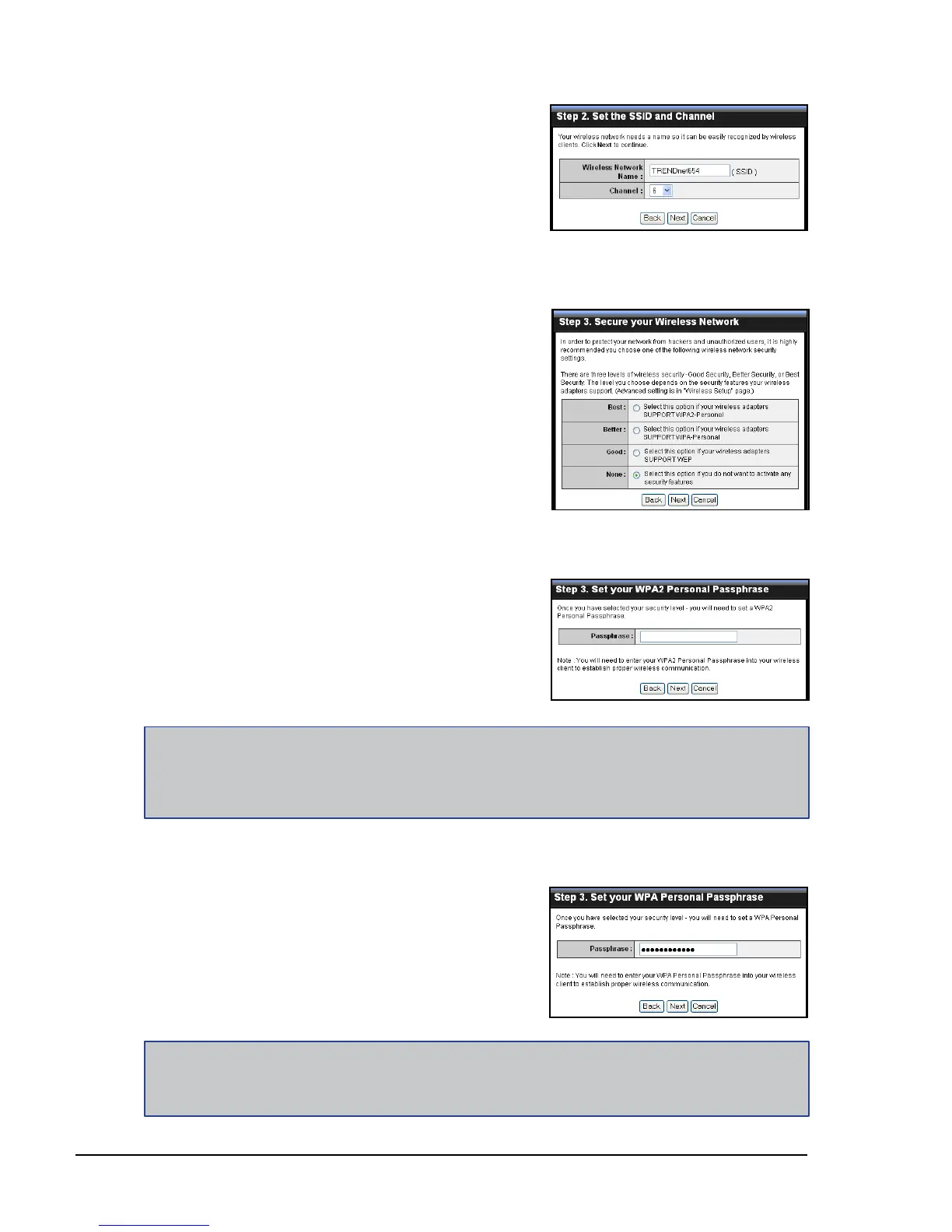
If you select Better...
Enter the Passphrase, then click Next to
continue.
Skip to step 5.
4 Select the type of security, then click
Next to continue.
If you select None, skip to step 5.
If you select Best...
Enter the Passphrase, then click Next to
continue.
Skip to step 5.
Notes:
The Passphrase must be 8-63 ASCII characters or 64 hexadecimal characters.
When using this mode, please make sure your wireless computer/device’s wireless security also
supports WPA2-Personal or WPA2-PSK.
•
•
Note:
When using this mode, please make sure your wireless computer/device’s wireless security also
supports WPA-Personal or WPA-PSK.
3 Create a new Wireless Network Name
and select the Channel (6 by default).
Click Next to continue.
4 Select the type of security, then click Next
to continue.















 To Next Page