63
12. Network Settings
Creating a Start Menu Shortcut Entry
1. Right click Start; select: Open all Users Programs Administrative Tools.
2. On the File menu, select New Shortcut
3. In the dialog box that appears, browse to or enter in the path to schmmgmt.msc (C:\Windows\system32\schmmgmt.msc) and click Next.
4. In the dialog box that appears, enter Active Directory Schema as the name for the shortcut, then click Finish.
12.2.2 Extend and Update the Active Directory Schema
Step 1 - Create a New Attribute:
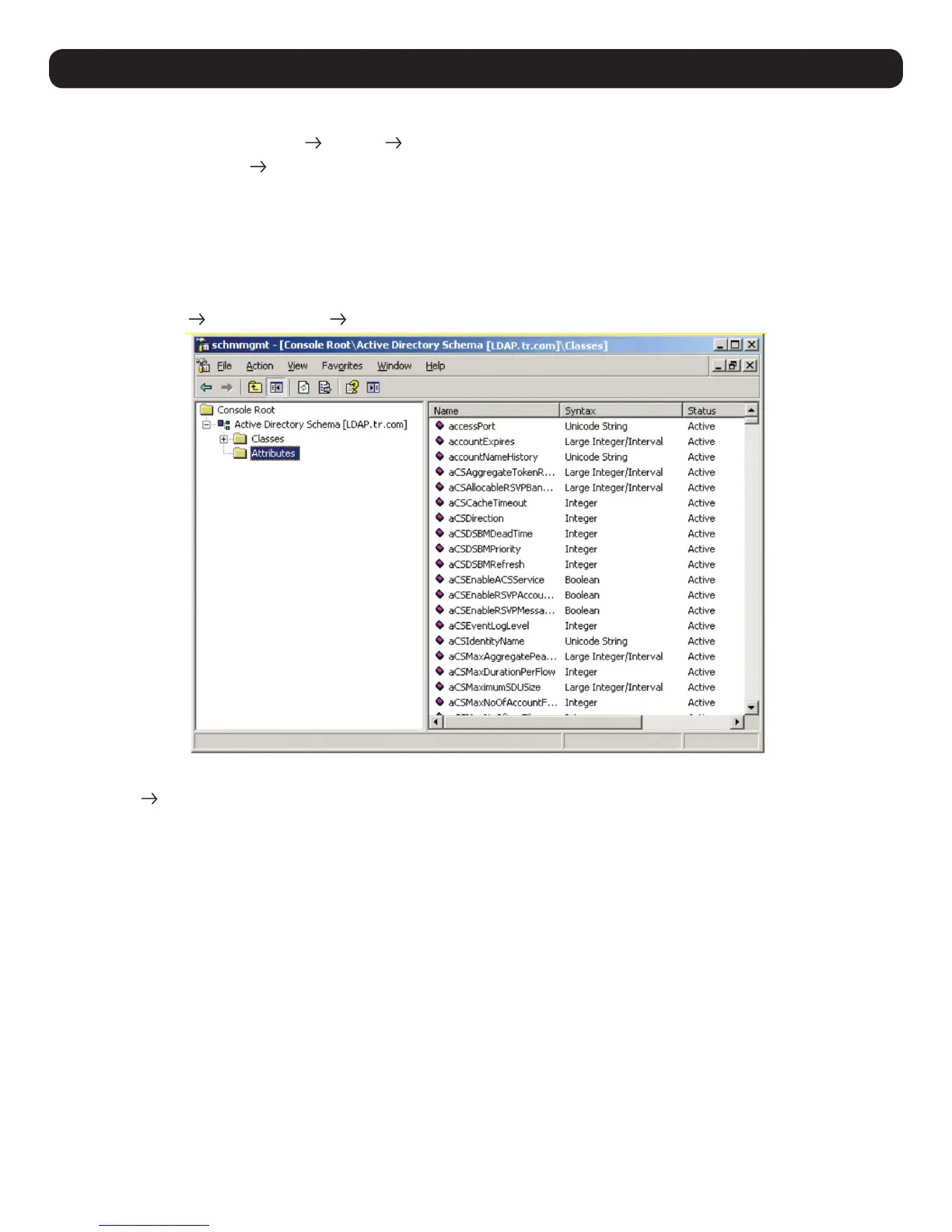
a) Open Control Panel Administrative Tools Active Directory Schema.
b) In the left panel of the screen that appears, right-click Attributes:
c) Select New Attribute.
d) In the warning message that appears, click Continue to open the Create New Attribute dialog box.


 To Next Page
 Loading...