69
12. Network Settings
An example configuration file will appear as:
12.3.2 Starting the OpenLDAP Server
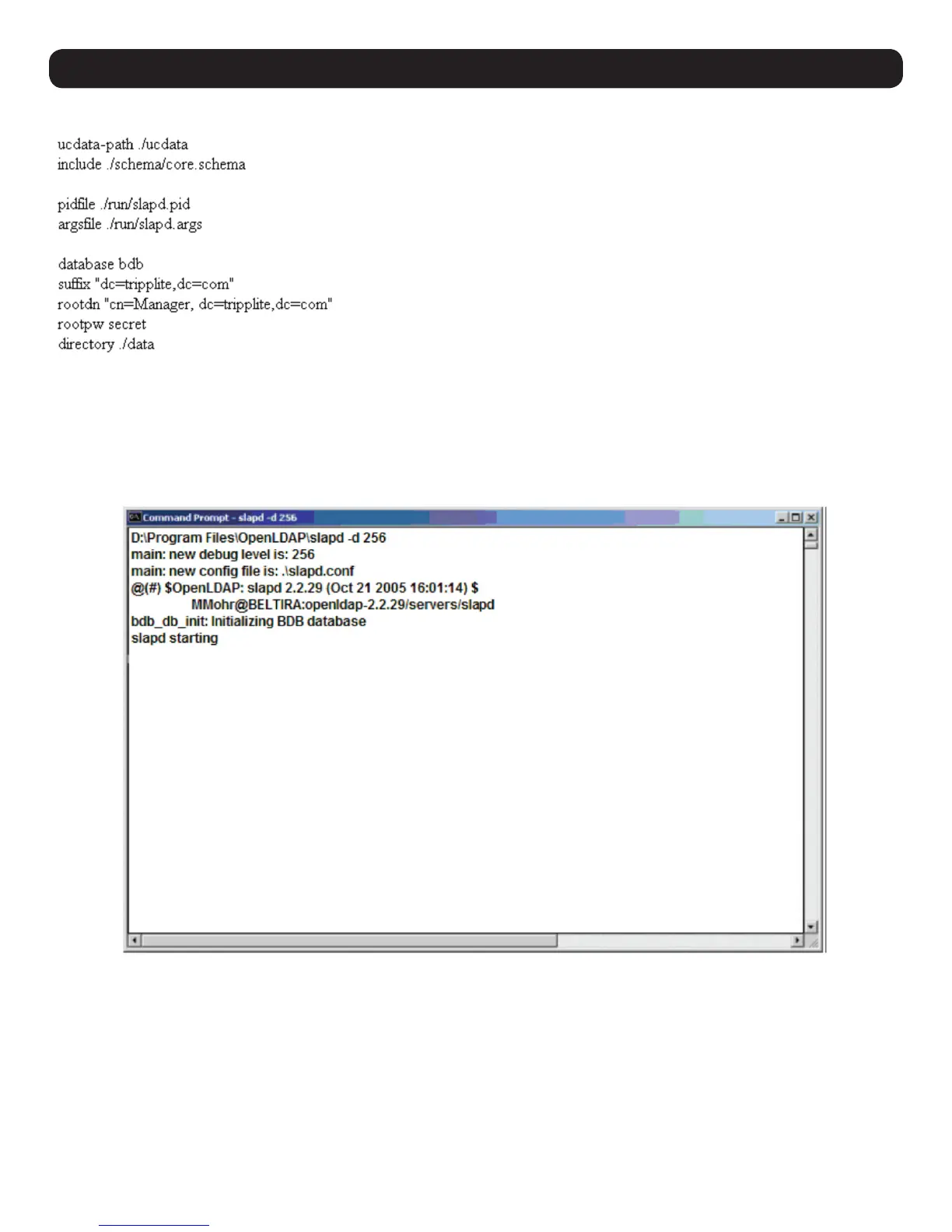
To start the OpenLDAP Server, run slapd (the OpenLDAP Server executable file) from the command line. slapd supports a number of command
line options, the most important option is the d switch that triggers debug information. For example, a command of slapd -d 256 would start
OpenLDAP with a debug level of 256, as shown in the following screenshot:
Note: For details about slapd options and their meanings, refer to the OpenLDAP documentation.


 To Next Page
 Loading...