Model 2701-B 3–7
3. ADJUSTING MEASUREMENTS
NEW MIX CALIBRATION
To determine a new mix calibration or to manually enter the slope
and intercept values, press 〈5〉 on the menu shown on page 3–6. The
gauge displays:
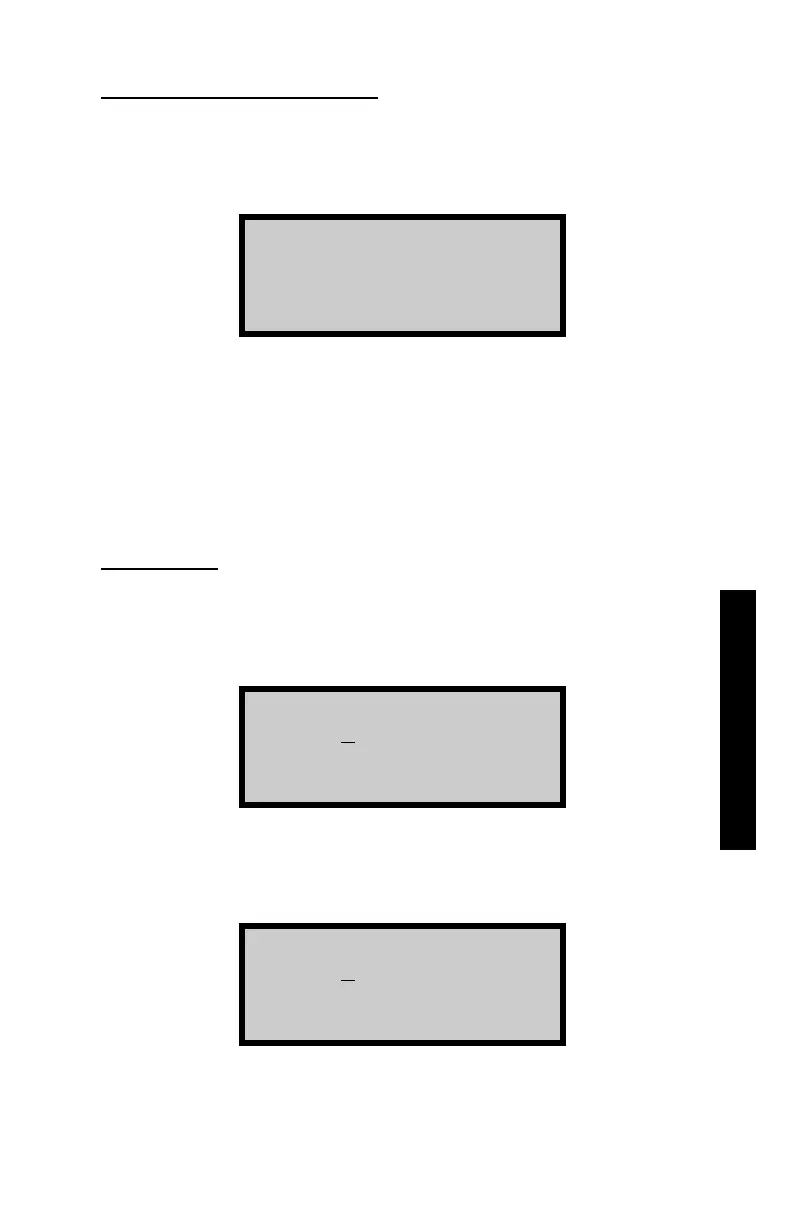
-Entry Method-
1. Data Pairs
2. Slope/Intercept
To determine a new mix calibration based on gauge measurements
and values determined by an alternate method, press 〈1〉 to access
the Data Pairs function. To enter slope and intercept values
manually, press 〈2〉 to access the Slope/Intercept function. These
functions are described in the following sections.
Data Pairs
To determine a new mix calibration based on gauge measurements
and values determined by an alternate method, press 〈1〉 at the
Entry Method menu shown above. The gauge displays:
Input Reading #: 1
0.0 pcf
Press <ENTER>
Using the numeric and decimal keys, enter the measured density
(the density as measured by the gauge) at the first test location.
Press the 〈ENTER/START〉 key. The gauge displays:
Input Core Value 1:
0.0 pcf
Press <ENTER>
Enter the actual density (the density as determined from an alternate
method) and press the 〈ENTER/START〉 key.












 To Next Page