Step 1: Assemble the extrusion head housing Assembling the extrusion head 47
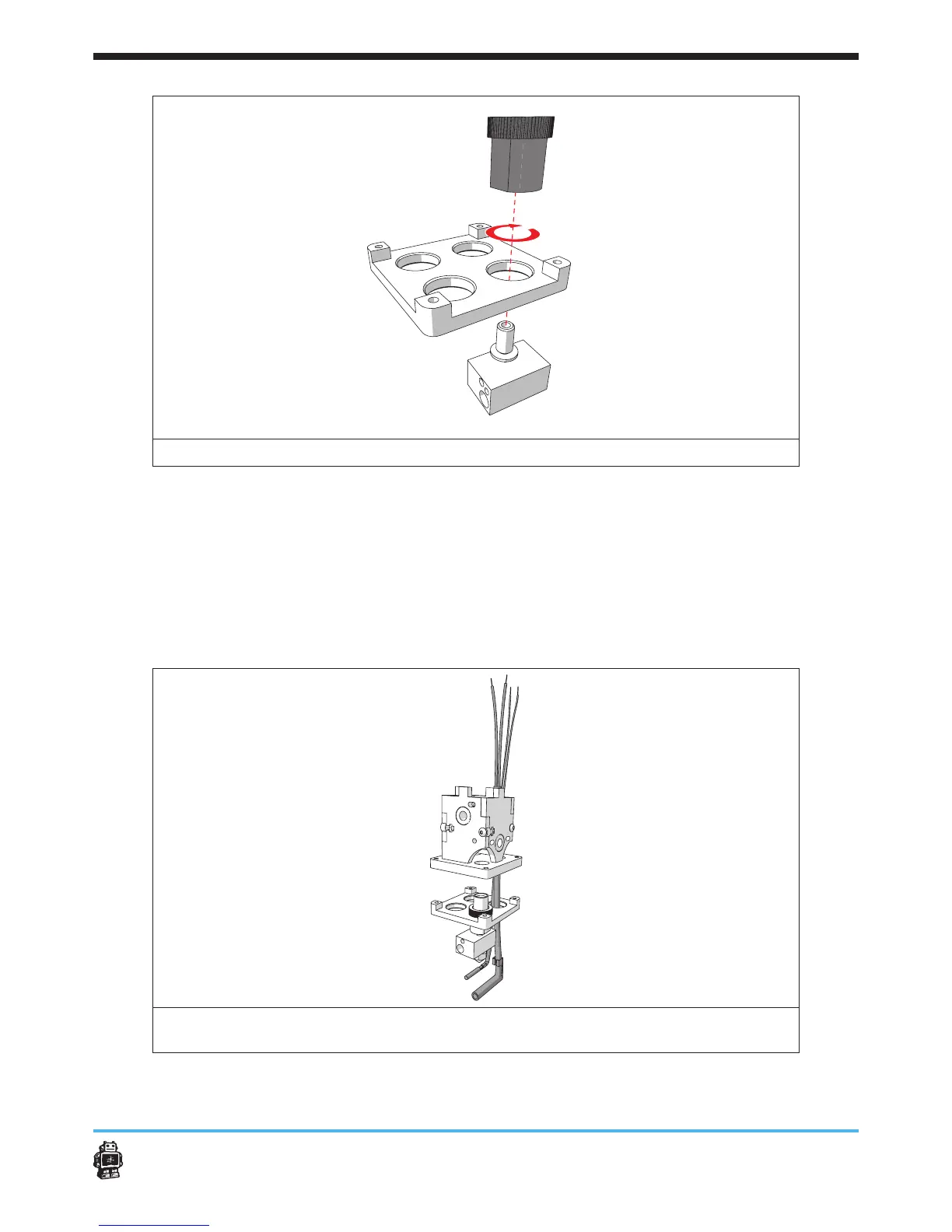
image 52: attaching the peek and the brass pipe through the aluminium plate
8. Attach the cartridge heater and the PT100 through the wooden part
8B, see image 53.
5 NOTICE: use the hole back RIGHT.
5 NOTICE: the cartridge heater is the small 6 mm cylinder with a right
angle.
5 NOTICE: the PT100 is the small 3 mm cylinder with an aluminium sleve.
image 53: moving cardrigde heater and PT100 through the aluminium plate and the
extrusion head housing.












 To Next Page