13
3.1 Unboxing
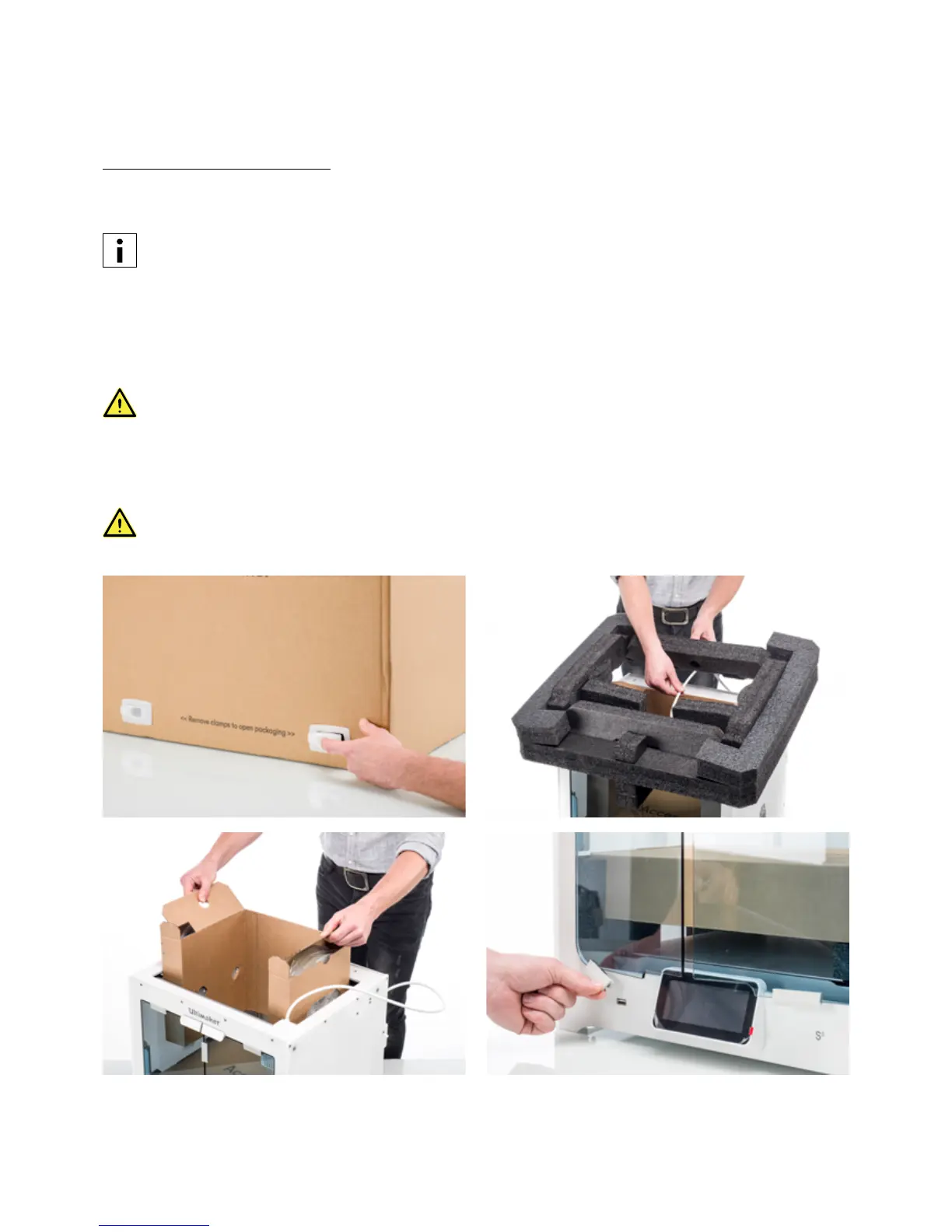
Remove the packaging
The Ultimaker S5 comes in reusable, durable packaging, specially designed to protect your 3D printer. Follow the steps
below properly to unpack your Ultimaker S5.
We recommend removing the packaging with the box placed on the floor for safety. Please retain all
packaging for warranty purposes.
1. Remove the plastic locking clips from the lower section of the box.
2. Holding the handles, lift the upper section of the box to reveal the printer.
3. Lift the top foam section away from the printer, pulling the print head cable free.
4. Remove the cardboard insert with the materials from the top of the printer.
5. Place the printer on a flat surface.
When placing the printer on a shelf or table, take proper measures to prevent the printer from falling.
6. Slide the center seal at the bottom of the glass doors to one side, and then remove all of the remaining seals.
7. Carefully open the glass doors and take out the accessory box and foam pieces from inside the printer.
8. Remove the plastic protection from the touchscreen.
If the printer needs to be transported without the outer box, be aware of the weight and dimensions of the
printer. According to the UL 60950-1 definition, the printer is not portable. Use proper transport means to do
this safely in order to prevent tripping.














 To Next Page