28
5.3 Prepare a print with Ultimaker Cura
Interface
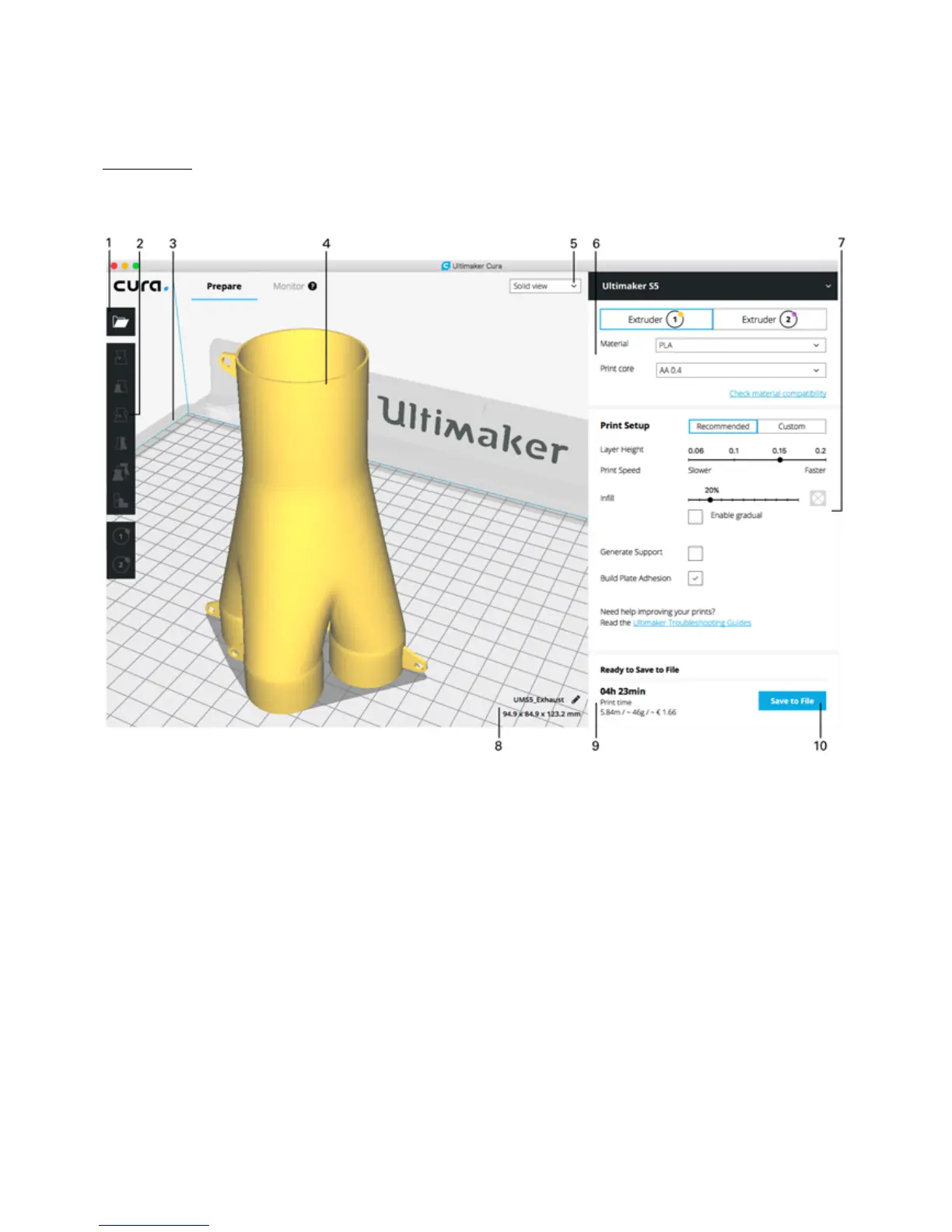
After you have added the Ultimaker S5 in Ultimaker Cura, the main interface will become visible. Here is an overview of
the interface.
1. Open file
2. Adjustment tools
3. Non-printable areas
4. 3D model
5. View mode
6. Printer, material, and print core configuration
7. Print Setup (recommended mode)
8. Model information
9. Print job information (print time and material usage)
10. Print over network, or save to file or USB stick














 To Next Page